
As per the Companies Rules 2014, Board Should ensure that the CSR activities shall be undertaken by Company itself or through Third Parties.
Third Parties
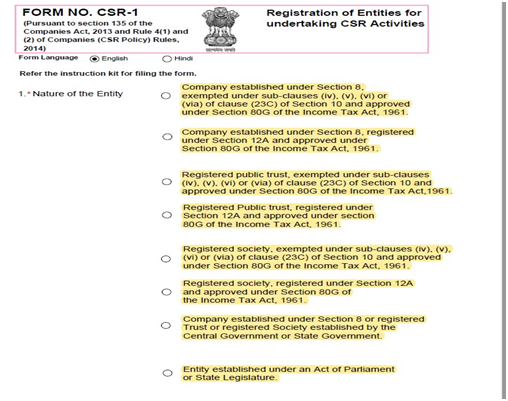
- A company established under Sec. 8 of the Act, a Registered Public Trust or a Registered Society, which is registered u/s 12A and 80G of the Income Tax Act, 1961, established by the company, either singly or along with any other company.
- A company established under Sec. 8 of the Act, a Registered Trust or a Registered Society established by the Central Government or State Government.
- Any entity established under an Act of Parliament or a State legislature
- A company established under Section 8 of the Act, or a registered public trust or a registered society, registered under Section 12A and 80G of the Income Tax Act, 1961, and has an established track record of at least three years in undertaking similar activities
Step 01: I have attached a Screenshot of the CSR Form 01 where you are required to tick the THIRD PARTY for which you are about to take registration.
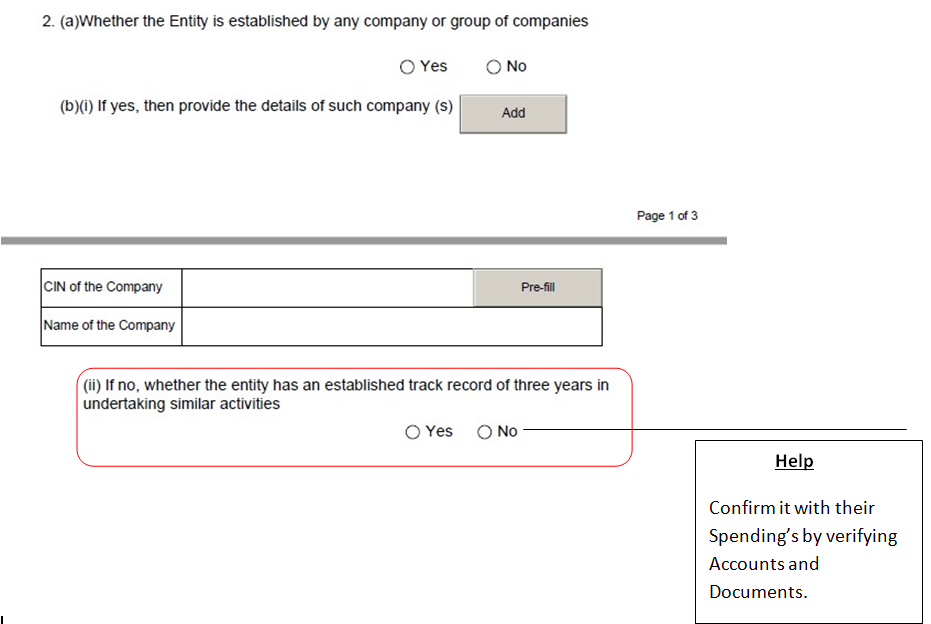
Step 02: In the below Screenshot, You need to fill up the details regarding its incorporation. It differs from Case to case Usually if the third parties are independently Incorporated then You are supposed to tick NO or otherwise YES by adding other Details of the Companies by whom it was incorporated. Then you need to ensure that the Organisation has a track record of at least 3 Years in similar Activities. Then Tick Yes for the same.
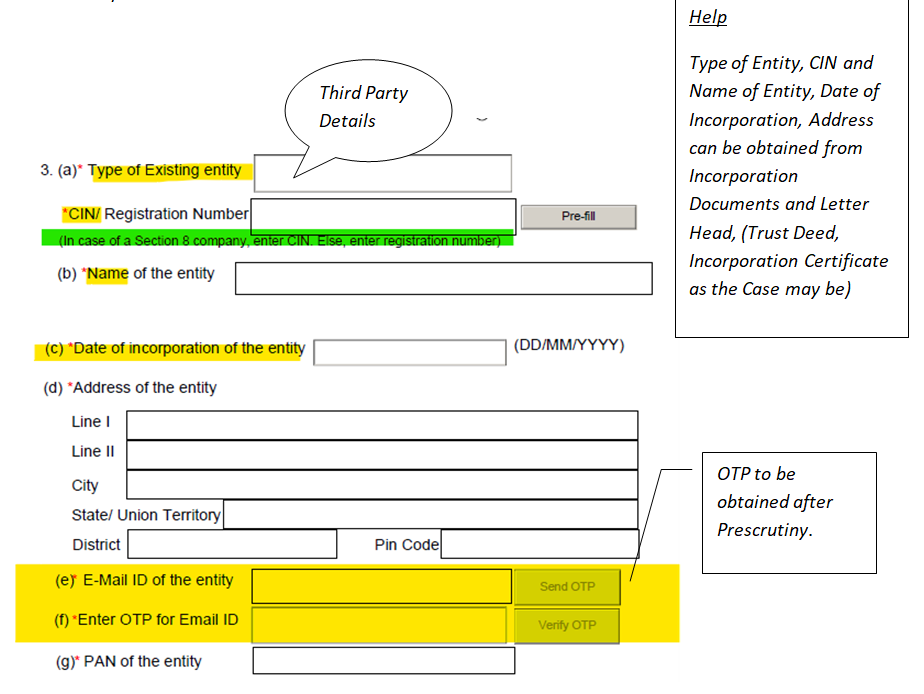
Step 03: You are required to fill up the details as required in the below-mentioned manner. In case it is a Section 8 Company then Simply Insert the CIN and then full details concerning the said company will automatically be fetched up from the portal but in the case of Trust, you are required to fill up each detail manually.
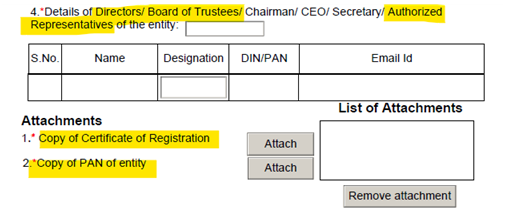
Step 04: Now Form wants to know about your existing Director in case of Companies or Details of trustees in case you are filing for the Trust.
You are required to obtain the following crucial documents for the attachments.
1. Copy of Certificate of registration
2. Copy of the PAN card of the entity.
After reaching this level you will be required two DSCs for Signature
1. For the Director or Authorized representative of the entity.
2. Practicing Professional Who will be going to Sign this Document
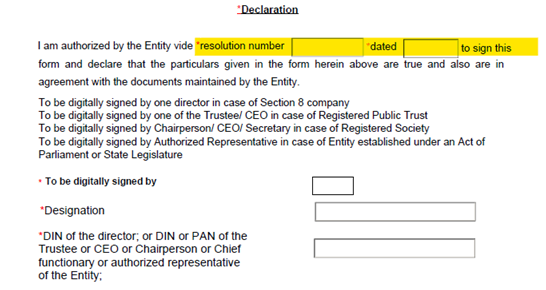
Step 05: At last after signing the Documents from Working Professional You Are Supposed to click on the Check Form to ensure that all the details are appropriately entered and No point remains unchecked.
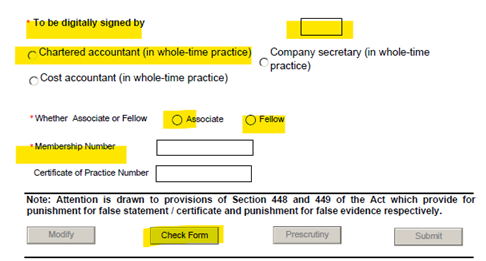
Now after the Check form, you are required to press the Pre scrutiny of the form so that It will validate all the Digital Signatures along with their Synchronisation with the MCA portal.
After Obtaining OTP, Save the form and Upload it.
(Don't forget to use only registered Mail IDs for the same)








 CAclubindia

