
Overview
The Employees' Provident Fund Organisation (EPFO) is gearing up for a major digital upgrade where members may soon be able to withdraw PF funds directly through UPI under the upcoming EPFO 3.0 framework. Union Minister of Labour & Employment Mansukh Mandaviya recently confirmed that the testing for the UPI payment gateway had been completed and the service will be rolled out for the members soon.
Latest Updated
Government has approved 8.25% EPF interest for FY 2025-26.
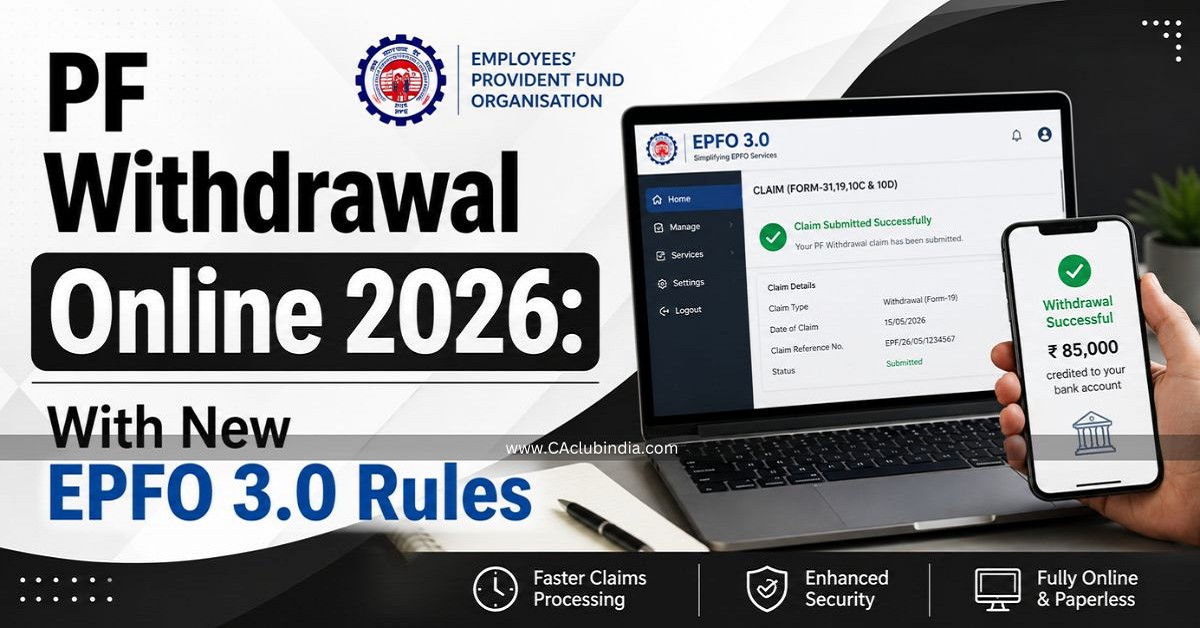
Before EPFO 3.0, withdrawing your Provident Fund meant:
- Submitting physical or online claim forms
- Waiting for employer digital signatures
- Tracking status updates for 7-15 days
- Visiting the EPFO office in case of errors
With EPFO 3.0 (rolling out through mid-2026), the process will be compressed to minutes, not weeks. Members can withdraw funds via UPI, use a dedicated EPFO ATM card, and get claims auto-settled without any manual intervention for amounts up to ₹5 lakh.
Three ways to withdraw your PF in 2026 - Tap the one you need and go directly to the step
Key Changes in EPFO 3.0 Rules 2026
| Feature | Before EPFO 3.0 | After EPFO 3.0 (2026) |
| Auto-settlement limit | ₹1 lakh | ₹5 lakh |
| Processing time | 7-15 working days | A few hours (for auto-settled claims) |
| Withdrawal method | Bank transfer only | Bank transfer + UPI + ATM card |
| Employer attestation | Mandatory | Not required (if KYC is Aadhaar-linked) |
| Partial withdrawal categories | 13 complex categories | 3 simplified categories |
| Claim tracking | EPFO portal only | Portal + UMANG app + SMS + Missed call |
| Tax declaration form | Form 15G / Form 15H | Form 121 (effective April 1, 2026) |
| Balance check | EPFO portal / SMS | Portal + UPI apps |
In Details
- Auto-Settlement Up to ₹5 Lakh: Claims up to ₹5 lakh can be processed automatically without manual verification , provided your UAN is KYC-compliant (Aadhaar + PAN + Bank details verified). Nearly 95% of all PF claims are now settled through this auto-settlement mechanism.
- Faster Withdrawals Via UPI And ATM Access: Members can withdraw PF funds instantly via UPI apps (like PhonePe, GPay, Paytm) or by swiping a dedicated EPFO ATM card - just like using a regular bank account.
- No Employer Attestation Required: If your UAN is Aadhaar-linked and your KYC has been digitally approved by any previous employer , you no longer need your current or last employer to approve your withdrawal request.
- Simplified Withdrawal Categories: The earlier 13 confusing sub-categories of partial withdrawal have been merged into 3 broad categories:
- Emergency withdrawals - Medical, marriage, education
- Life milestone withdrawals - Housing, home loan repayment
- Unemployment withdrawals - Job loss situations
- Immediate Access During Job Loss: If you lose your job, you can withdraw up to 75% of your PF balance after just one month of unemployment. The remaining 25% can be withdrawn after the second month.
If you have received any PF amount during the year, you must check its taxability carefully to avoid errors in your income tax return.
Form 121 Replaces Form 15G / 15H
Effective April 1, 2026, the new Form 121 has replaced Forms 15G and 15H for tax declaration on PF withdrawals.
Who Can Withdraw PF Online? Eligibility Checklist
Before applying, confirm you meet the following conditions:
For Full PF Withdrawal:
- You have retired at age 58
- You have been unemployed for 2 consecutive months
- You are permanently going abroad
- You are a female employee retiring due to marriage
For Partial PF Withdrawal:
- Medical emergency - anytime, no service minimum
- Marriage - after 7 years of service (up to 50% of employee's share)
- Education - after 7 years of service (up to 50% of employee's share)
- Home purchase/construction - after 5 years of service
- Home loan repayment - after 10 years of service
- Unemployment (75% withdrawal) - after 1 month of job loss
- Pre-retirement partial withdrawal - after attaining 54 years of age
For EPFO 3.0 UPI/ATM withdrawals specifically:
- UAN must be active
- Aadhaar must be seeded to UAN
- PAN must be linked
- Bank account must be updated and verified
- Mobile number linked to Aadhaar must be active (for OTP)
Pre-Requisites Before You Apply
Experts consistently advise that most PF claim rejections happen due to KYC mismatches , not because of eligibility issues. Ensure the following before you begin:
KYC Documents to Link with UAN
- Aadhaar Card - Must be seeded to your UAN. The mobile number registered with Aadhaar must be active for OTP authentication.
- PAN Card - Must be linked to avoid a 30% TDS deduction on early withdrawals.
- Bank Account - Account number and IFSC code must be correctly updated in EPFO records.
Service History to Check
- Date of Exit - Must be updated under the Service History section. Without it, Forms 19 and 10C cannot be submitted.
- No Overlapping Service Dates - Ensure there are no overlapping dates between two different employers in your service history.
- UAN Activation - Your UAN must be activated on the EPFO portal.
Apps & Portals You'll Need
- EPFO Unified Member Portal: epfindia.gov.in
- UMANG App (for mobile-based access and Aadhaar face authentication)
Types of PF Withdrawal in 2026
Full PF Withdrawal (Form 19 + Form 10C)
Allowed when:
- Retirement at or after age 58
- Two or more months of unemployment
- Permanent migration abroad
- Marriage (for women members)
Both the EPF corpus (Form 19) and EPS pension amount (Form 10C) can be claimed together.
Partial/Advance PF Withdrawal (Form 31)
Under EPFO 3.0's 3 simplified categories:
| Category | Purpose | When | Limit |
| Emergency | Medical, marriage, education | Anytime (medical); 7 yrs service (others) | Up to 50% of employee's share |
| Life Milestone | Housing, home loan | 5-10 years of service | Up to 90% of balance |
| Unemployment | Job loss | After 1 month unemployed | 75% of total balance |
UPI/ATM Instant Withdrawal (New Under EPFO 3.0)
Withdraw up to 50% of the eligible advance amount instantly via UPI apps or EPFO ATM card. This is in addition to regular claims.
How to Withdraw PF Online in 2026 - Step-by-Step
8 Easy Steps to File PF Withdrawal Online
Step 1: Log in to the UAN Member Portal Visit epfindia.gov.in → Click on "Member UAN/Online Services" → Log in with your UAN and password.
Step 2: Verify KYC Status Go to Manage → KYC → Confirm that Aadhaar, PAN, and bank account are linked and show "Digitally Approved" status.
Step 3: Go to Online Claims Click on Online Services → Claim (Form 31, 19, 10C & 10D).
Step 4: Verify Your Bank Account Enter the last 4 digits of your bank account number to verify. Click "Proceed for Online Claim."
Step 5: Select the Type of Claim From the dropdown menu, choose the appropriate claim type:
- Form 19 - Full PF settlement
- Form 10C - EPS/Pension withdrawal
- Form 31 - Partial advance/emergency withdrawal
- Form 10D - Monthly pension
Step 6: Fill in Required Details Provide reason for withdrawal, address, and choose the payment method (bank transfer or UPI under EPFO 3.0).
Step 7: Upload Form 121 (if applicable) If your service is below 5 years and withdrawal exceeds ₹50,000, upload Form 121 (new replacement for Form 15G/15H effective April 2026) to avoid TDS deduction.
Step 8: Submit & Track Click "Get Aadhaar OTP" for Aadhaar-based e-sign → Enter OTP → Click "Submit Claim."
You will receive an SMS confirmation. Use "Track Claim Status" on the portal, UMANG app, or give a missed call to 011-22901406 to check status.
Processing time: Auto-settled claims (up to ₹5 lakh) are typically credited within a few hours to 3 business days . Claims above ₹5 lakh may take 7-10 working days.
How to Withdraw PF via UPI Under EPFO 3.0
UPI-based withdrawal is the most exciting new feature under EPFO 3.0. Here's how it works once the feature is live on your account:
- Log in to the EPFO member portal or UPI-enabled app
- View your eligible withdrawable balance on the dashboard
- Select "Withdraw via UPI"
- Enter your UPI ID (or scan the QR code generated by the portal)
- Authenticate via Aadhaar OTP or face authentication
- Funds are credited directly to your linked bank account instantly
UPI Withdrawal Limits:
- Up to 75% of your EPF balance via UPI
- At least 25% must remain in the account at all times during service
- Built with NPCI (National Payments Corporation of India) with support across all major UPI apps
Important: UPI withdrawal is integrated with Aadhaar OTP-based authentication. Ensure your Aadhaar-registered mobile number is active.
How to Withdraw PF via ATM Card Under EPFO 3.0
EPFO will issue a dedicated PF withdrawal card - similar to a bank debit card - linked to your PF account.
How ATM-Based PF Withdrawal Works:
- Receive your EPFO-issued ATM card (linked to your UAN/PF account)
- Visit any EPFO-enabled ATM
- Select the "PF Withdrawal" option from the ATM menu
- Enter your UAN and desired withdrawal amount
- Authenticate via OTP or PIN
- Funds are dispensed or credited to your linked bank account
ATM Withdrawal Limit:
Up to 50% of your eligible PF balance via ATM card
Status: EPFO ATM cards are being rolled out in phases through mid-2026. Check the EPFO portal or UMANG app for availability in your account.
PF Withdrawal Limits in 2026
| Scenario | Maximum Withdrawal |
| Retirement (age 58) | 100% - full balance |
| Unemployment (after 1 month) | 75% of total balance |
| Unemployment (after 2 months) | 100% of total balance |
| Medical emergency | 6 months' basic salary or employee's share, whichever is lower |
| Marriage / Education | 50% of employee's share (up to 3 times for marriage, up to 10 times for education during service) |
| Home purchase/construction | Up to 90% of total balance |
| Home loan repayment | 90% of total balance |
| UPI-based withdrawal | 75% of total EPF balance |
| ATM card withdrawal | 50% of eligible advance amount |
| Auto-settlement (no manual check) | Up to ₹5 lakh |
Universal Rule: A minimum of 25% of your total PF balance must remain in your account at all times during active service. This is designed to protect your retirement corpus.
Tax Rules on PF Withdrawal 2026 - Form 121 Explained
When Is PF Withdrawal Tax-Free?
- PF withdrawal made after 5 years of continuous service is completely tax-free
- Contributions + interest = exempt from income tax
When Is TDS Deducted?
- Withdrawal before 5 years of service AND amount exceeds ₹50,000
- TDS rate: 10% (if PAN is linked)
- TDS rate: 30% (if PAN is NOT linked - avoid this!)
What Is Form 121 in 2026?
Effective April 1, 2026 , the government introduced Form 121 under the new Income Tax Act, which replaces the earlier Forms 15G and 15H . Members below 60 years with income below the taxable threshold can submit Form 121 online while filing their PF claim to declare zero tax liability and avoid TDS deduction.
How to submit Form 121: Upload it directly on the EPFO online claims portal in Step 7 of the withdrawal process (see above).
How to Track Your PF Claim Status Online
After submitting your claim, you can track the status through multiple channels:
| Method | How to Use |
| EPFO Portal | epfindia.gov.in → Online Services → Track Claim Status |
| UMANG App | Login → EPFO → Track Claim |
| SMS | Send "EPFOHO UAN ENG" to 7738299899 |
| Missed Call | Dial 011-22901406 from your registered mobile |
| Send UAN to +91-9966736398 |
Common Reasons for PF Withdrawal Rejection & How to Avoid Them
| Reason | Fix |
| Aadhaar details mismatch | Ensure name, DOB, and gender on EPFO portal exactly match Aadhaar |
| PAN not linked | Link PAN via EPFO portal under Manage → KYC |
| Bank account details incorrect | Update and re-verify bank account under KYC section |
| Date of Exit not updated | Update under Service History before applying |
| Overlapping service dates | Contact EPFO helpdesk (1800-118-005) to resolve |
| UAN not activated | Activate UAN at epfindia.gov.in using registered mobile |
| Mobile number not linked to Aadhaar | Update mobile at Aadhaar Seva Kendra or online at myaadhaar.uidai.gov.in |
Quick Reference - Important EPFO Links & Numbers
| Resource | Details |
| EPFO Member Portal | epfindia.gov.in |
| UAN Activation / KYC | unifiedportal-mem.epfindia.gov.in |
| Helpline | 1800-118-005 (toll-free) |
| SMS Balance Check | "EPFOHO UAN ENG" → 7738299899 |
| Missed Call Balance | 011-22901406 |
| +91-9966736398 | |
| Grievance Portal | epfigms.gov.in |
| UMANG App | Available on Google Play & App Store |
| Aadhaar Update | myaadhaar.uidai.gov.in |
Also Read - Income Tax For Senior Citizens For FY 2026-27: Updated as per New Rules 2026
FAQs
Can I withdraw my entire PF balance online in 2026?
Yes, full PF withdrawal is allowed online if you have retired, been unemployed for 2+ months, or are permanently migrating abroad. During active service, you can withdraw up to 75% (or 90% for housing) under specific partial withdrawal rules.
How long does PF withdrawal take in 2026?
For auto-settled claims up to ₹5 lakh with full KYC, it can take just a few hours to 3 business days. Claims above ₹5 lakh may take 7-10 working days.
What is the minimum balance that must remain in the PF account?
At least 25% of your total PF balance must remain in the account at all times during active service. You cannot withdraw this amount until retirement or permanent separation.
What is the ATM withdrawal limit for PF under EPFO 3.0?
One can withdraw up to 50% of the eligible advance amount via the EPFO ATM card. The universal 25% retention rule still applies.
Can I withdraw PF without Aadhaar?
It is very difficult. Without Aadhaar seeding, you lose access to auto-settlement, employer-free withdrawals, and UPI/ATM features. Employer attestation becomes mandatory. It's strongly advisable to seed Aadhaar before applying.
What should I do if my PF withdrawal claim is rejected?
- Check the rejection reason in the "Track Claim Status" section
- Fix the specific KYC or service history issue
- Re-submit the claim
- For persistent issues, call the EPFO helpline: 1800-118-005 (toll-free) or raise a grievance at epfigms.gov.in











 CAclubindia
