
Can you download a PAN card using your Aadhaar number? Yes, in certain situations, you can access or download an e-PAN using Aadhaar through the official Income Tax e-Filing portal. However, the process depends on whether you already have a PAN or are applying for a new one.
The Income Tax Department provides an Instant e-PAN facility that allows eligible individuals who have not yet been allotted a PAN to obtain a digitally signed PAN electronically using Aadhaar and an Aadhaar-linked mobile number. The service is available online and is free of cost.
Table Of Content
- Download PAN Card Using Aadhaar: Quick Overview
- What Are the Requirements to Get an Instant e-PAN?
- Is Downloading e-PAN Using Aadhaar Free?
- Can I Download My Existing PAN Card Using Aadhaar?
- What If I Lost My PAN Card?
- What If My Aadhaar Mobile Number Is Not Linked?
- What If My Aadhaar Is Already Linked to PAN?
- Is e-PAN Valid Like a Physical PAN Card?
- How Long Does It Take to Get Instant e-PAN?
- Problems While Downloading e-PAN Using Aadhaar
- Aadhaar vs PAN: What Is the Difference?
- Safety Tips While Downloading e-PAN
If you already have a PAN but have lost your physical PAN card, do not use the Instant e-PAN facility to apply for another PAN. Instead, you need to obtain/download your existing PAN details through the appropriate PAN service.
In this guide, we explain how to download e-PAN using Aadhaar, who is eligible, the documents required, the OTP process, what to do if you already have a PAN, and answers to common questions.
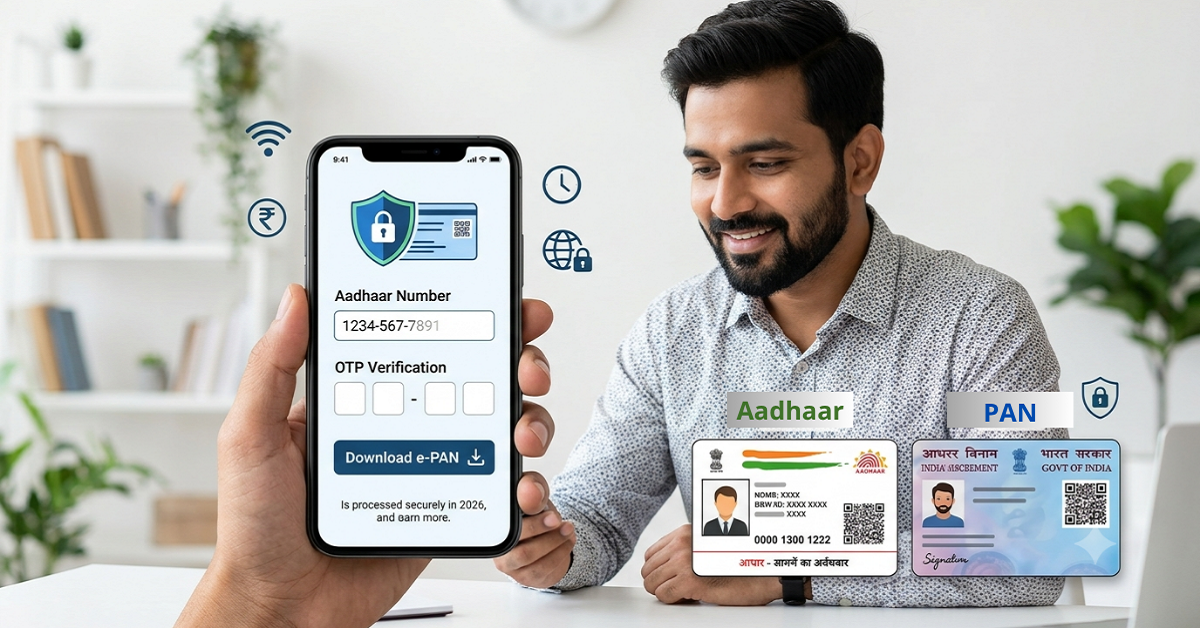
Download PAN Card Using Aadhaar: Quick Overview
| Particular | Details |
| Service | Instant e-PAN |
| Authority | Income Tax Department |
| Aadhaar required | Yes |
| Aadhaar-linked mobile | Required |
| Fee | Free |
| Online process | Yes |
| Physical PAN card | Not issued through Instant e-PAN |
| Eligible applicants | Individuals who have not already been allotted a PAN |
| OTP | Sent to Aadhaar-linked mobile |
| e-PAN | Digitally signed electronic PAN |
The Instant e-PAN facility is provided by the Income Tax Department through its official e-Filing portal.
Can You Download PAN Card Using Aadhaar Number?
Yes, but the answer depends on your situation.
If you do not have a PAN
- You may be eligible to use the Instant e-PAN facility. You can submit your Aadhaar details, authenticate yourself through an OTP sent to your Aadhaar-linked mobile number and complete the required e-KYC process.
- Once the e-PAN is generated and allotted, you can view or download it electronically.
If you already have a PAN
- You cannot use Instant e-PAN to obtain another PAN merely because you have lost your existing card.
- The Income Tax Department specifically states that Instant e-PAN is not available to an individual who has already been allotted a PAN.
Therefore, do not apply for a second PAN. Having more than one PAN allotted to the same person can create serious tax and compliance problems.
How to Download e-PAN Using Aadhaar Number Online
If you are eligible for the Instant e-PAN facility, follow these steps.
Step 1: Visit the Income Tax e-Filing Portal
- Go to the official Income Tax e-Filing portal.
- On the homepage, look for “Instant e-PAN” under the Quick Links section.
- The Income Tax Department provides Instant e-PAN as a pre-login online service.
Step 2: Select “Get New e-PAN”
- After opening the Instant e-PAN service, select:
- Get New e-PAN
- This option is meant for eligible individuals who have not previously been allotted a PAN.
Step 3: Enter Your Aadhaar Number
- Enter your 12-digit Aadhaar number and proceed.
- Your Aadhaar must be valid, and the mobile number used for authentication must be linked with Aadhaar.
- If your Aadhaar is already linked with an existing PAN, the system may indicate that the Aadhaar is already associated with a PAN.
Step 4: Complete Aadhaar OTP Verification
- An OTP will be sent to the mobile number registered with your Aadhaar.
- Enter the OTP on the Income Tax e-Filing portal and complete the authentication.
- According to the Income Tax Department's current guidance, the OTP is valid for 15 minutes, with three attempts available for entering the correct OTP.
Important:
- Never share your Aadhaar OTP with another person.
- You should enter the OTP only on the official Income Tax e-Filing portal.
Step 5: Complete the Required e-KYC Process
- After Aadhaar authentication, you may need to provide consent for Aadhaar e-KYC and complete the required declarations.
- The current Instant e-PAN process also uses DigiLocker for obtaining supporting proof of date of birth in the applicable workflow.
- Eligible documents available through DigiLocker can include documents such as a birth certificate, Class 10/matriculation-related documents, driving licence and certain other prescribed documents.
Step 6: Submit the Request for Instant e-PAN
- After completing the required verification and consent steps, submit your request.
- A successful submission generates an Acknowledgement Number.
- Keep this number safely because it can help you check the status of your request later.
Step 7: Check Your e-PAN Status
- Once you have submitted your request, you can check the status online.
Go to:
- Income Tax e-Filing Portal → Instant e-PAN → Check Status / Download e-PAN
- Enter your Aadhaar number and complete OTP verification.
- If your e-PAN has been generated and allotted, the portal will provide options to view or download the e-PAN.
Step 8: Download Your e-PAN
- Once the PAN has been allotted, select:
Download e-PAN
- You can save the digitally signed electronic PAN document on your device for future use.
- The Income Tax Department also provides a post-login option:
- Dashboard → Services → View / Download e-PAN
- After Aadhaar OTP verification, you can view or download the e-PAN.
Also Read - PAN Card 2.0 Apply Online in 2026
What Are the Requirements to Get an Instant e-PAN?
Before starting the process, make sure you meet the basic eligibility conditions.
You generally need:
- A valid Aadhaar number
- A mobile number linked with Aadhaar
- Access to DigiLocker where required in the current workflow
- To be an eligible individual who has not already been allotted a PAN
- To satisfy the applicable eligibility conditions of the Instant e-PAN service
The Income Tax Department states that the Instant e-PAN facility is intended for individuals who have not already been allotted a PAN.
Is Downloading e-PAN Using Aadhaar Free?
Yes. The Income Tax Department's Instant e-PAN facility is provided free of cost.
Therefore, if you are eligible for Instant e-PAN, you do not need to pay a private agent merely to generate your e-PAN through this facility.
Be cautious of websites or individuals asking for unnecessary payments or requesting your Aadhaar OTP.
Can I Download My Existing PAN Card Using Aadhaar?
This is one of the most searched questions about PAN and Aadhaar.
If you already have a PAN, the Instant e-PAN facility is not meant to generate another PAN for you.
For example:
Situation 1: You have Aadhaar but have never been allotted a PAN → You may be eligible for Instant e-PAN.
Situation 2: You already have a PAN but lost the physical card → Do not apply for a new PAN through Instant e-PAN.
Situation 3: Your PAN is already linked with Aadhaar → Instant e-PAN is not a method for obtaining a second PAN.
The Income Tax Department's e-PAN FAQ specifically states that a person who already has a PAN cannot obtain a new e-PAN through this facility.
What If I Lost My PAN Card?
If you already have a PAN and have misplaced the physical card, do not apply for another PAN number.
Your PAN number remains the same even if your physical PAN card is lost.
Instead, use the appropriate facility to obtain a copy/reprint or access your existing PAN details.
This distinction is important because the Instant e-PAN service is designed for eligible individuals who have not yet been allotted a PAN.
What If My Aadhaar Mobile Number Is Not Linked?
Aadhaar-based authentication requires an active mobile number linked with Aadhaar.
If your mobile number is not linked with Aadhaar, you may not receive the OTP required for the Instant e-PAN process.
The Income Tax Department advises users to update their mobile number through an Aadhaar enrolment/update centre where necessary.
What If My Aadhaar Is Already Linked to PAN?
If your Aadhaar is already associated with a valid PAN, you should not try to generate another PAN using the Instant e-PAN service.
The portal can identify that the Aadhaar is already linked with a PAN.
If you simply need access to your PAN document, use the appropriate existing-PAN services rather than applying for a new PAN.
Is e-PAN Valid Like a Physical PAN Card?
An e-PAN is a digitally signed PAN in electronic form issued through the Income Tax Department's system.
It can be used as your PAN document for applicable purposes where PAN details/document are accepted.
The Instant e-PAN service provides the PAN electronically rather than issuing a physical PAN card through that specific facility.
How Long Does It Take to Get Instant e-PAN?
The Instant e-PAN service is designed as a quick online facility, but the exact time can depend on successful Aadhaar authentication, KYC information, document availability and system processing.
If your request is pending, you can use the Check Status / Download e-PAN option on the e-Filing portal to check the status.
Common Problems While Downloading e-PAN Using Aadhaar
You may face issues during the process for several reasons.
1. Aadhaar is already linked to PAN
- This generally means you already have a PAN associated with your Aadhaar.
2. OTP is not received
- Check whether your mobile number is correctly linked with Aadhaar and whether your phone has network connectivity.
3. Aadhaar details do not match
- Differences in personal details between Aadhaar and the information required for PAN processing may cause problems.
4. DigiLocker issue
- The current Instant e-PAN workflow may require access to DigiLocker for retrieving applicable proof of date of birth.
5. PAN already exists
- If you already have a PAN, do not submit another application simply because you cannot find your physical card.
Aadhaar vs PAN: What Is the Difference?
Aadhaar and PAN are two different identification systems.
- Aadhaar is issued by the Unique Identification Authority of India (UIDAI), while PAN is issued under the Income Tax Department's tax administration system.
- Aadhaar can be used for identity verification and e-KYC in various services, while PAN is primarily used for tax-related identification and financial transactions where PAN is required.
The two numbers should not be treated as interchangeable.
Important Safety Tips While Downloading e-PAN
Whenever you use an Aadhaar-based PAN service, follow these precautions:
Use the official Income Tax website
Always check that you are using the official Income Tax e-Filing portal.
Never share your OTP
Your Aadhaar OTP should remain private.
Do not apply for multiple PANs
If you already have a PAN, do not apply for another PAN just because you have lost the card.
Check your details carefully
Before using your e-PAN, verify your name, date of birth and PAN details.
Avoid suspicious websites
Search results may contain websites offering PAN-related services. For Instant e-PAN, use the official Income Tax Department service.
Conclusion
Downloading an e-PAN using an Aadhaar number can be simple when you are eligible for the Income Tax Department's Instant e-PAN facility.
The basic process involves visiting the official e-Filing portal, selecting Instant e-PAN, providing Aadhaar details, completing OTP authentication and following the required e-KYC process. Once the PAN is allotted, you can check its status and download the e-PAN electronically.
However, remember one crucial point: Instant e-PAN is not a way to obtain a second PAN if you already have one. If your existing PAN card is lost, use the appropriate service for your existing PAN rather than applying for a new number.
For the safest and most accurate process, always use the official Income Tax e-Filing portal and avoid sharing your Aadhaar OTP with anyone.
FAQs
1. Can I download PAN using Aadhaar number?
If you are eligible for the Instant e-PAN service and have not previously been allotted a PAN, you can obtain and download your e-PAN using Aadhaar-based authentication. If you already have a PAN, the Instant e-PAN facility cannot be used to generate another PAN.
2. Is Instant e-PAN free?
Yes. The Income Tax Department provides the Instant e-PAN service free of cost.
3. Can I get e-PAN if I already have a PAN?
No. Instant e-PAN is intended for eligible individuals who have not already been allotted a PAN. If you already have a PAN, use the appropriate service for accessing or obtaining a copy of your existing PAN.
4. Can I download e-PAN without Aadhaar?
The Instant e-PAN facility specifically uses Aadhaar-based authentication. Therefore, a valid Aadhaar and Aadhaar-linked mobile number are required for this facility.
5. What should I do if I lost my PAN card?
If you already have a PAN, do not apply for a new PAN through Instant e-PAN. Your PAN number does not change merely because you lost the physical card. Use the appropriate existing-PAN/reprint facility instead.











 CAclubindia
