 Mitali
Quick Summary
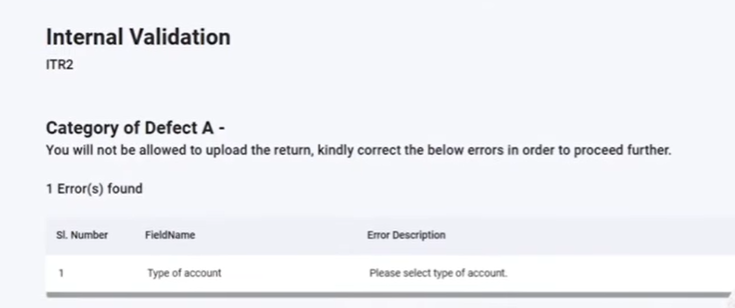
Many taxpayers during ITR 1, 2, 3 or 4 filing encounters an "Internal Validation Error" which is related to selecting the account type. This error is basically linked to bank account details.
Note:
For AY 25-26, you must show all active bank accounts excluding dormant or inactive ones while filing ITR.
Out of the all active bank accounts shown one must one bank account must be successfully pre-validated; issues with this pre-validation can trigger error.
Troubleshooting Steps for Bank Account Errors
- Click on that error, navigate to General Information and then Bank Details on the portal.
- You have to nominate one pre-validated bank account for refund by clicking "Nominate for Refund".
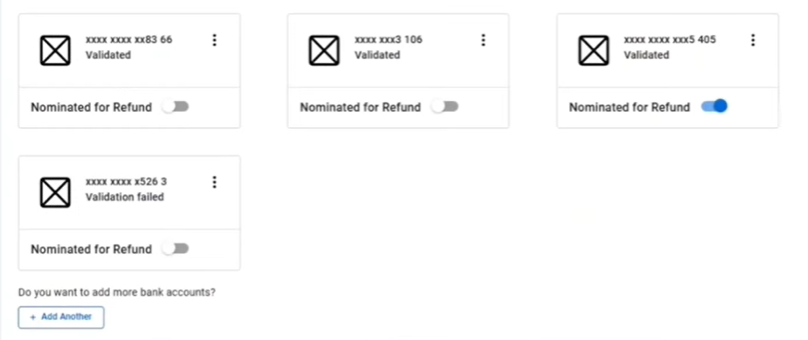
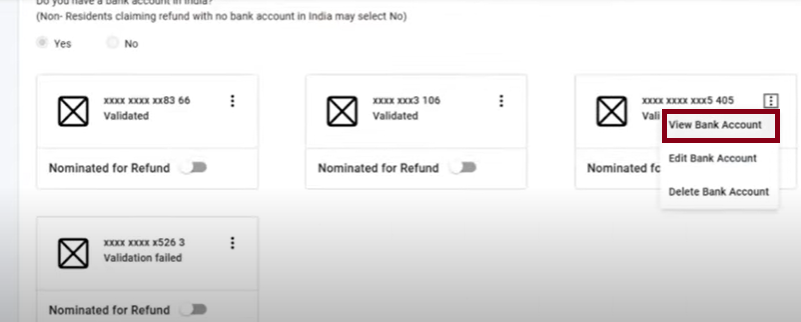
- Go to view bank account and check whether there is still showing error.
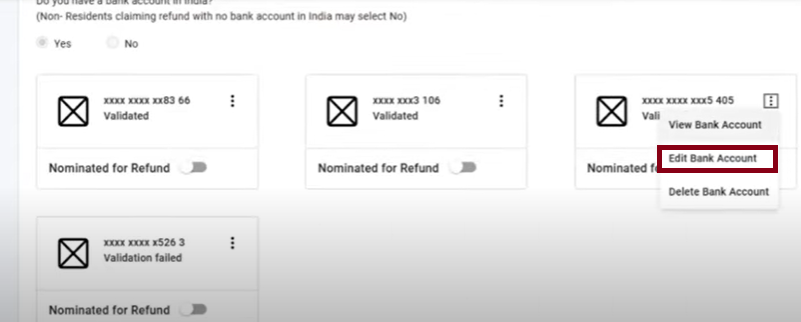
- If the error persists despite an account type being selected, click "Edit Bank Account".
Common Causes and Solutions
Email ID Mismatch
- If the email ID registered with the bank account does not match the one on the portal, this error will occur.
- To resolve this go to the Revalidate section, select the correct Type of Account whether Saving or Current, click "Yes", and then "Proceed to Verify".
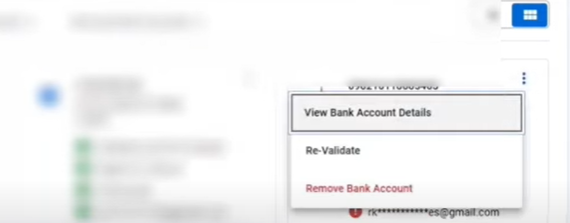
- Validate using Aadhaar OTP by generating and entering the OTP sent to the registered mobile number.
Check again - "My Profile" > "Bank Account", it confirms an email ID problem if it still shows error.
Name Mismatch
- If the name on the PAN card does not match the name on the bank account, it will show "Restricted Refund" and indicate a mismatch.
- To resolve, perform KYC at the bank to update details, then re-validate the account on the portal.
- Even if the account type is correctly selected, these mismatches such as email, mobile, or name will cause the error.
- If an account consistently shows errors (such as - email mismatch), it should be closed or deselected for refund, and a fully validated account (green status for mobile, email, and eligibility for refund) should be chosen instead.
After making corrections or selecting a new, fully validated account for refund, re-initiate the validation process by clicking "Proceed to Validation".
| Also Read - ITR Validation Errors: Common Causes & How to Fix Them |










 CAclubindia
