
Quick Summary
Introduction
To avail the "Authorize/Register as Representative" service on the e-Filing portal, you need to meet the following prerequisites:
- Registered User: You must be a registered user of the e-Filing portal. This means you should already have a valid user ID and password for accessing the portal.
- Valid PAN: You and the representative you wish to authorize must have active PAN (Permanent Account Number) issued by the Income Tax Department. PAN is a unique 10-character alphanumeric identifier assigned to taxpayers in India.
Meeting these prerequisites is essential to utilize the service and authorize or register a representative on the e-Filing portal.
Steps to Authorize / Register as Representative
To authorize another person to act on your behalf on the e-Filing portal, follow these steps
- Log in: Access the e-Filing portal using your registered user ID and password.
- Authorized Partners: Navigate to the "Authorized Partners" section on the portal. Look for the option to "Authorize another person to act on behalf of self" and click on it.
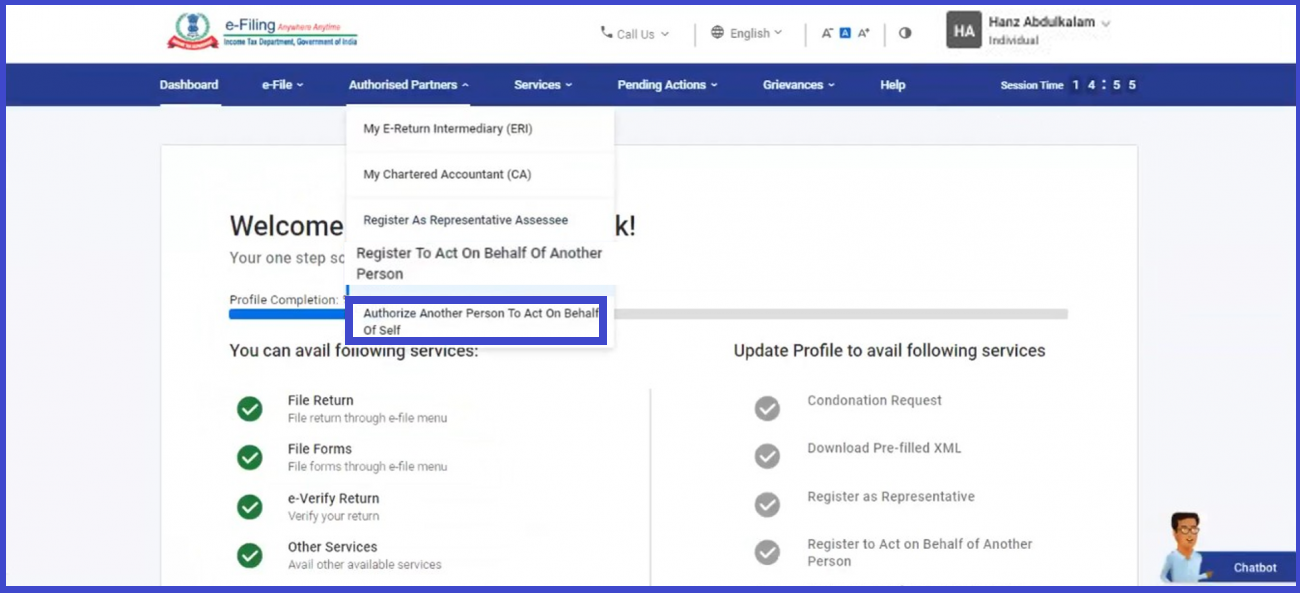
- Read instructions: A page with instructions about the service will be displayed. Read the instructions carefully and click on "Let's get started" to proceed.
- Previous requests: You will be able to see any previous authorization requests you have made. For a new request, click on "Add Authorized Signatory."
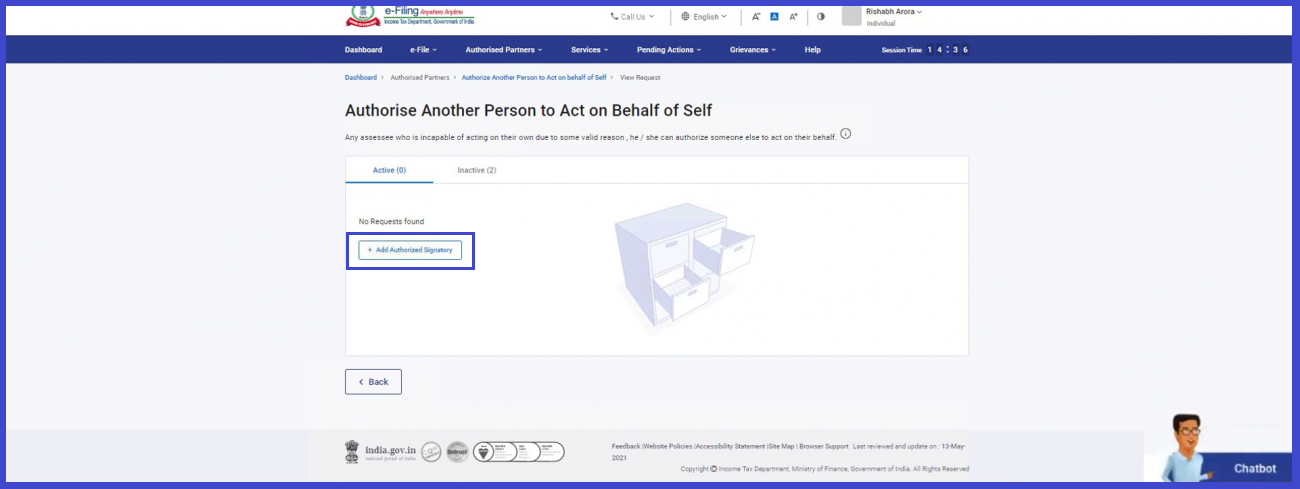
- Fill details: On the "Add Authorized Signatory" page, provide the necessary details of the authorized signatory, including the reason for authorization, their name, PAN (as per their PAN card), and date of birth. Fill in the details accurately and click "Continue."
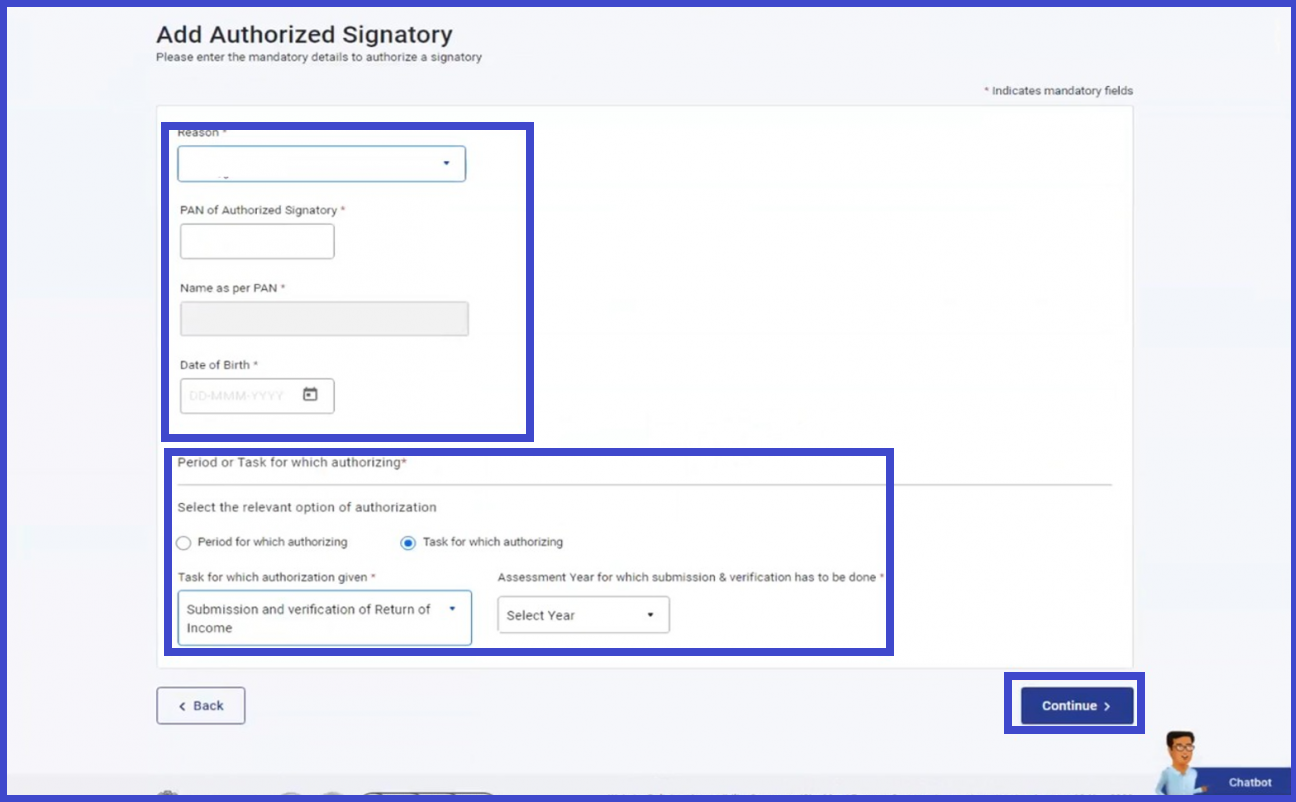
- Verify your request: On the "Verify your Request" page, you will receive a 6-digit OTP (One-Time Password) on your registered mobile number and email ID. Enter the OTP in the provided field and click "Submit" to validate your request.
- Success message and Transaction ID: If your request is successfully validated, a success message will be displayed along with a Transaction ID. Make a note of the Transaction ID for future reference. You can click on the "View Request" button to see all the requests you have submitted previously.
To register as a representative on the e-Filing portal, follow these steps:
- Log in: Access the e-Filing portal using your registered user ID and password.
- Authorized Partners: Navigate to the "Authorized Partners" section on the portal. Look for the option to "Register as Representative Assessee" and click on it.
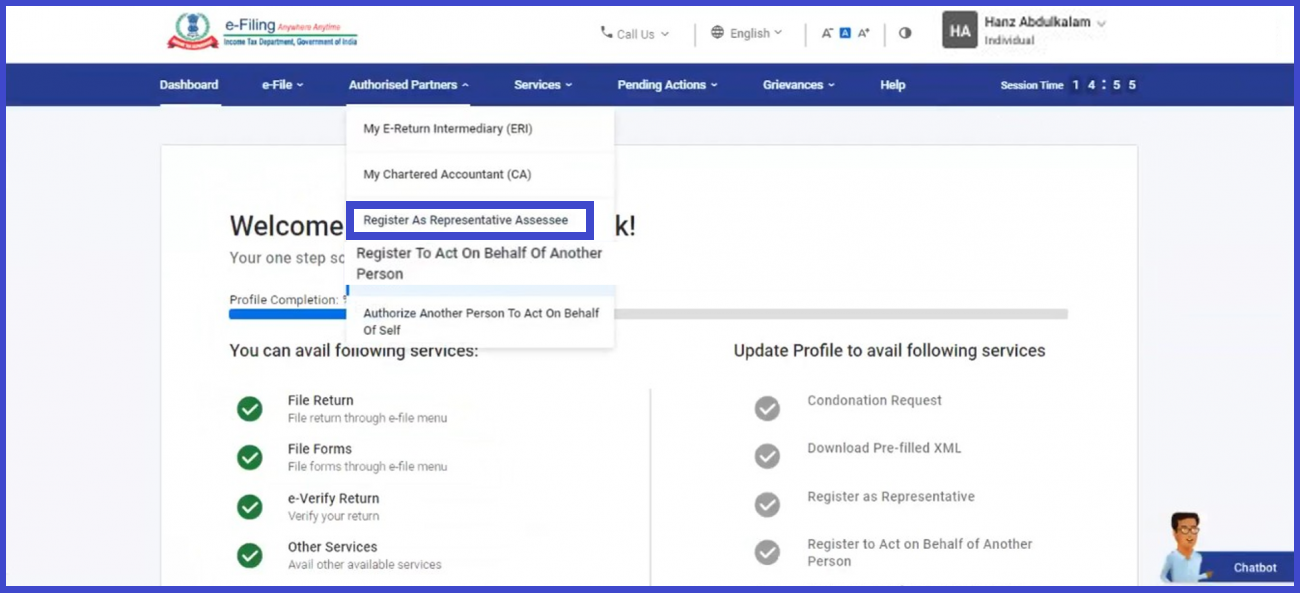
- Let's get started: Click on "Let's get started" to proceed and view any previous requests you have made.
- Create New Request: On the "Register as Representative Assessee" page, click on "Create New Request" to initiate a new request.
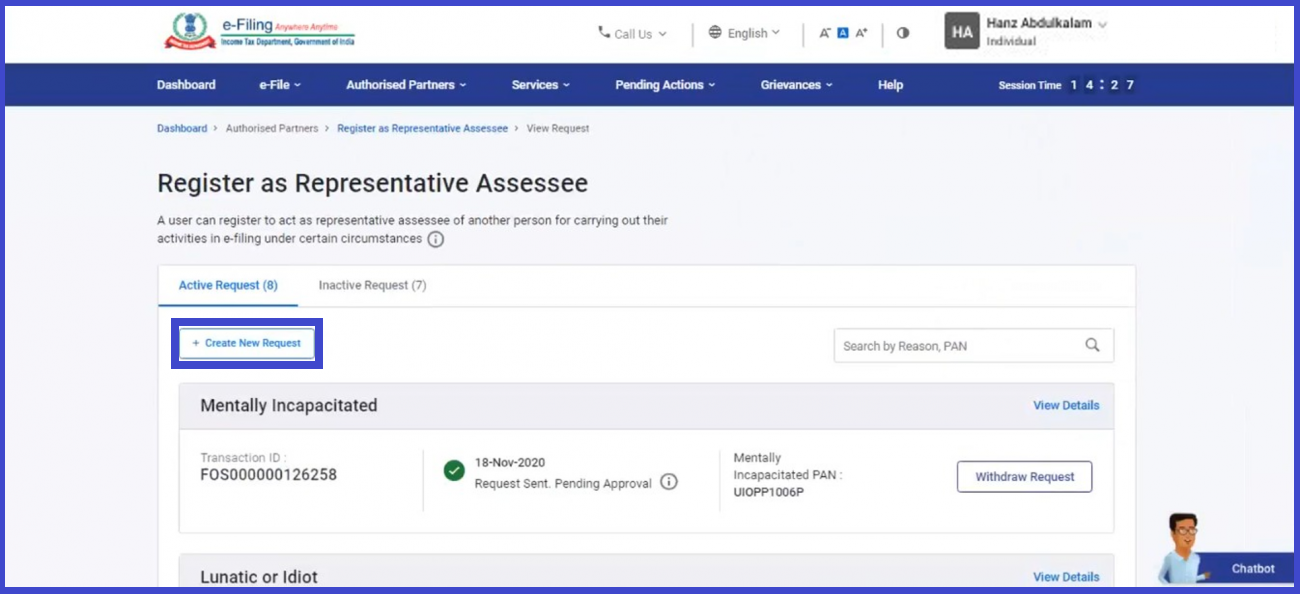
- Choose Category: Choose the category of the assessee you want to represent from the dropdown menu. Enter all the required details as requested. Additionally, upload any mandatory attachments if required. Once done, click "Continue."
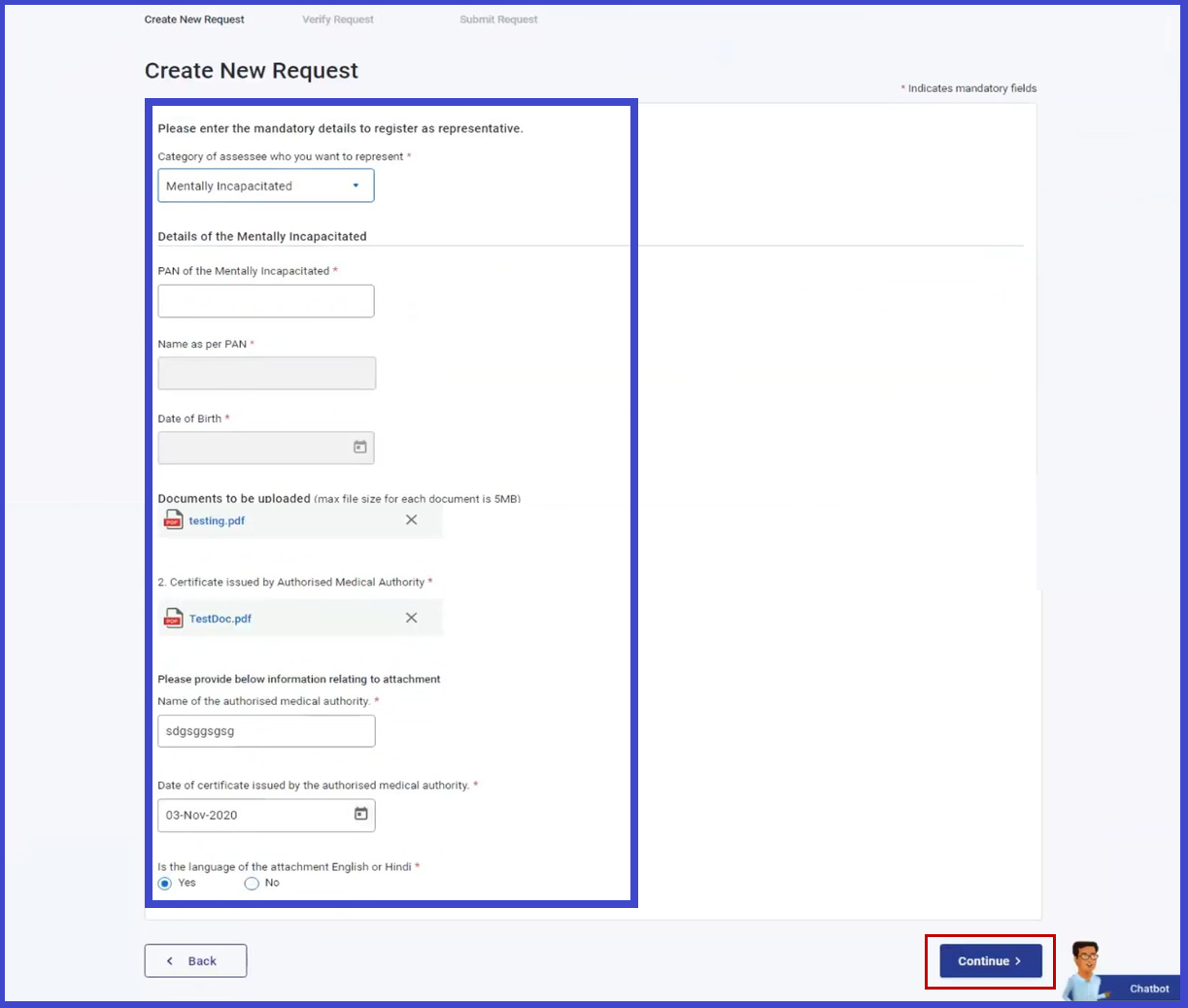
- Verify your Request: On the "Verify your Request" page, you will receive a 6-digit OTP (One-Time Password) on your registered mobile number and email ID. Enter the OTP in the provided field and click "Submit" to validate your request.
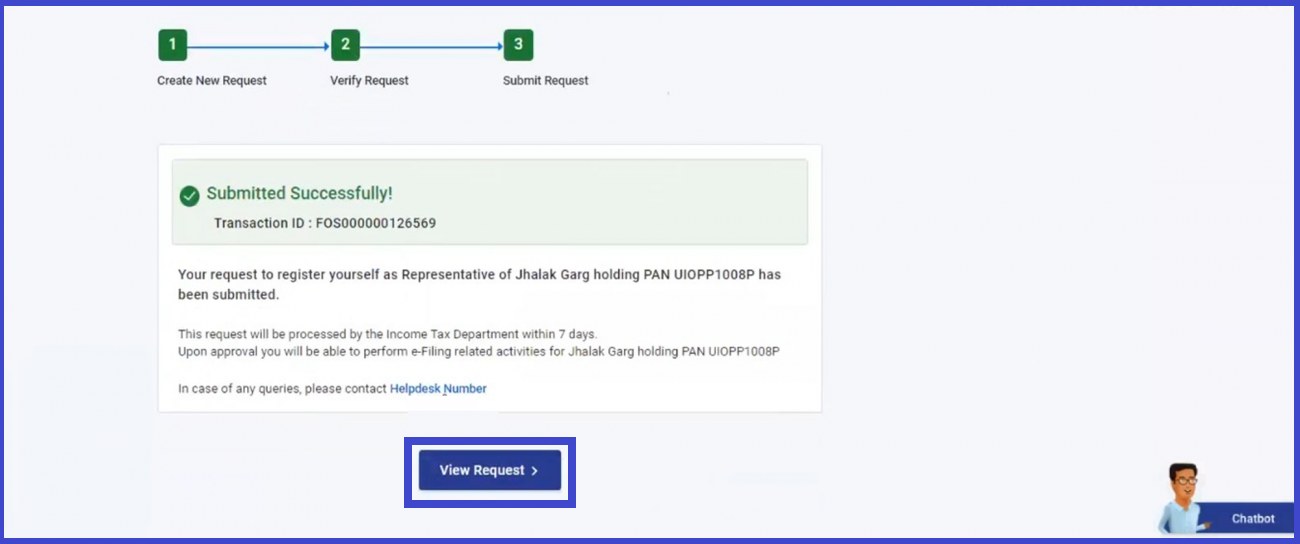
- View Request: After successful validation, click on "View Request" to see all the submitted requests along with the uploaded attachments.









 CAclubindia
