 CA Ruby Bansal
Quick Summary
DRC-01 stands for "Demand and Recovery Certificate-01" is a form that is used by the officer under GST to issue a summary of the show cause notice to a taxpayer. The form contains details related to the notice and provides the taxpayer with information about the allegations made against them. The purpose of the DRC-01 is to communicate the grounds for demanding payment, including taxes, interest, penalties, and other dues.
Details Included in Form DRC-01
The information typically included in Form DRC-01:

- GSTIN of the person to whom the SCN is issued.
- Address and other relevant information.
- Information regarding the specific tax period and financial year for which the notice is issued.
- Section reference under the GST law that is applicable.
- Unique reference numbers for the SCN.
- A concise overview of the facts leading to the issuance of the show cause notice. This may include details about the alleged non-payment or short payment of taxes, erroneous refunds, or wrongful availment / utilization of input tax credit.
How to respond to notice DRC-01
The steps to respond to notice DRC-01:
- Access the GST Portal: Log in to the GST portal using your credentials.
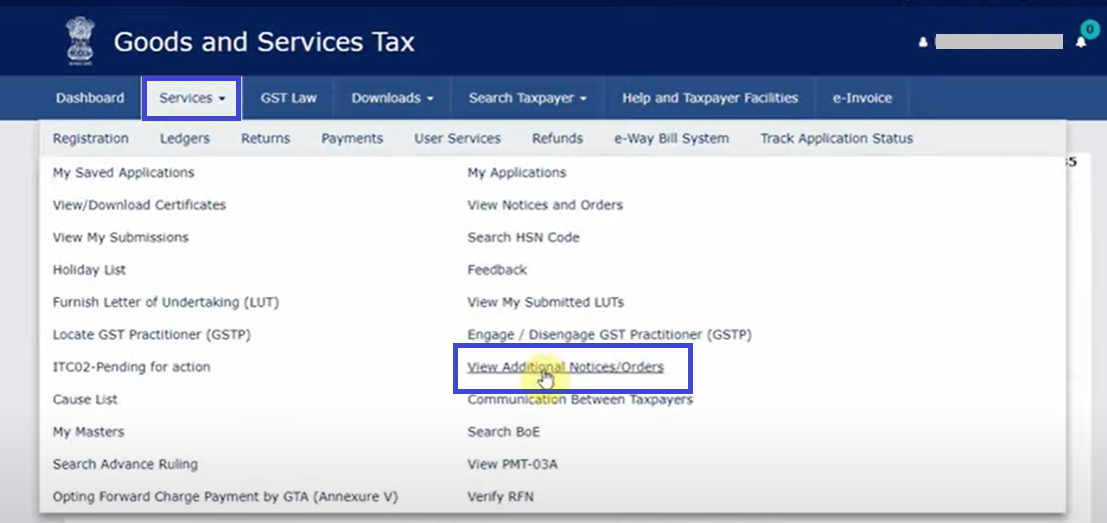
- Navigate to Services: Click on the "Services" tab on the GST portal.
- View Additional Notices/Orders: Under the Services tab, select "View Additional Notices/Orders."
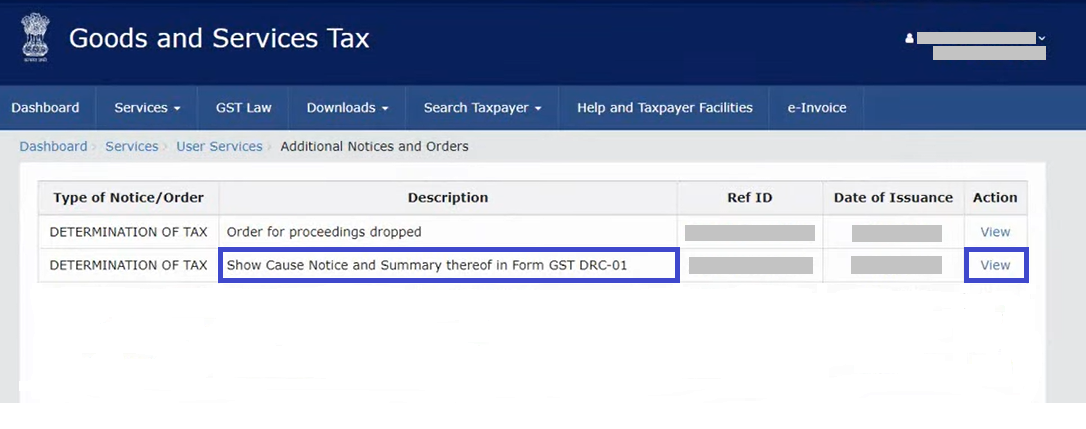
- Locate the Notice: Find the specific notice by clicking on "View" next to the relevant entry.
- Download the Notice: Click on the attachment to download the notice.
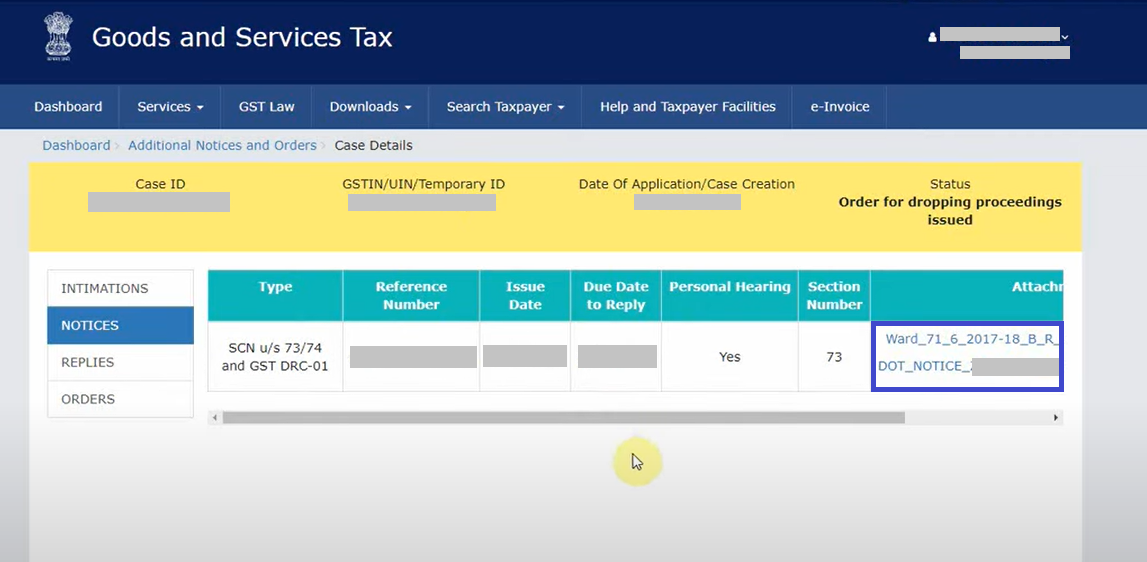
- Thoroughly Review the Notice: Carefully read the notice, noting details such as type, reference number, issue date, due date for reply, personal hearing details, and section number.
- Draft a Reply: Based on the information in the notice, prepare a comprehensive reply addressing the issues raised.
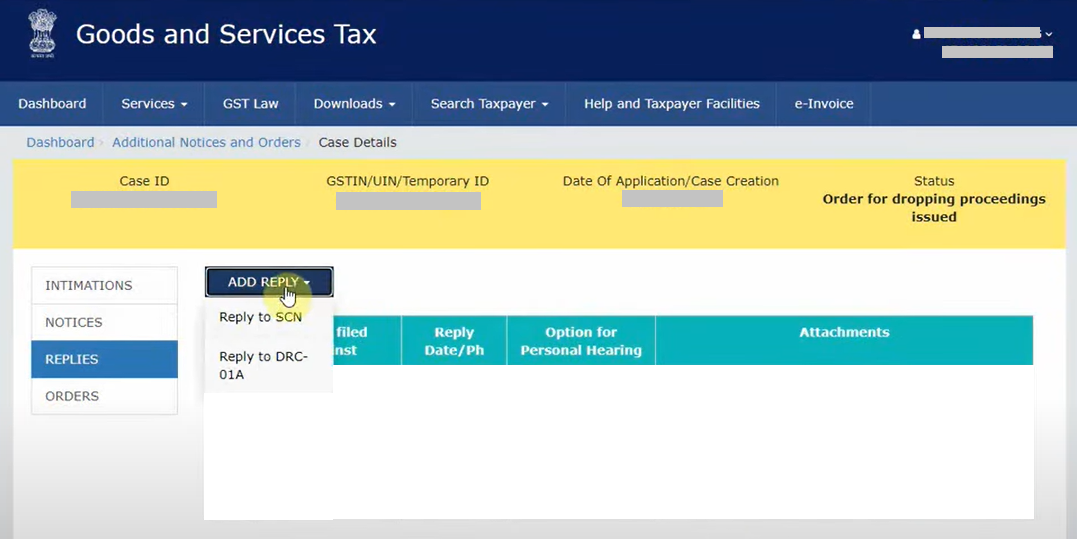
- Go to Replies Section: Return to the GST portal and navigate to the "Replies" section.
- Add Reply to SCN: Click on "Add Reply" and select "Reply to SCN."
- Attach Documents: Attach relevant documents to support your response. Note that only four documents can be attached.
- Physical Hearing: Attend the scheduled physical hearing where the officer will verify the submitted documents.
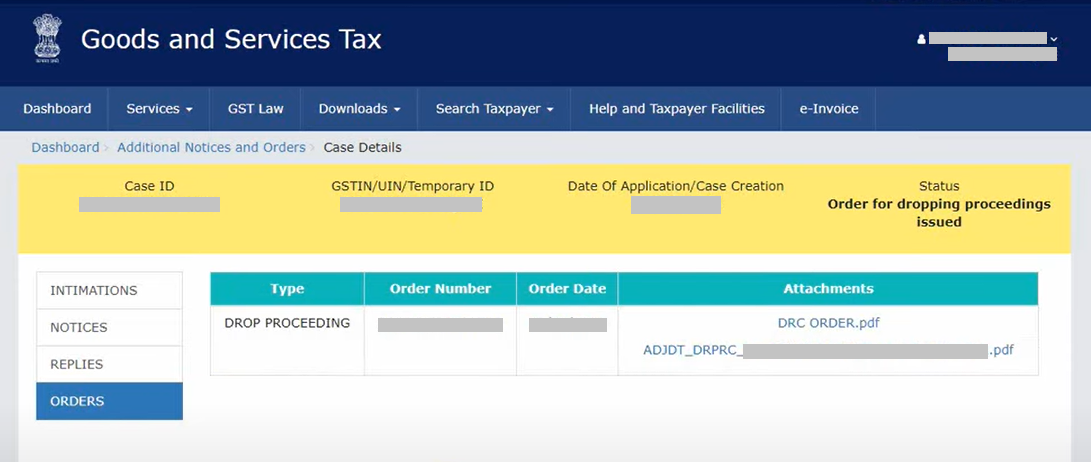
- Check Order Section: After the physical hearing, monitor the "Order" section on the portal to view the final decision or order passed by the officer.









 CAclubindia
