 Mitali
To log in to the ITR portal, users typically need to visit the official website of the tax department and locate the login page. They will then be required to enter their User ID and Password. Once logged in, taxpayers can access various features and services provided by the ITR portal, such as filing tax returns, viewing past returns, downloading forms, making tax payments, and checking the status of their returns.
Table of Contents

Steps to register on the income tax e-filing portal
Here's a summary of the steps to register for an account on the income tax e-filing portal:
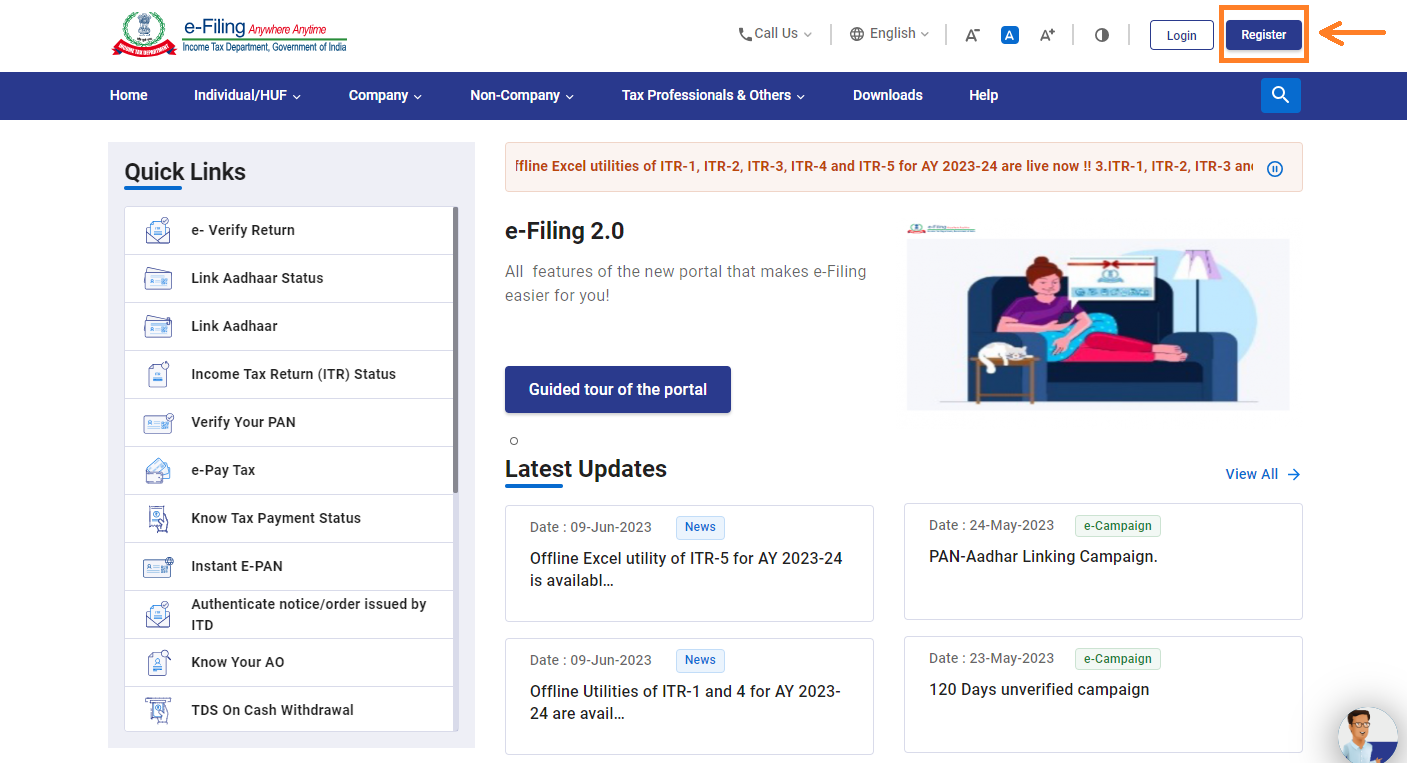
- Visit the income tax department portal. Click on the 'Register' option located on the top right-hand side of the homepage.
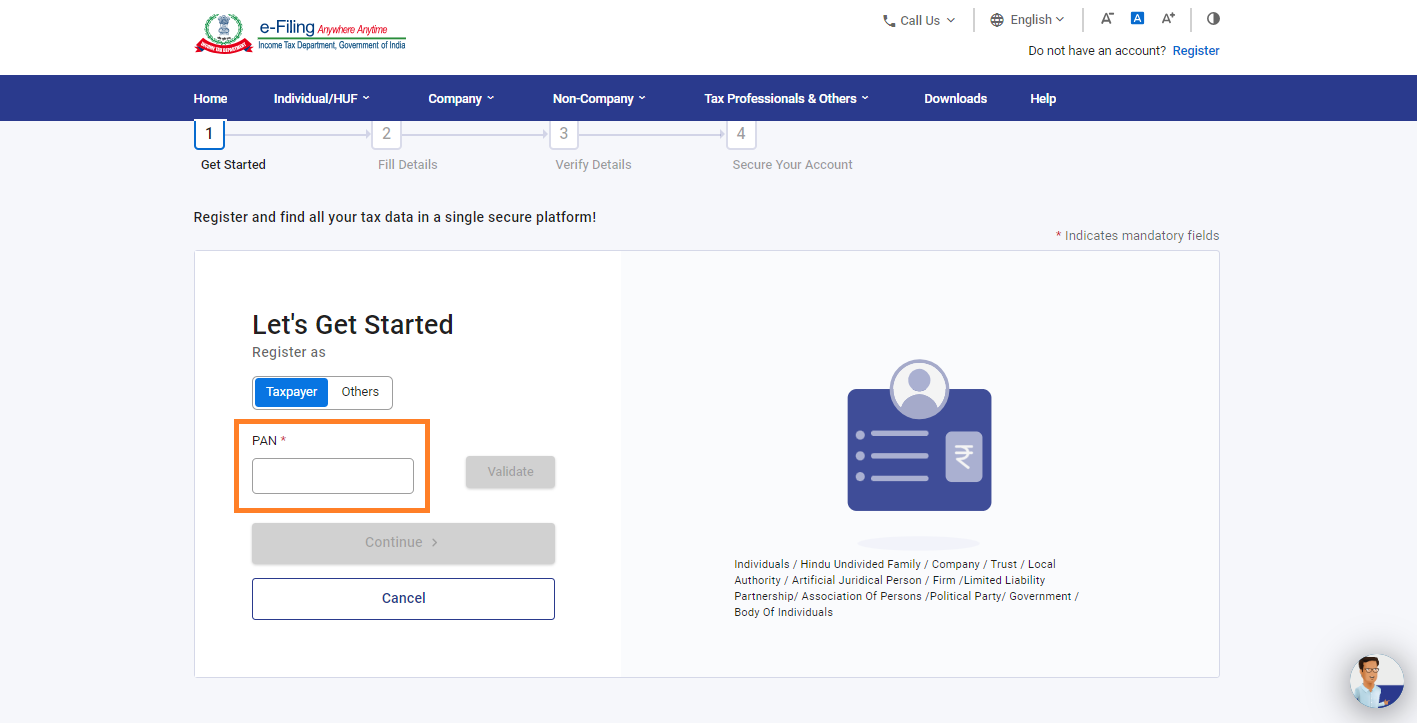
- Enter your PAN (Permanent Account Number) and validate it. If your PAN is not registered on the e-filing portal, click on 'validate'. Select 'Yes' if you are filing as an individual and click on 'Continue'.
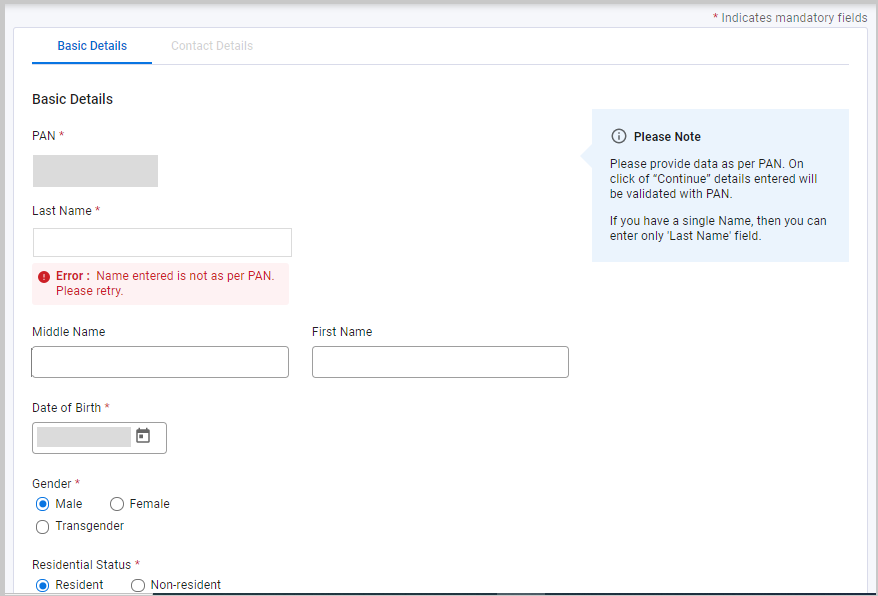
- Provide all the required details and click on 'Continue'.
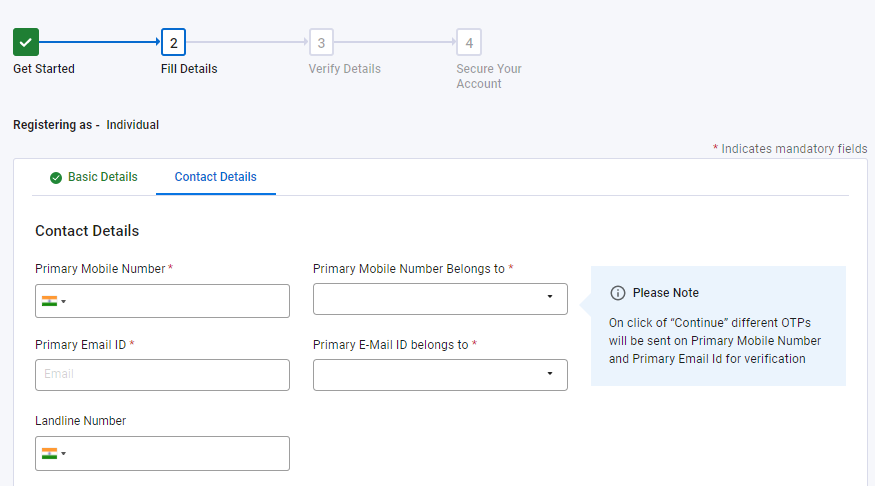
- Enter your contact details to complete the registration process and click on 'Continue'.
- Two six-digit OTPs (One-Time Passwords) will be sent to your mobile number and email ID. Enter these OTPs in the designated fields.
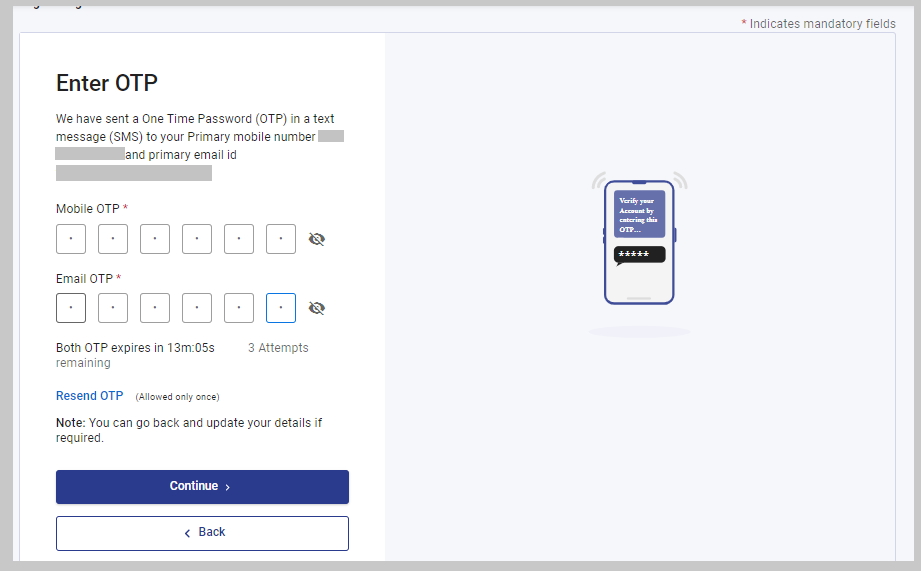
- Carefully review all the details you have entered and make changes if necessary. If all the details are correct, click on 'Confirm'.
- Click on ‘Register after setting a password for your account. The password should include a combination of upper case letters, lower case letters, and special characters.
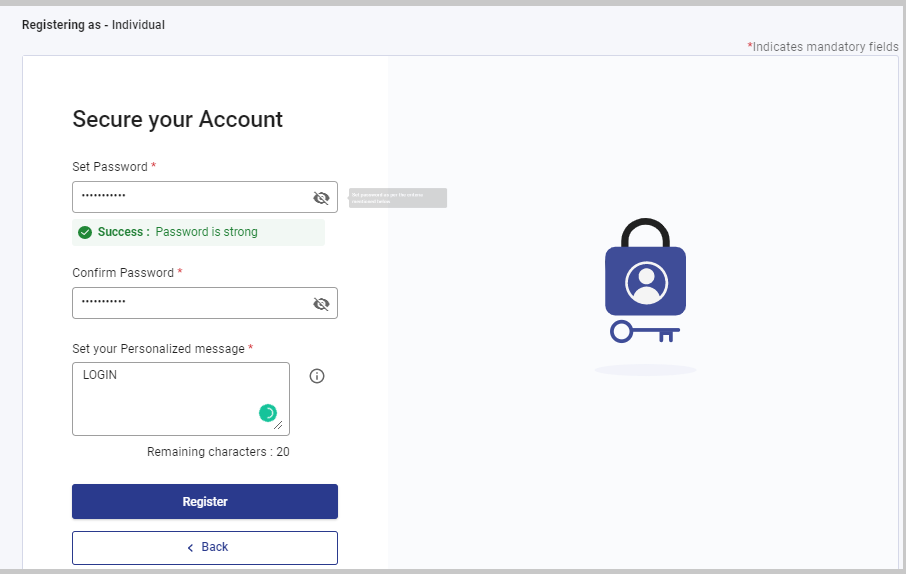
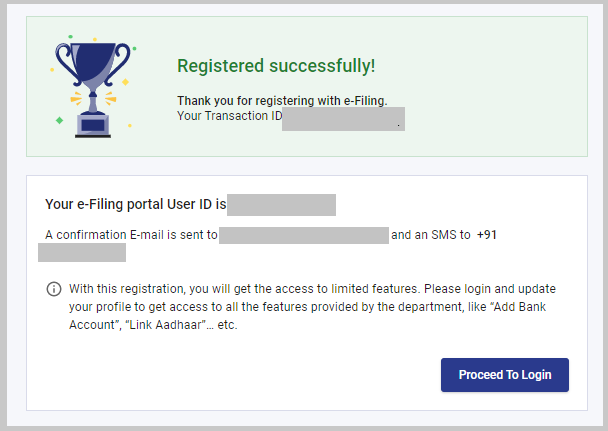
- You will receive an acknowledgement number after successful registration. You are now registered to use the ITR (Income Tax Return) login on the income tax e-filing portal. Click on 'Proceed to Login' to access your account.
Is it mandatory to file ITR if a person has a PAN card?
If an individuals holding PAN card and his / her income exceeds the threshold limit as set by the IT Act, those persons are required to file ITR other than that it's not mandatory.
What are Incomes as per Income Tax Act?
Incomes as per Income Tax Act are classified into 5 broad categories.
- Income from Salary such as salary received which include basic pay, allowances like dearness allowance, medical allowance, transport allowance, bonuses, etc.
- Income from House property such as income received from letting out a residential or commercial property
- Income from Business or Profession such as profits earned by a business owner or a professional like doctor.
- Income from capital gains such as profit earned from the sale of capital assets like property, stocks, bonds, or mutual funds etc.
- Income from other sources such as interest earned from savings accounts, fixed deposits, winnings from lotteries etc.
Who is an assessee?
According to the Income Tax Act, an assessee can anyone who is liable to pay taxes or any other amount under the Act.
As per the IT Act assessee is classified into various categories :
- Individual taxpayers
- Partnership firms
- Hindu Undivided Families (HUFs)
- Companies
- Associations of Persons (AOP) or Bodies of Individuals (BOI)
- Local authorities
- Artificial Juridical Persons
When to file an income tax return?
Income tax return are required to be file if your income exceeds the threshold limit as set by the IT Act.
- For Individual taxpayers & HUF - if your age is less than 60 and income exceeds Rs. 2,50,000.
- For senior citizens - if your age is 60 years old or more but less than 80 years old and income exceeds Rs. 3,00,000
- For super senior citizens - if your age is 80 years old or more and income exceeds Rs. 5,00,000









 CAclubindia
