
|
PARTICULARS |
EXTENDED DUE DATE |
|
ITR for Individual / HUF/ AOP/ BOI |
31 July 2024 |
|
ITR for Businesses (Requiring Audit) |
31 October 2024 |
|
Report from an Accountant by persons entering into international transaction u/s 92E |
30 November 2024 |
|
Due Date for furnishing Belated / Revised Return for AY 2024-25 |
31 December 2024 |
E Payment of Taxes
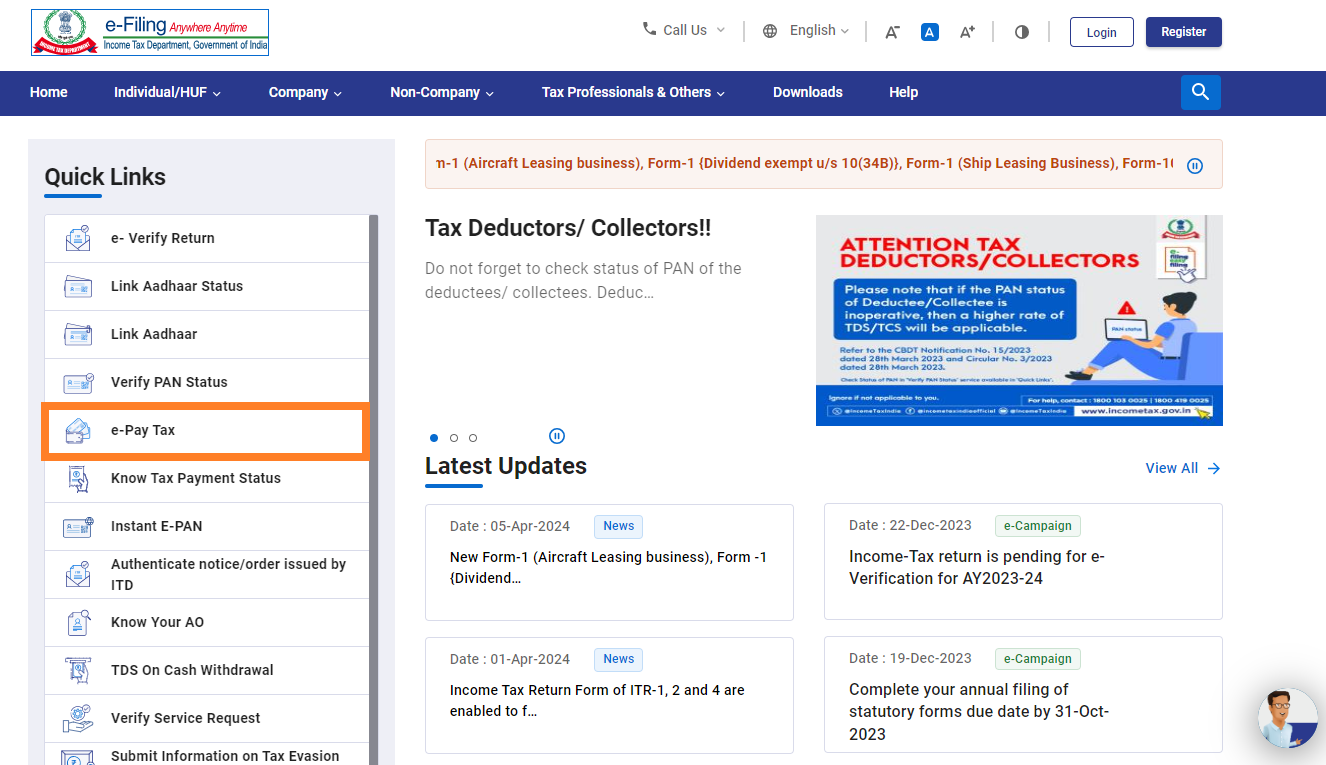
Visit Income Tax Portal website. Then from the 'Quick Links' section on the left side of the homepage, click on the 'e-Pay Tax' option.
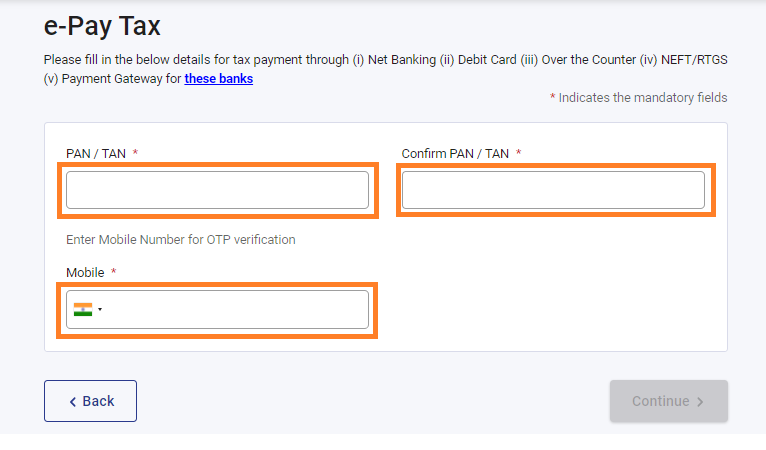
Input your PAN (Permanent Account Number) and your mobile number and click proceed.
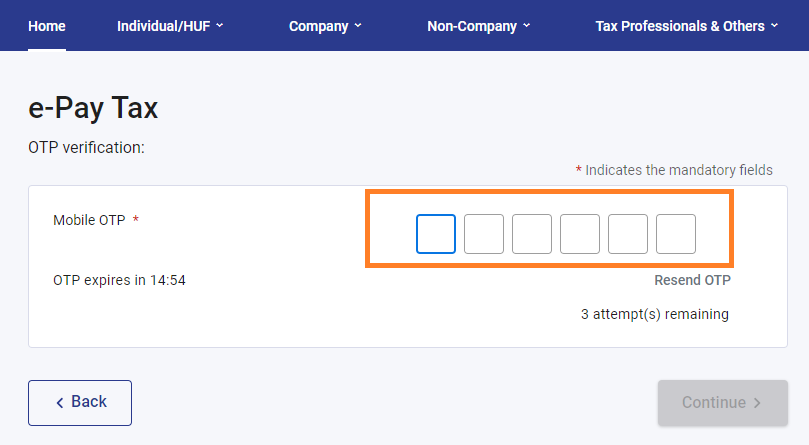
Enter the 6-digit OTP (One Time Password) received on your mobile to verify your mobile number.
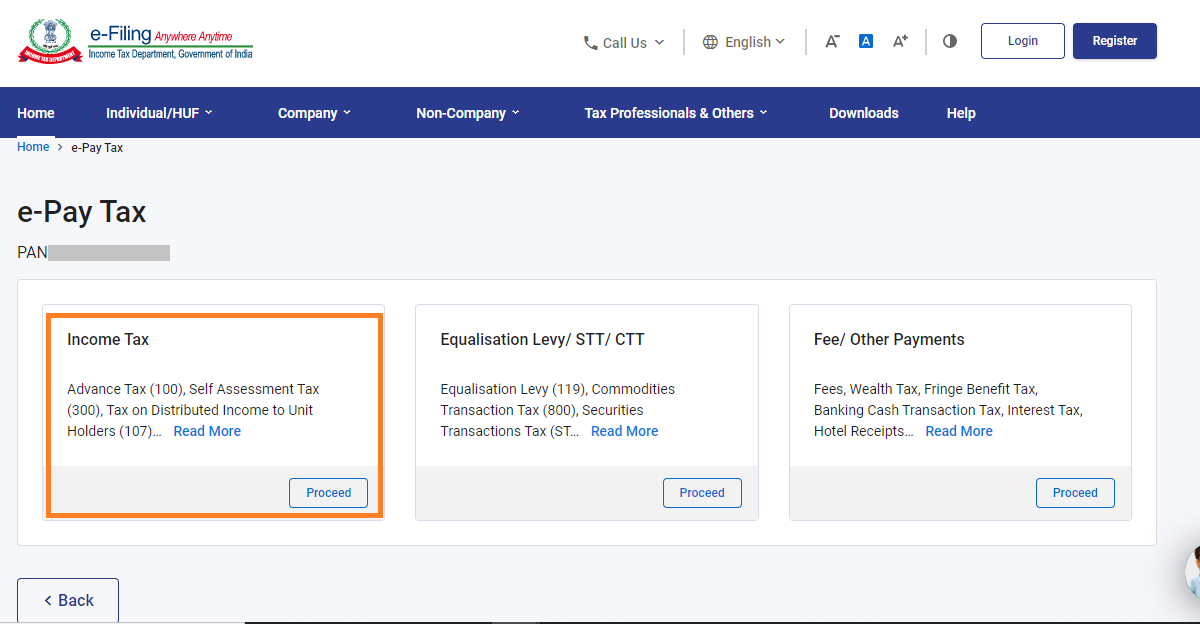
Choose 'Income Tax' options.
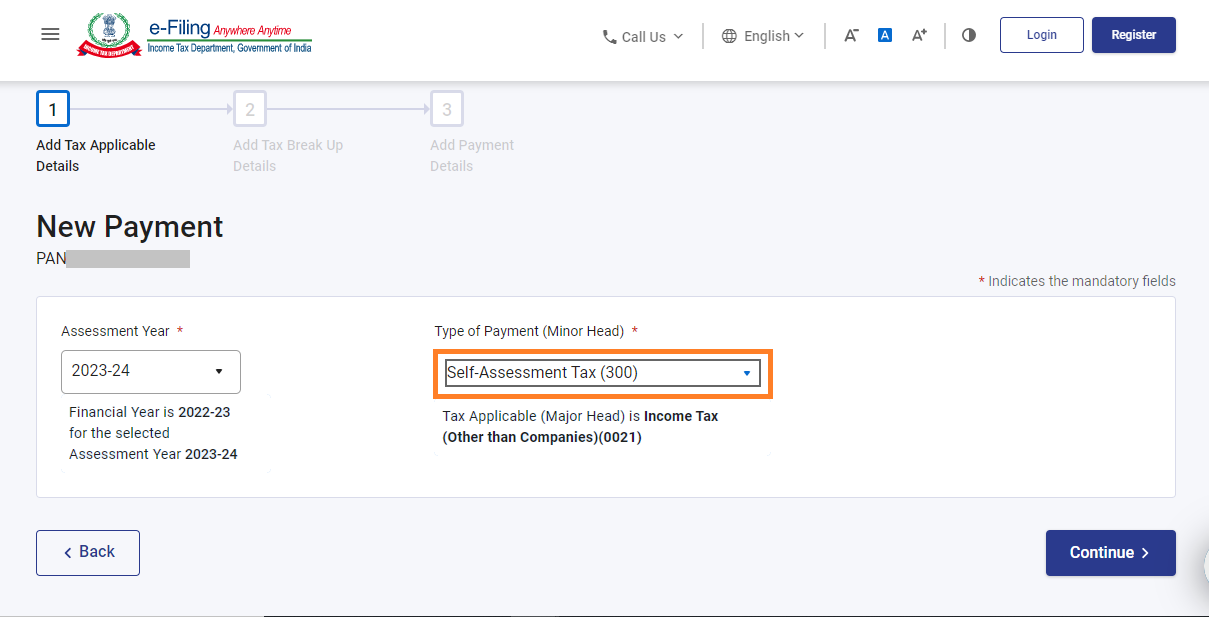
Select the appropriate Assessment Year from the dropdown menu. Under 'Type of Payment', select 'Self-Assessment Tax (300)'.
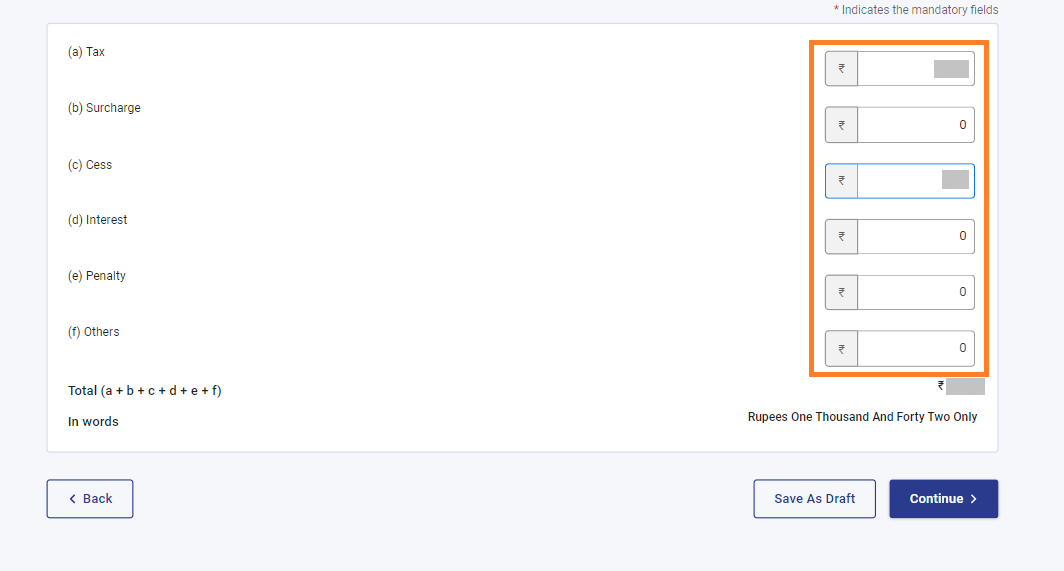
Input the payment amounts accurately under the relevant categories.
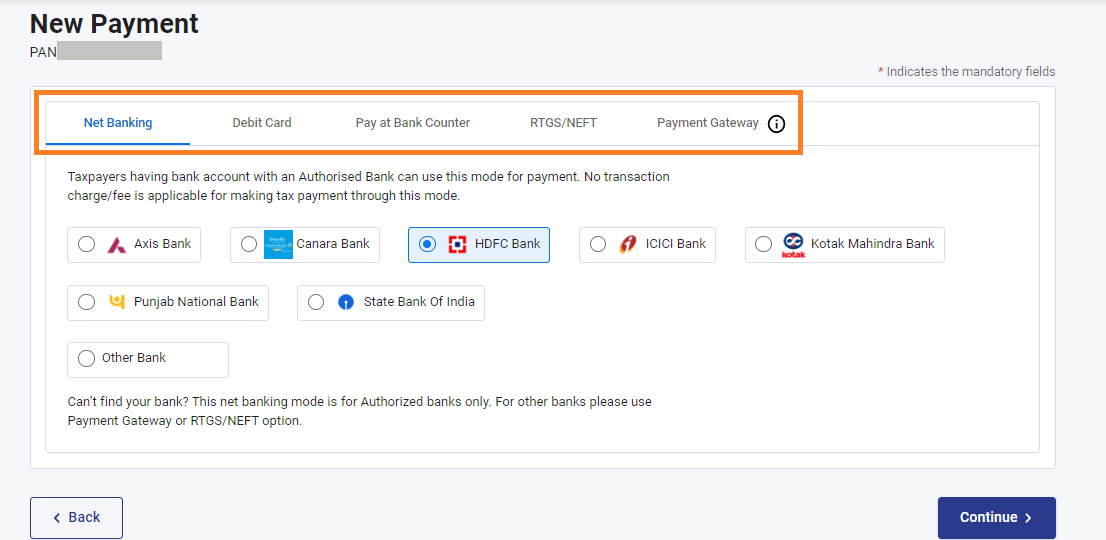
Choose your preferred payment method and bank to make the tax payment. Options include internet banking, debit card, credit card, RTGS/NEFT, UPI, or payment at the bank counter.
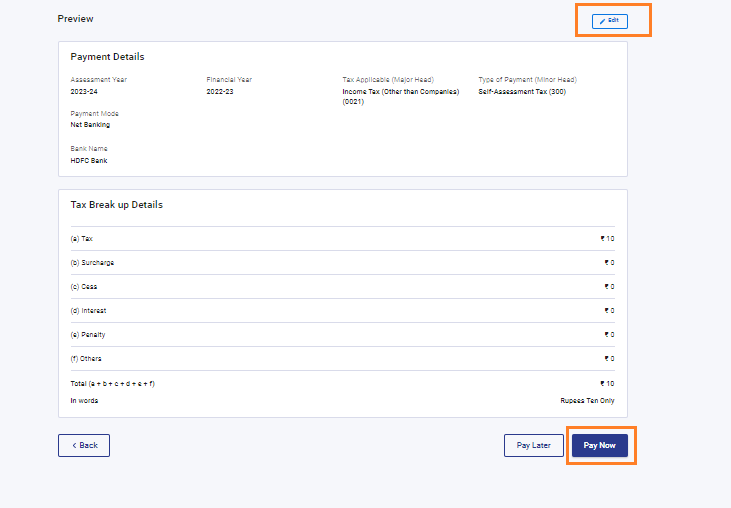
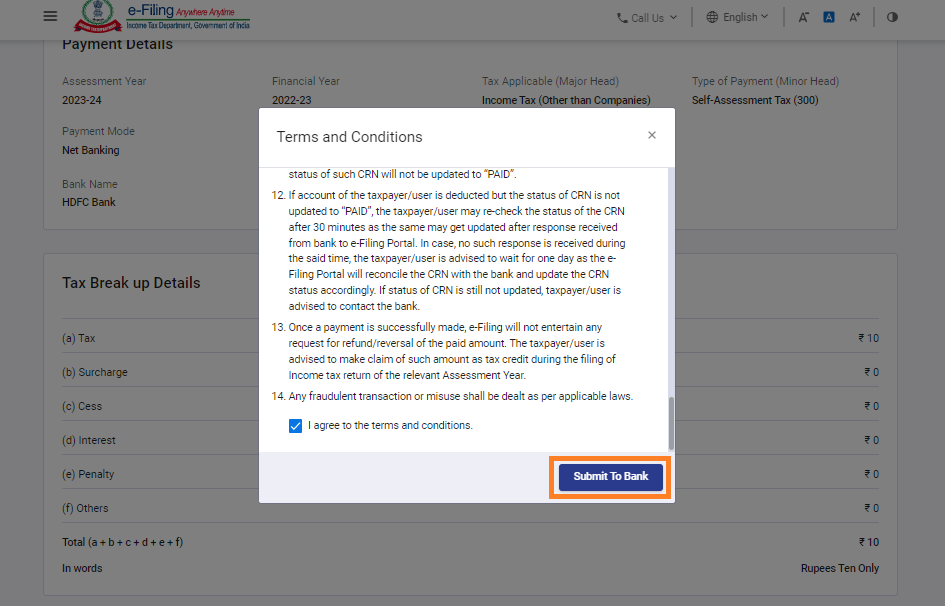
Review the challan details to ensure accuracy. If needed, click 'Edit' to modify the details. Click 'Pay Now' to proceed with the payment.
Agree to the Terms and Conditions by ticking the checkbox. Click 'Submit To Bank' to initiate the payment process.
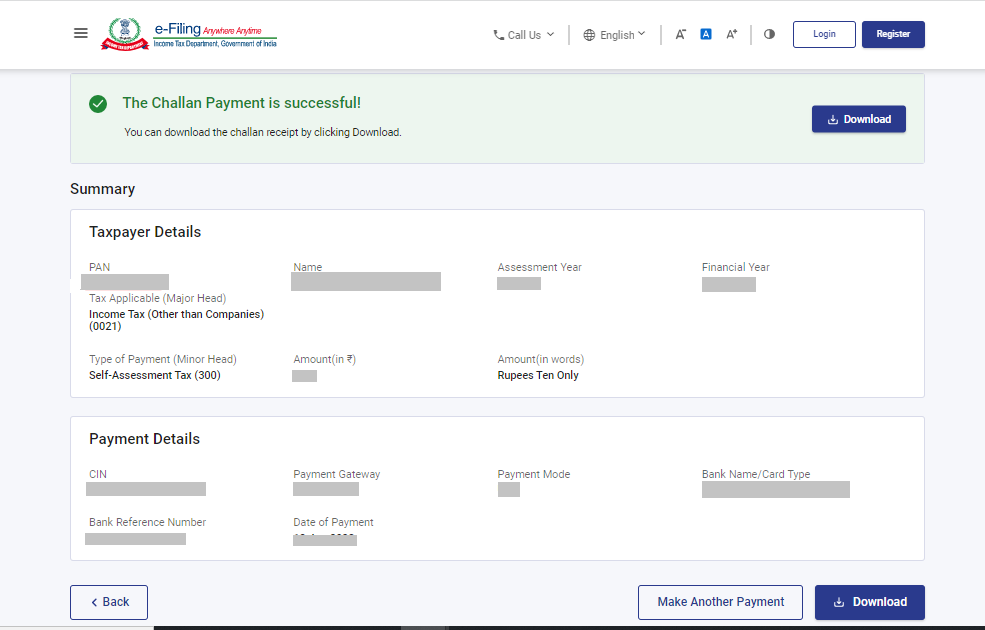
You will receive confirmation once your tax payment is successfully submitted. Download the challan as you will need the BSR code and Challan number for the return filing process.
By following these steps you can e-pay your taxes online without logging in to the Income Tax Portal.
For PAN Correction
/articles/pan-card-correction-41857.asp
To know your PAN
/articles/know-your-pan-41909.asp











 CAclubindia
