
The EPFO Member Portal offers services for PF (Provident Fund) contributions. Users can check balances, update KYC, and more. Organizations with over 20 employees must register online. Employees need to create a unique ID and password for accessing their accounts.
Steps to Login to EPFO Member Portal
Employee Login to EPFO Member Portal: The steps for employees to login to the EPFO Member Portal:
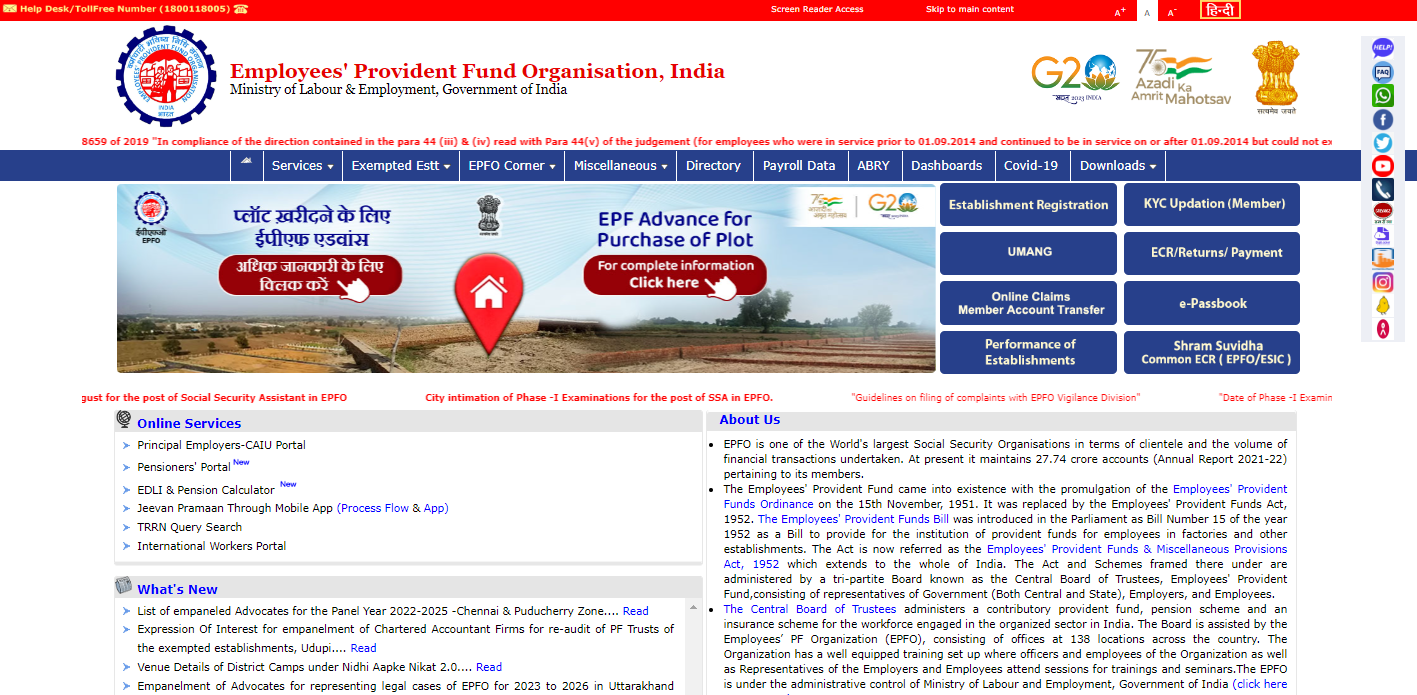
- Go to the EPFO member portal website.
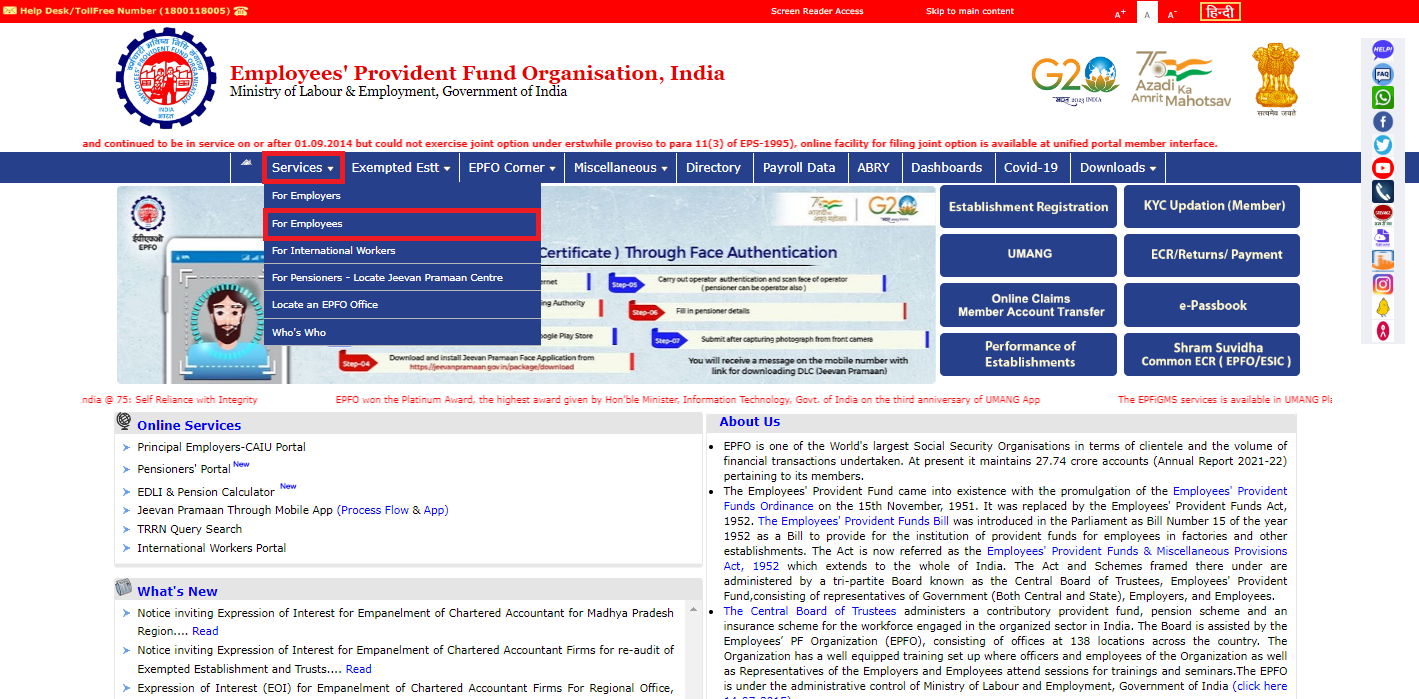
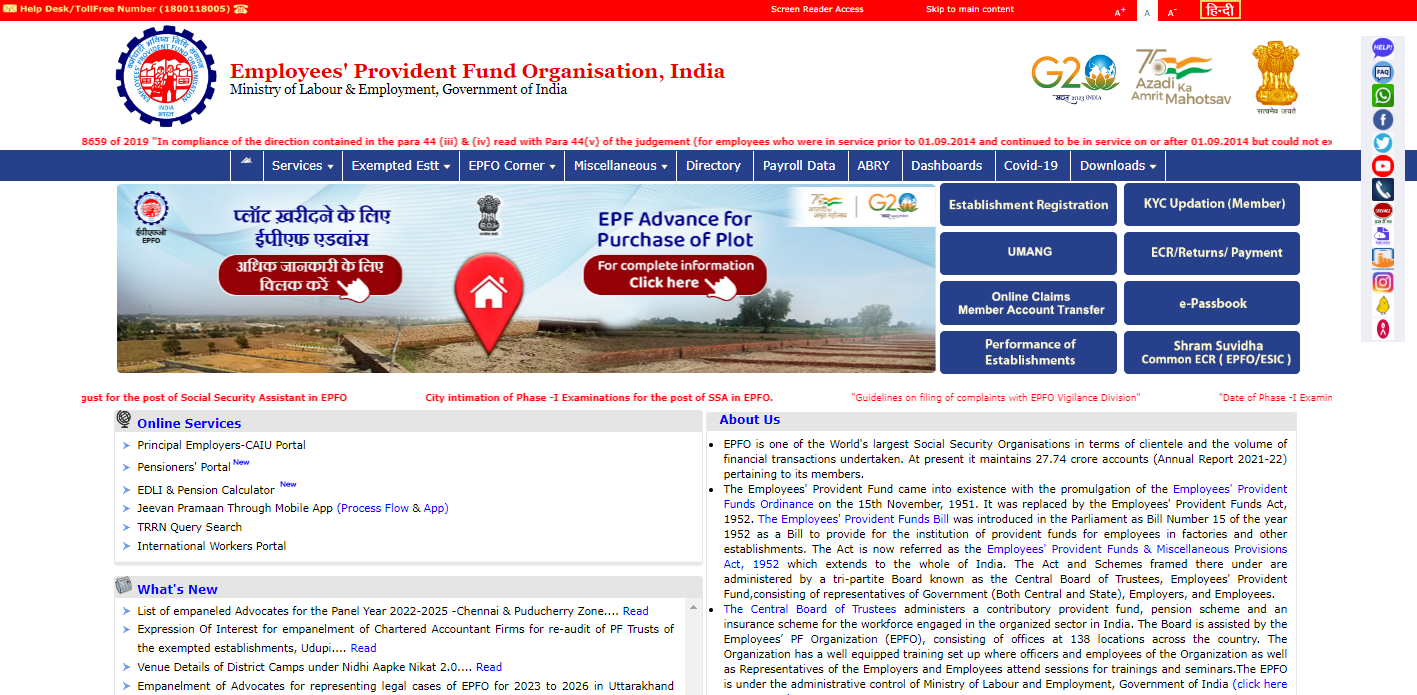
- Click on the 'Services' tab. Choose the 'For Employees' option.
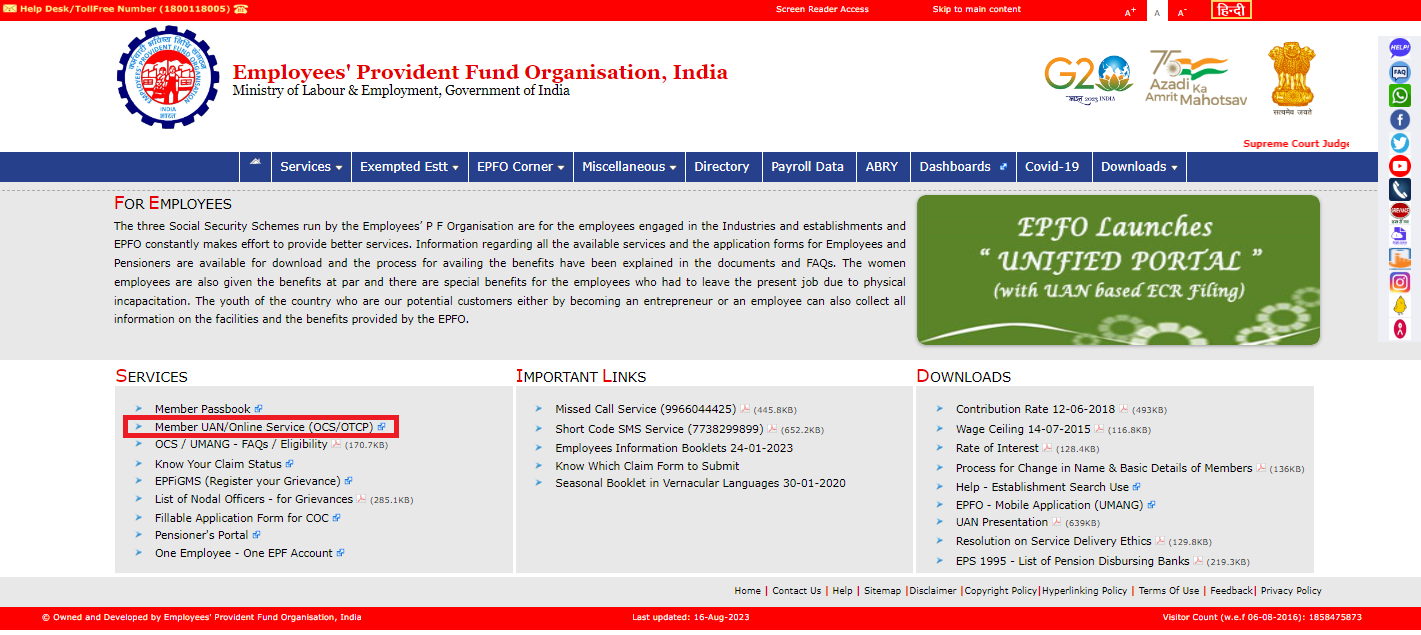
- Click on the 'Member UAN/Online Service (OCS/OTCP)' option under the 'Services' section.
- A new link will open, leading you to the UAN login portal. Log in using your UAN (Unique Account Number) credentials. After entering your credentials, click on the 'Sign In' button.
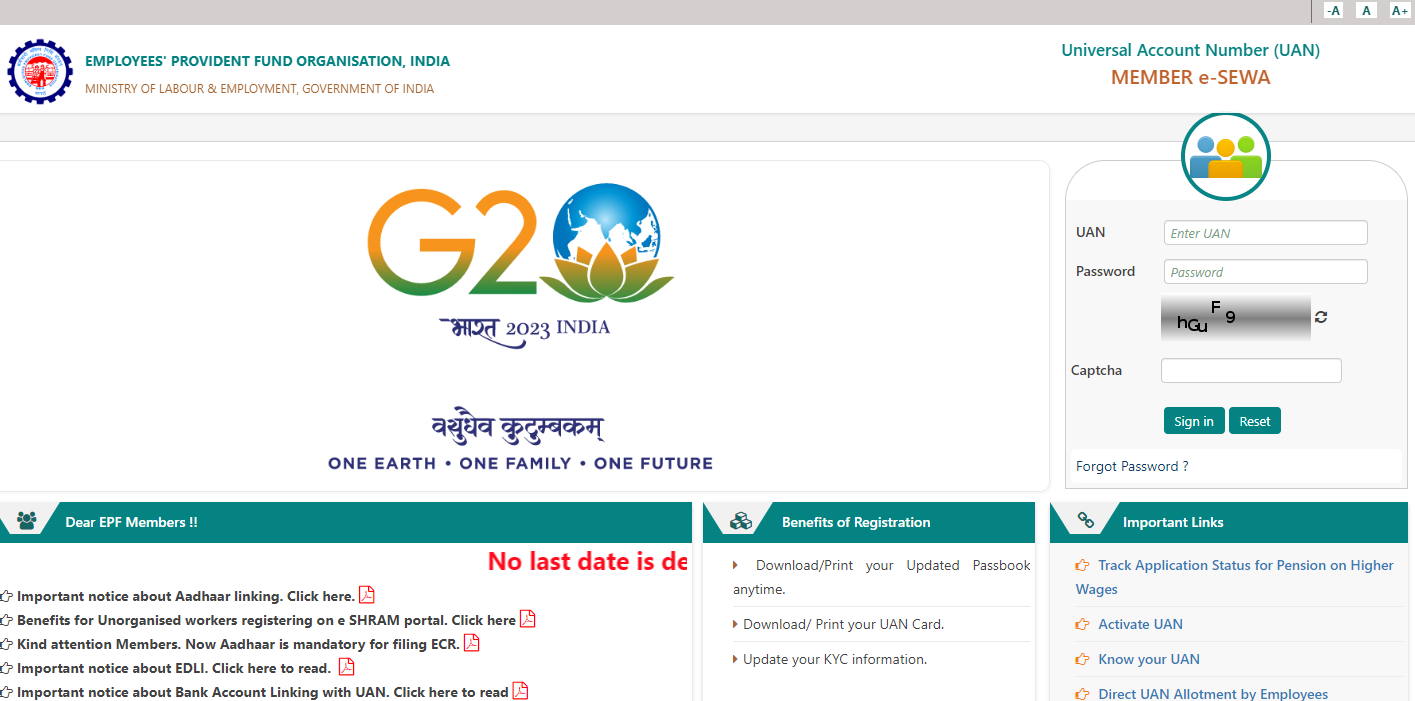
- You will be directed to the EPF Member Portal. In the EPF Member Portal, you can perform various actions like updating KYC details, checking your PF balance, transferring or withdrawing PF amount, and more.
Employer Login to EPFO Member Portal : The steps for employers to log in to the EPFO Member Portal:
- Go to the EPFO login page on the official website.
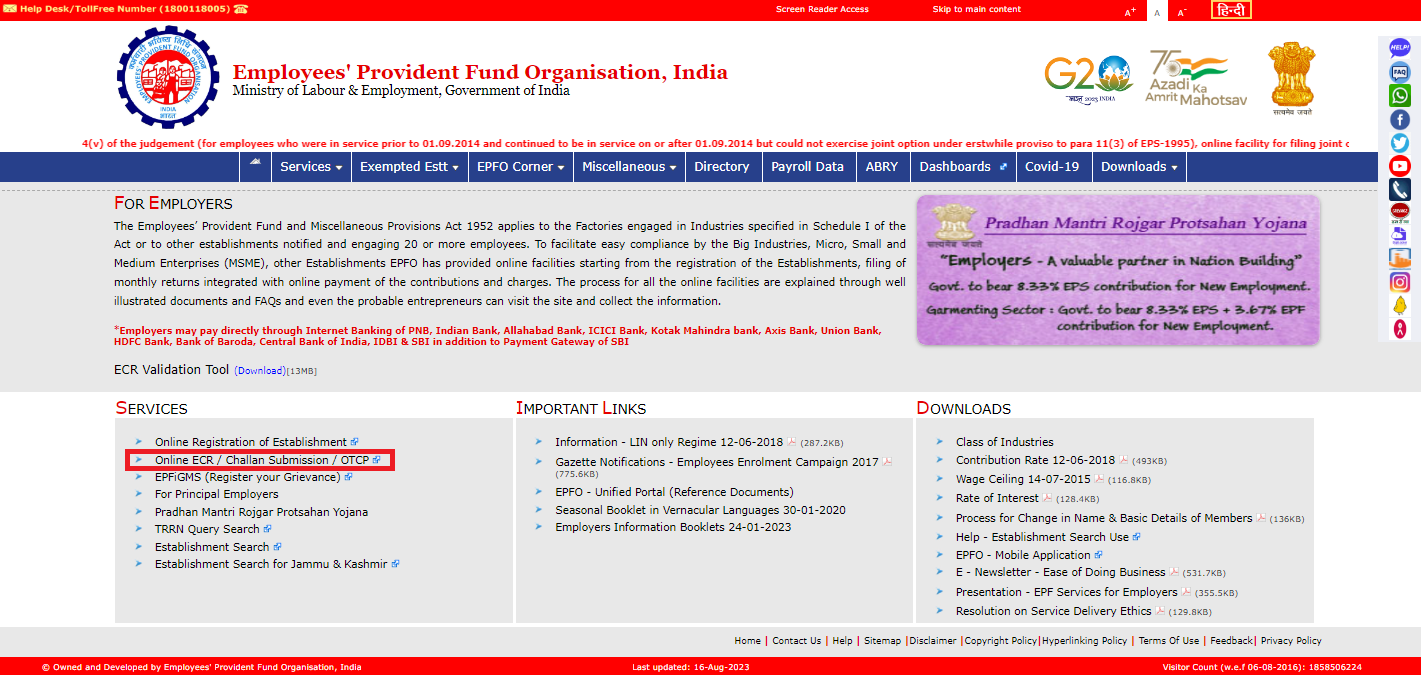
- Click on 'Online ECR / Challan Submission / OTCP'
- Enter your organization's Username and Password provided for the EPFO portal. Click on the "Sign In" button to proceed.
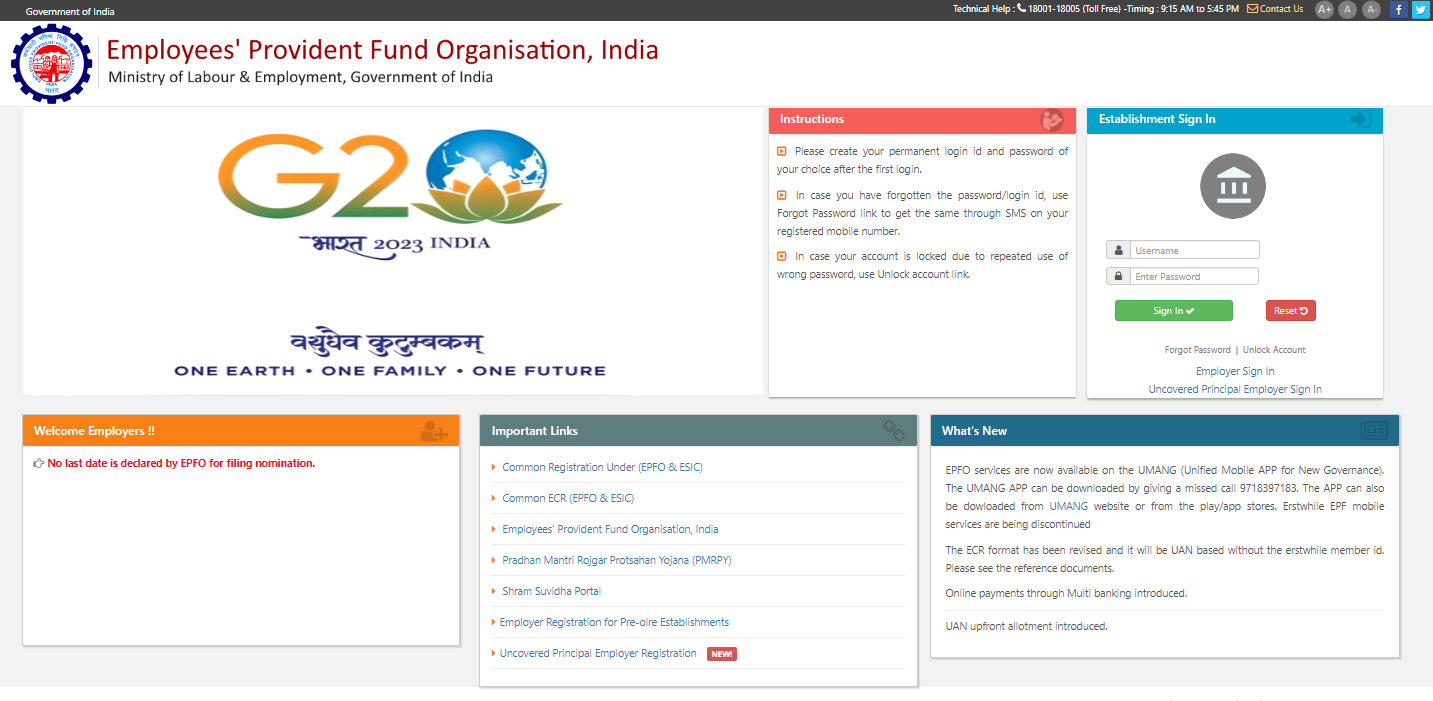
- On successful login, you will be directed to the EPFO Member Portal. In the EPFO Member Portal, you can review and approve employee KYC details, as well as perform other necessary actions related to employee Provident Fund matters.
What is UAN Member Portal?
UAN (Universal Account Number) Member Portal is an online platform which serves as a centralized hub for employees covered under the EPF scheme to access information related to their PF accounts.
What to do if forgot EPFO login password?
If you have forgotted EPFO login password you can easily reset your password by following these steps :
- Visit EPFO e-Sewa Portal and click on the ‘Forgot Password’ option.
- Enter your UAN and verify it with the given captcha.
- Enter your name, date of birth, and gender and click on ‘Verify’.
- Enter the captcha code, your Aadhaar number, give consent, and click on ‘Verify’.
- Verify your registered mobile number by entering OTP which is sent to your mobile.
- Submit the OTP that you have received on the registered mobile number. You will be redirected to the password reset page.
- Create the new password, confirm it, and ‘Submit’ to complete the password reset/EPFO password change process.
Click here to know about Activation of UAN










 CAclubindia
