
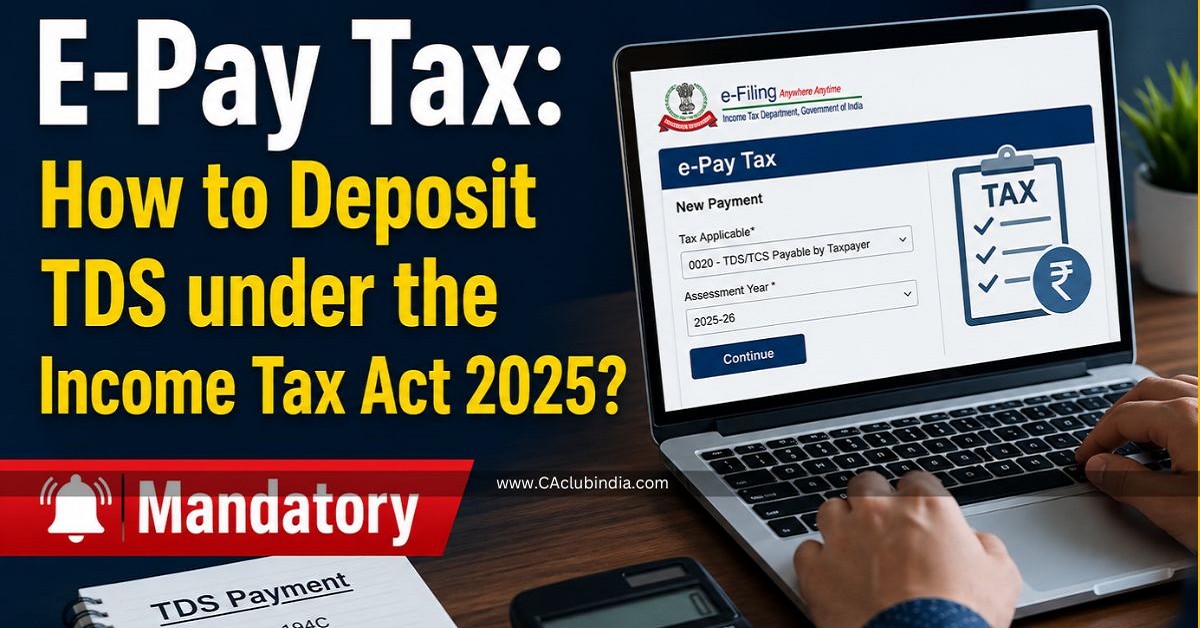
The transition to the Income Tax Act 2025 has made the E-Pay Tax portal more streamlined, making TDS payments more intuitive. Whether you're depositing tax for salary, rent, or professional fees, the process now follows a standardized digital workflow.
To pay TDS under the Income Tax Act 2025, use the e-Pay Tax facility on the Income Tax portal. Taxpayers must generate a Challan-cum-Statement (Form 141) after 1st April 2026, for payments under the new Act. Payment options include Net Banking, RTGS/NEFT, UPI, or Credit/Debit cards via pre-login or post-login.
Step-by-Step Guide to Paying TDS
You can pay TDS either by logging into the portal with your TAN (recommended for tracking) or through the "Quick Links" without logging in.
Step 1: Access e-Pay Tax
- Go to the Income Tax e-Filing Portal.
- Navigate to Quick Links > e-Pay Tax.
Step 2: Identification
- Enter your TAN (Tax Deduction and Collection Account Number).
- Provide a mobile number to receive a 6-digit OTP for verification.
Step 3: Select the Applicable Act
The portal now features an "Act Selection" screen:
- Income Tax Act, 1961: Select for payments related to Assessment Year 2026-27 (Financial Year 2025-26) and earlier.
- Income Tax Act, 2025: Select for payments related to Tax Year 2026-27 and onwards.
Step 4: Choose Payment Tile
- Click New Payment.
- Select the Pay TDS tile.
- Select the correct Tax Year (e.g., 2026-27).
Step 5: Nature of Payment (Section Selection)
Instead of searching for "194C," you will now see a tabular format. You must select the correct Serial Number under Section 393:
- Sl. No. 6(i): Payments to Contractors (formerly 194C).
- Sl. No. 11: Professional/Technical Fees (formerly 194J).
- Sl. No. 10: Rent (formerly 194I).
Step 6: Payment Details & Method
- Enter Amounts: Break down the payment into Tax, Surcharge, Cess, and Interest.
- Select Mode: Choose from Net Banking, Debit Card, RTGS/NEFT, or Payment Gateway (which allows UPI and Credit Cards).
Step 7: Generate CRN and Pay
- A Challan Reference Number (CRN) is generated. This is valid for 15 days.
- Complete the payment. Once successful, download the Challan Receipt containing the BSR Code and Challan Serial Number.
What Has Changed Under the New Act?
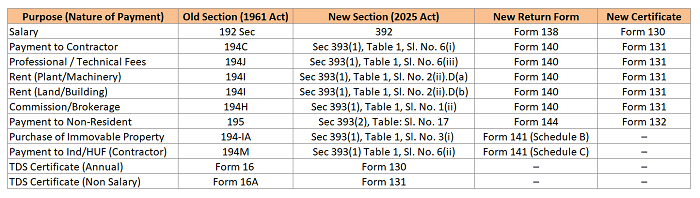
To know more about new section, payment code and rate of TDS for FY 2026-27 - Click Here
Key Due Dates & Common Errors
To avoid penalties and interest, you must adhere to the standard timelines, which have not changed under the new Act.
- Due Date for Deposit: Generally, the TDS deducted in any month must be deposited by the 7th of the following month.
- Exception for March: TDS deducted in March can be deposited by April 30th.
Most Common Mistake to Avoid
Do not quote old section numbers (like 194C) for any payments made or credited on or after April 1, 2026. Doing so in your TDS return will result in a system validation error. You must use the new table references from Section 393 of the new Act.






 CAclubindia
