Form GST DRC-03A is newly introduced on GST portal to link payments made via Form DRC-03 to link the payment made vide DRC-03 with the demand order.
Why Form GST DRC-03A Introduced?
The government has notified a new form named GST DRC-03A which was notified vide Notification No. 12/2024 dated 10th July 2024.
This form was introduced to resolve issues when taxpayers paid demands via Form DRC-03 but failed to link it to the specific demand.
Issue Addressed
Some taxpayers have paid the demanded amount vide DRC 07/DRC 08/MOV 09/MOV 11/APL 04 through DRC-03 instead of using payment facility ‘Payment towards demand’ available on GST portal.
This led to a situation where demand has been paid by the taxpayer, however the demand is not closed in the electronic liability register.
Points to Note
- Taxpayers to use the DRC-03A form to link the payment made vide DRC-03 with the demand order. Only DRC-03 forms where the cause of payment is either ‘Voluntary’ or ‘Others’ can be used in the Form GST DRC-03A.
- Taxpayers must enter the ARN of DRC-03 and the relevant demand order number.
- The system auto-populates related details from the DRC-03 and the demand order.
Process Of Filing Form DRC-03A
1. Login to the portal -> Click on Services -> User Services -> My Applications -> FORM GST DRC-03A.
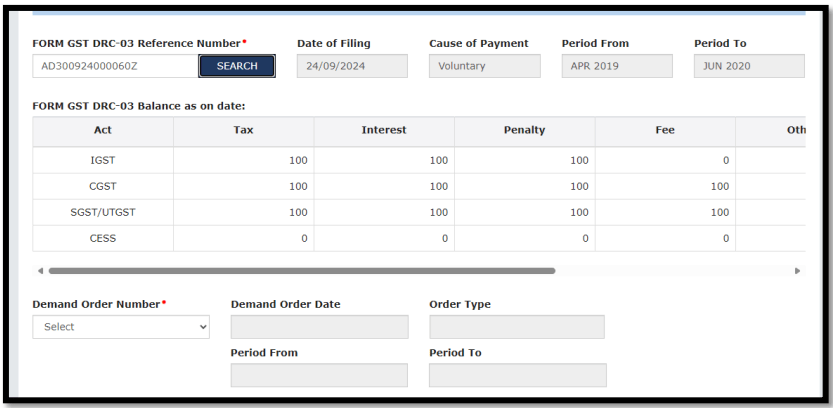
2. Enter FORM GST DRC-03 number and click on the Search button. The following details related to DRC-03 will be visible:
- Date of Filing
- Cause of Payment
- Period From & To
- FORM GST DRC-03 balance as on date
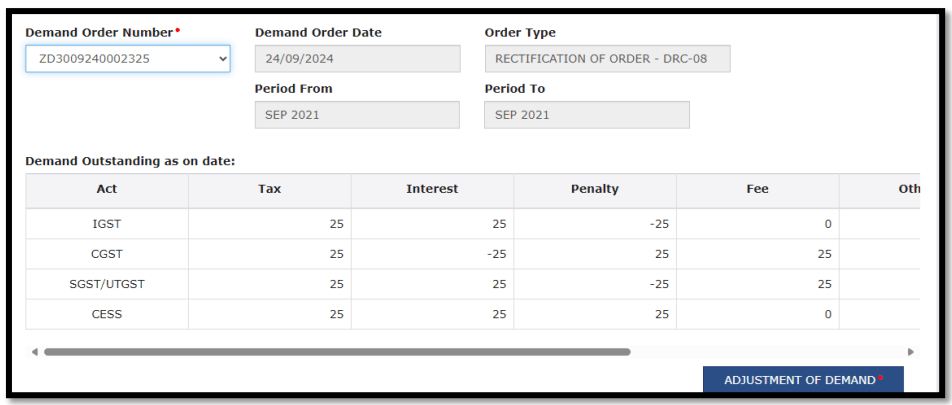
3. Select “ Demand Order No.” from the drop-down box. It will display all the outstanding demands against which payment has not been done. Select the relevant Demand Order no. from the drop-down box. On selection, following details will be displayed:
- Demand Order Date
- Order Type
- Period From & To
- Demand Outstanding as on date
4. Taxpayer to click on the tab “Adjustment of Demand”. A new page will be opened and following tables will be displayed on the page. The taxpayer has to enter or edit the details shown in the tables below.
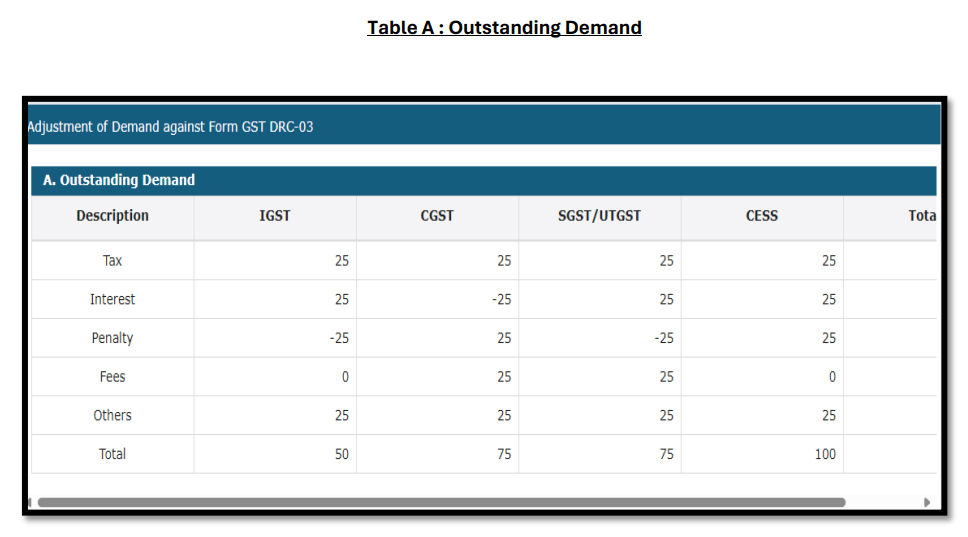
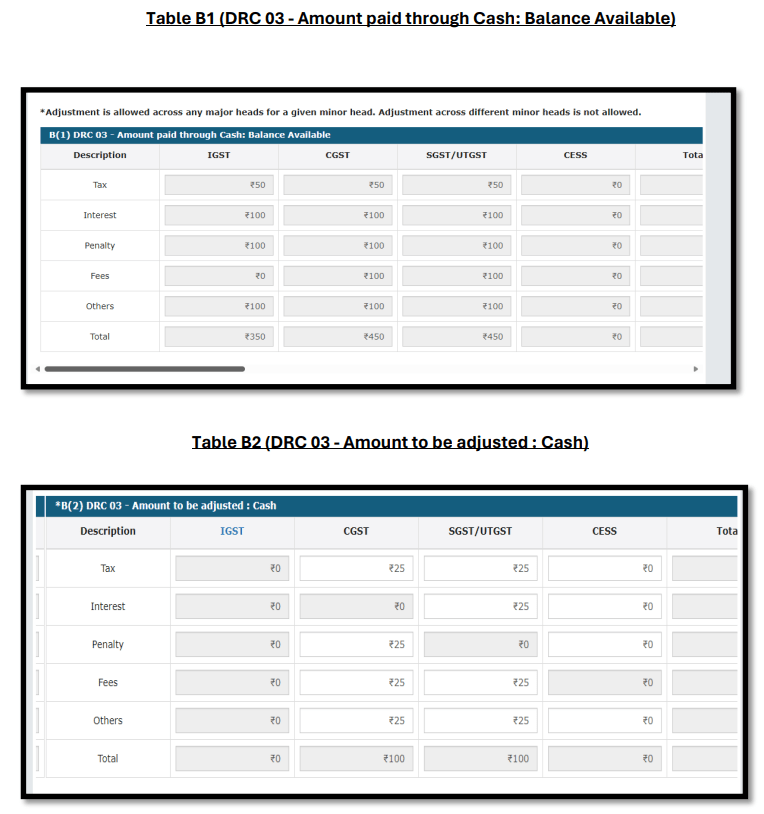
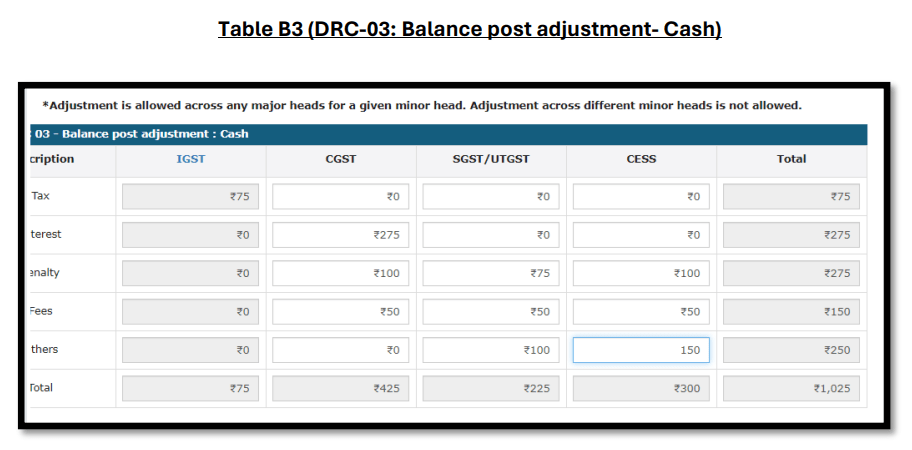
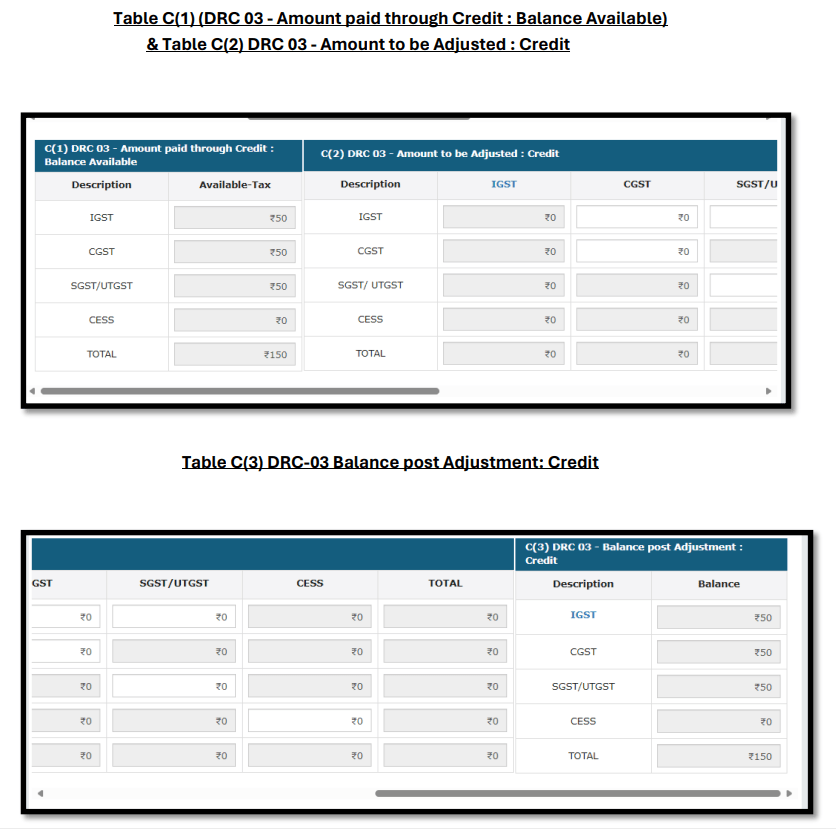
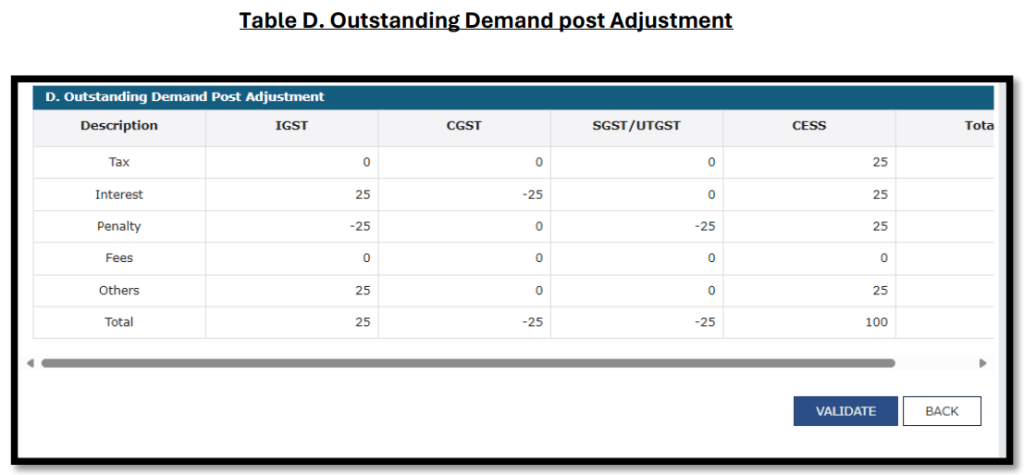
5. The details mentioned in Table A, B, C & D are to be verified by the taxpayer. After verification, click on the Validate button.
6. Taxpayer can also upload any supporting document (if required). Subsequent to that, the taxpayer has to sign the Undertaking & Verification as shown below.
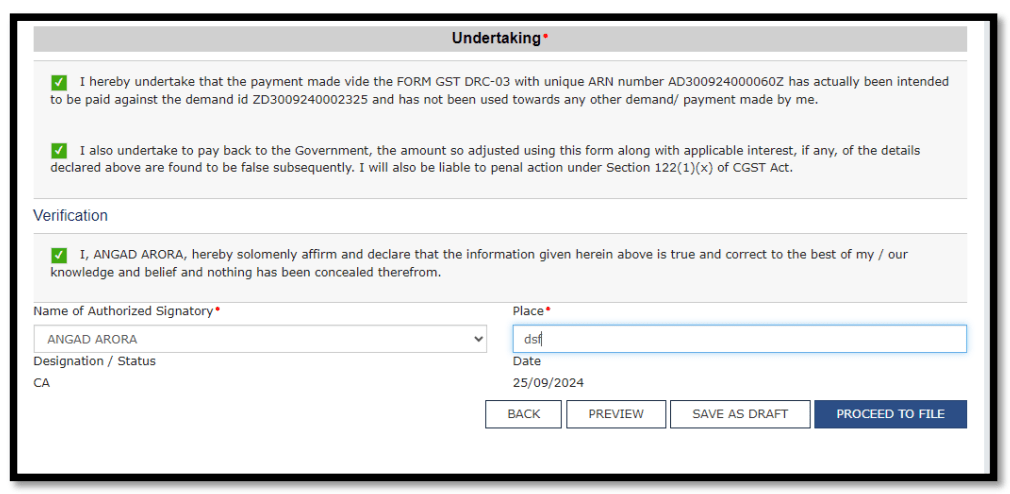
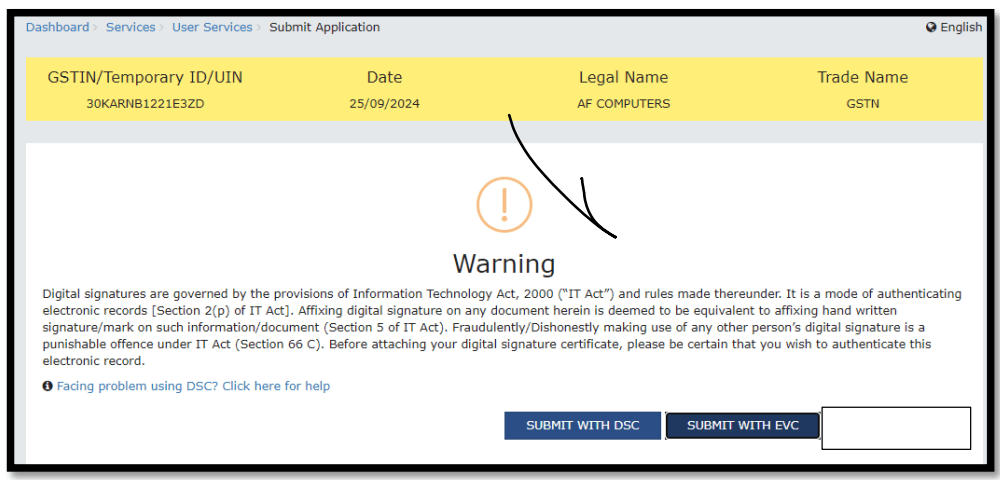
7. The taxpayer can then Preview or Save Draft or Proceed to file. After clicking on Proceed to File button, the following page will be displayed and taxpayer can submit the form using DSC/EVC.
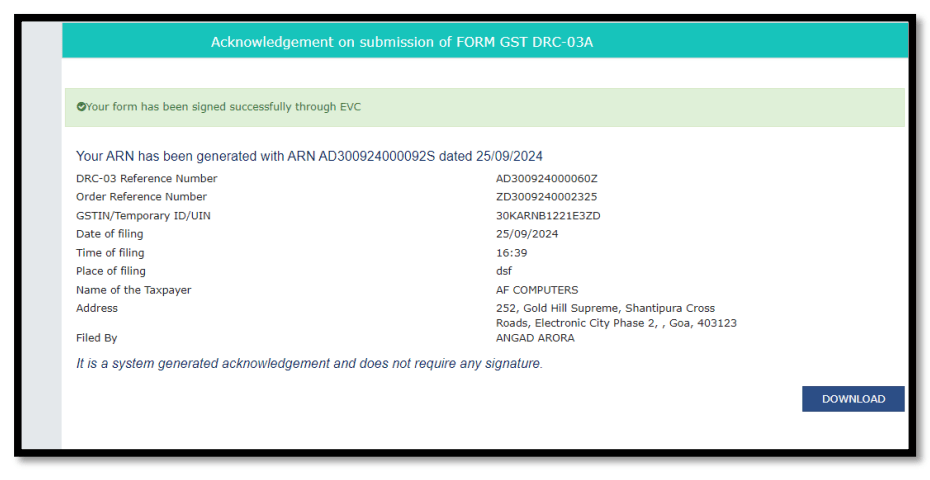
8. On successful submission, Acknowledgment will be issued.
9. As per the details submitted in the DRC-03A form, corresponding entries will be posted into ledger. Also, a single DRC-03 can be used to adjust payments against multiple demand orders, and vice-versa.
In case of any technical issue, the taxpayer can raised a ticket on Grievance Redressal Portalhttps://selfservice.gstsystem.in
Click Here For Frequently Asked Questions on DRC-03A.











 CAclubindia