
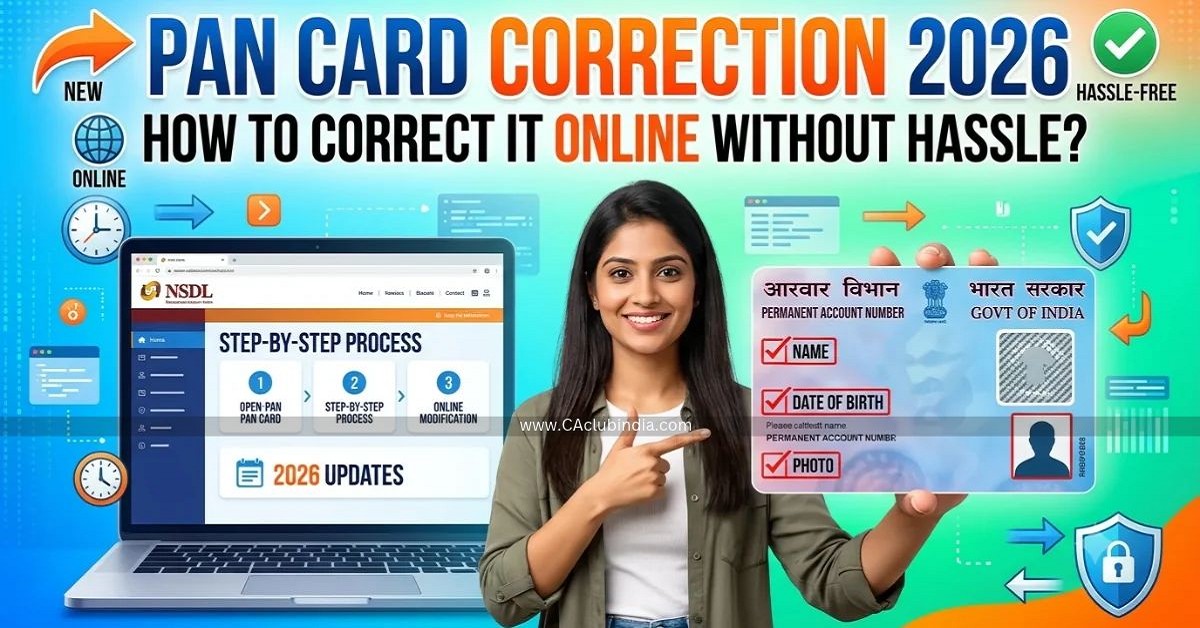
Is your name spelled wrong on your PAN card? Is your date of birth incorrect, or has your address or mobile number changed? You can fix it from home with a phone or laptop, with no agent or office visit required. This guide walks you through the process in simple steps.
First, a Few Things to Know
- Your PAN number will not change. Your 10-character alphanumeric PAN stays the same. A correction only updates the records linked to it and, if requested, issues a new physical card or an updated e-PAN.
- Only two official portals handle this. PAN corrections are processed through Protean (formerly NSDL e-Gov) and UTIITSL. Avoid third-party sites or agents charging extra fees, as fraudulent websites are common.
- Do not confuse this with Instant e-PAN. The Income Tax Department’s Instant ePAN service is only for applicants who do not already have a PAN. It cannot be used to update an existing one.
- Aadhaar is mandatory on the form. The new correction form requires your PAN and Aadhaar number, so make sure your Aadhaar details are in order before you begin.
- Which portal should you choose? Flip your PAN card over and check which company issued it. Applying through the same portal is usually faster, though either one can process your request.
Keep These Ready Before You Start
Gather these items on your phone or computer before starting the form:
- Your existing PAN number
- Your Aadhaar number, with an active linked mobile number to receive the OTP
- Proof of the detail you are changing:
- Name or date of birth: Aadhaar, passport, school-leaving certificate, birth certificate, or another approved ID
- Address: Aadhaar, passport, bank statement, or a utility bill less than 3 months old
- Clear scanned copies of each supporting document (within the file format and size limits shown on the portal)
- A payment method: debit card, credit card, net banking, or UPI
Know the Form (Updated Since April 2026)
From 1 April 2026, the old combined PAN application and correction form was replaced. The Central Board of Direct Taxes issued an order dated 1 April 2026 under Rule 158(12) of the Income-tax Rules, 2026, read with Section 262(4) of the Income-tax Act, 2025.
| Applicant Category | Correction Form |
| Individual (including minors and NRIs) | PAN CR-01 |
| Company, firm, trust, HUF, or other non-individual | PAN CR-02 |
If you come across older guides that mention the previous combined form, ignore them. The portal selects the correct form automatically once you choose your applicant category.
Option 1: Correct Your PAN on the Protean (NSDL) Website
- Open the official site: Go to the Protean PAN portal (onlineservices.proteantech.in) and select “Changes or Correction in existing PAN Data.”
- Pick your category: Choose “Individual” if the PAN is in your name, or select the applicable non-individual entity type.
- Fill in your basic details: Enter your existing PAN, name, date of birth, email address, and mobile number exactly as they appear on your documents.
- Select what you want to change: Tick only the checkboxes next to the fields you need to update (such as name, date of birth, father’s name, address, photo, or signature), then enter the corrected details.
- Upload your documents: Attach the scanned proof for each requested change.
- Choose your verification method:
- Aadhaar OTP (e-KYC): Fastest and completely paperless. It pulls your Aadhaar photo automatically and does not let you upload a custom photo or signature.
- e-Sign (scan-based): Best if you need to update your photo or signature, because you can upload custom scans while still signing digitally via Aadhaar OTP.
- Physical submission: Requires printing the form and mailing it with self-attested document copies, which takes longer.
- Pay the fee. Complete the payment online via card, net banking, or UPI.
- Save your acknowledgement. Download the acknowledgement slip right after payment. Keep the 15-digit acknowledgement number safe to track your status.
Option 2: Correct Your PAN on the UTIITSL Website
The UTIITSL process follows almost the same flow:
- Go to pan.utiitsl.com and select Change/Correction in PAN.
- Enter your existing PAN and basic details.
- Tick only the specific fields you want to update.
- Select your verification method (Aadhaar OTP e-KYC, scan-based e-Sign, or physical submission).
- Upload the required supporting documents.
- Review the form, pay the applicable fee, and save your acknowledgement number.
How Much Will It Cost?
The fee depends on whether you want a physical card, how you submit, and where the card is delivered. Paperless (e-KYC or e-Sign) submissions cost a few rupees less than physical submissions. Typical charges, inclusive of taxes, are:
| Card and delivery option | Paperless submission | Physical submission |
| e-PAN only (emailed), India or abroad | ₹66 | ₹72 |
| Physical PAN card + e-PAN, Indian address | ₹101 | ₹107 |
| Physical PAN card + e-PAN, foreign address | ₹1,011 | ₹1,017 |
Fees can change with tax revisions, and older guides may list outdated rates. A few sources quote a lower figure for a plain reprint or correction, so always pay only the amount shown on the official payment gateway. The fee is a single charge per application, not per field corrected.
How Long Does It Take, and How Do I Track It?
- e-PAN: Paperless e-KYC or e-Sign updates are typically completed in about 2 to 7 working days.
- Physical card: Usually 7 to 20 working days by post, depending on the submission mode. Physical-document submissions sit at the longer end.
- Track on Protean: Open the Protean status tracking page, select “PAN - New/Change Request,” and enter your 15-digit acknowledgement number.
- Track on UTIITSL: Open the “Track PAN Card” tool on the UTIITSL portal and enter your application coupon number.
Once processed, you can also download your updated e-PAN from the Income Tax e-Filing portal at no extra cost.
Seven Mistakes That Cause Delays
- Ticking extra checkboxes: Only tick the fields you are actually changing.
- Spelling mismatches: Copy names and dates character for character from your supporting ID.
- Blurry or oversized scans: Make sure files are clear and within the portal’s size and format limits.
- Using an unlinked mobile number: Your current mobile number must be linked to Aadhaar to receive the verification OTP.
- Using unofficial websites: Verify the URL (proteantech.in or utiitsl.com) before entering personal details or paying.
- Applying for a new PAN: Never submit a fresh PAN application if you already hold one. Holding two PANs is illegal and will trigger rejection.
- Missing the 15-day dispatch window: If you choose physical submission, your signed form and documents must reach the processing centre within 15 days of online submission.
Click To Download
FAQs
Will my PAN number change?
No. Corrections only update the database records tied to your existing 10-character PAN.
Can I change my name after marriage?
Yes. Submit a name correction request along with an accepted proof document, such as a marriage certificate or an updated gazette notification or ID.
Is my address printed on the PAN card?
No. PAN cards do not display your residential address, though your communication address is updated in the Income Tax Department’s records.
Can I use Instant e-PAN to fix a mistake?
No. Instant e-PAN only issues new PANs to first-time applicants. Use Protean or UTIITSL for all corrections.
Do I have to apply on the same portal that issued my original card?
No. Both Protean and UTIITSL can process corrections for any valid PAN, though using the original issuer often speeds up verification.










 CAclubindia