
What is DRC-03 Form?
DRC-03 is a form under the GST law that is required to be filed for voluntary tax payments towards demand or tax shortfall noticed later on after the time limit to file returns of a financial year expires.
When should a taxpayer make a payment in DRC-03?
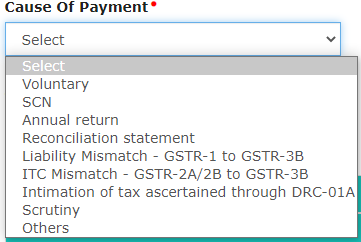
The following are the causes for making payment under DRC-03:
1. Audit/Reconciliation Statement
Where the GST auditor has for the financial year under audit, discovered any case of short payment of tax, interest or penalties or excess claim of the input tax credit, and the time limit to report the same in GST returns is expired, the taxpayer must make voluntary payment in DRC-03 and report it in GSTR-9. GST Auditor should report it in GSTR-9C too.
2. Investigation & Others
If the taxpayer is subject to investigation and during such investigation, it is revealed that the taxpayer had defaulted incorrect payment of taxes, he may voluntarily make payment in DRC-03.
3. Annual Return
The taxpayer must conduct reconciliation for the entire year before proceeding to prepare and file annual returns. During such reconciliation, there can be a fresh discovery of any short payment of taxes, interest or penalties due to non-reporting or under-reporting of taxable supplies. Taxpayers are given an option to pay such tax differences in cash and report it by filing DRC-03.
4. Demand or in response to show cause notice
The taxpayer has an option to pay the tax demanded along with interest using DRC-03 in response to a show-cause notice, but within 30 days of the date of the issue mentioned in the show-cause notice.
Form DRC-03 is filed for making a voluntary payment of outstanding liabilities under Sections 73 and 74 of the CGST Act. A taxpayer can self ascertain the tax before issuance of SCN or within 30 days of SCN determination to avoid the hassles of demand and recovery provisions.
- Section 73 - deals with cases where there is non-payment/under-payment of tax without any intention or invocation of fraud.
- Section 74 - deals with cases where there is non-payment/under-payment of tax with intention or invocation of fraud
5. Liability Mismatch - GSTR-1 to GSTR-3B
The GST portal added this option in February 2021 while selecting the reason for using the DRC-03 form. If the tax authorities have sent notice for differences, being shortfall of tax liability in GSTR-3B when compared to GSTR-1, then the taxpayer must make the payment in DRC-03 or reply by justifying the reasons.
6. ITC Mismatch - GSTR-2A/2B to GSTR-3B
The GST portal also added this as an option in February 2021 for selecting the reason while paying tax in DRC-03. For excess Input Tax Credit (ITC) claims (by more than allowed under the CGST Rule 36(4) of 5% of ITC in GSTR-2B) in GSTR-3B when compared to GSTR-2B, the tax authority may send the notice.
The taxpayer must use this form while depositing the excess claims of ITC.
How to make payment through DRC-03
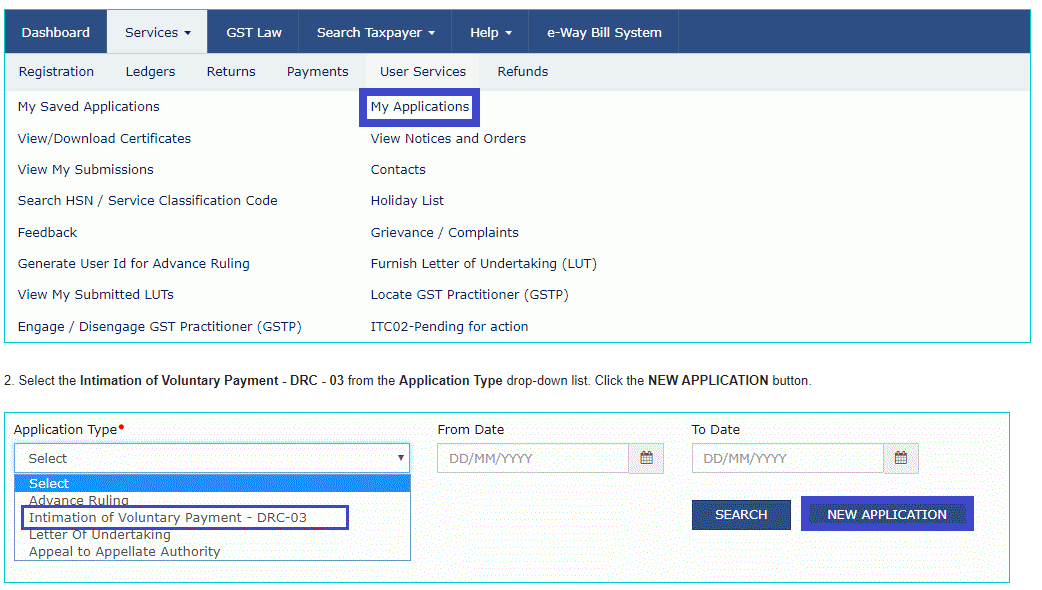
- Login to the GST Portal. Click the Services > User Services > My Applications option.
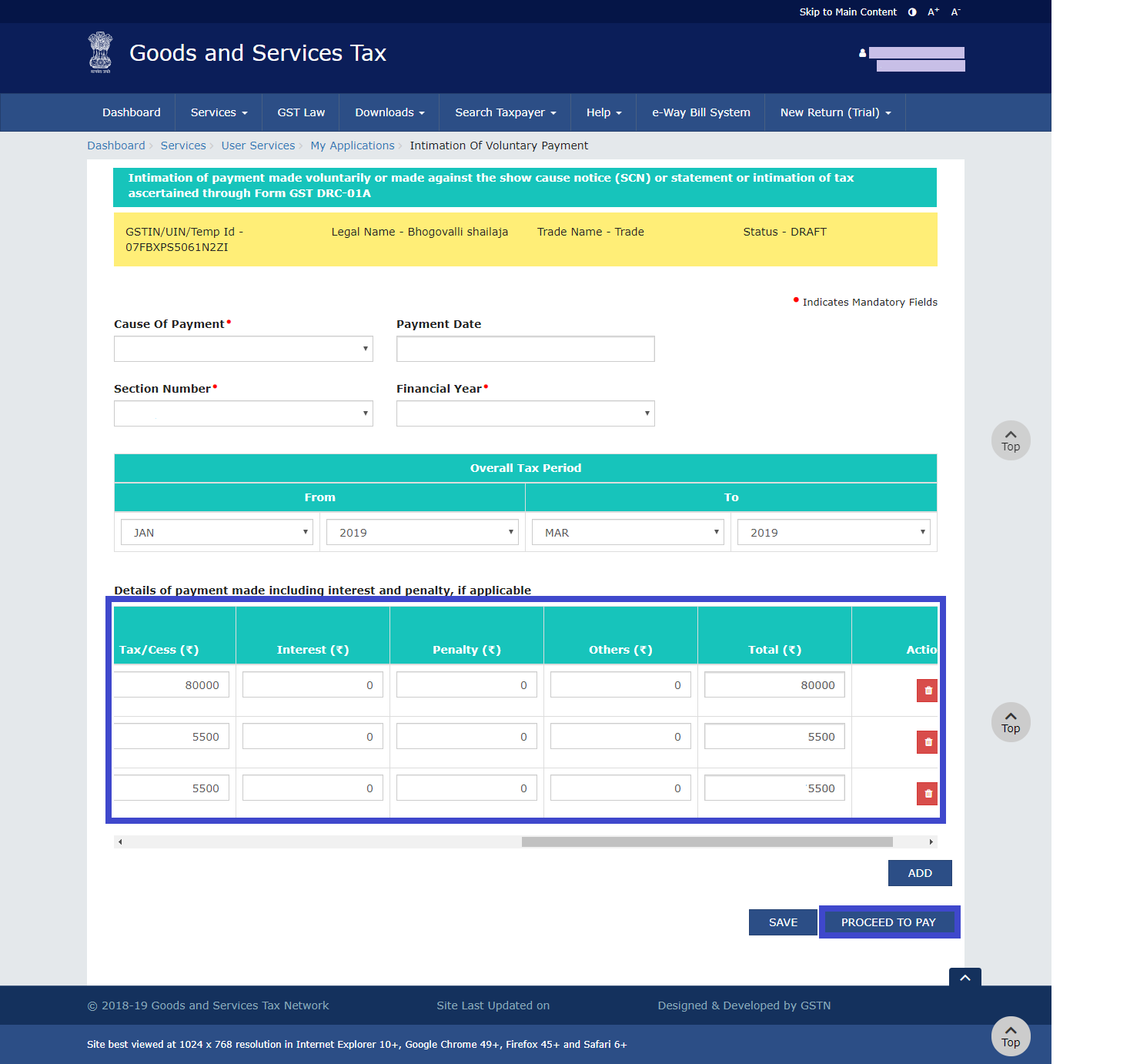
Select the Cause of Payment from the drop-down list.
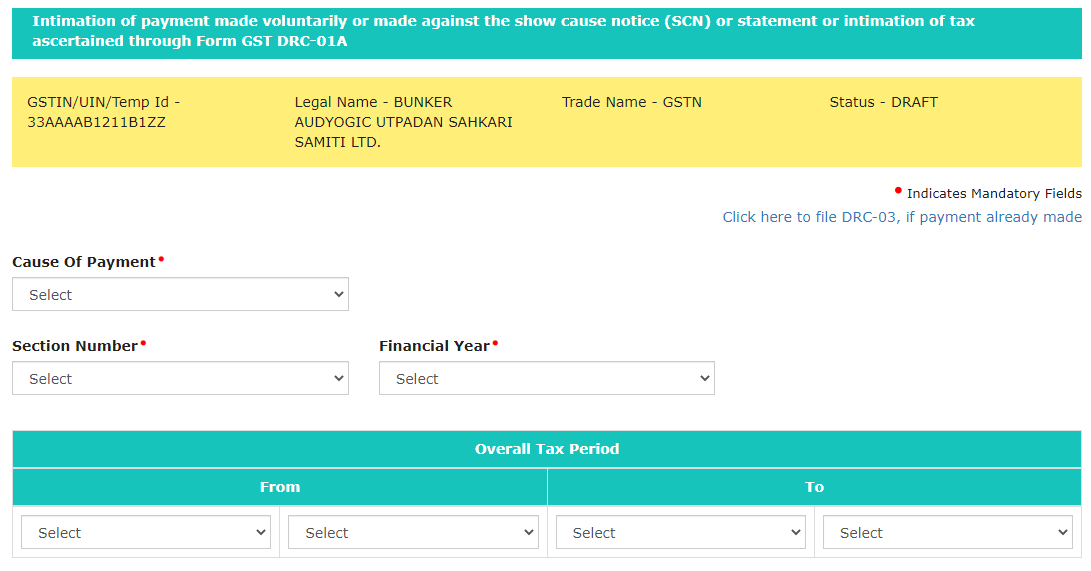
- Select Financial Year & appropriate Section/ Reference number after selecting cause of payment.
- Enter the Details of payment made including interest, penalty and others.
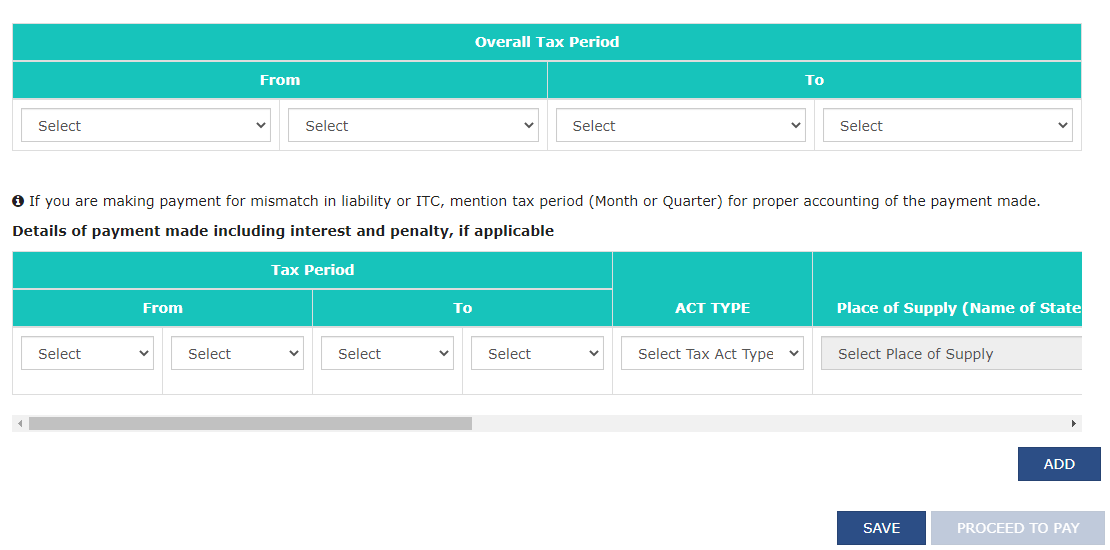
- Click the PROCEED TO PAY button.
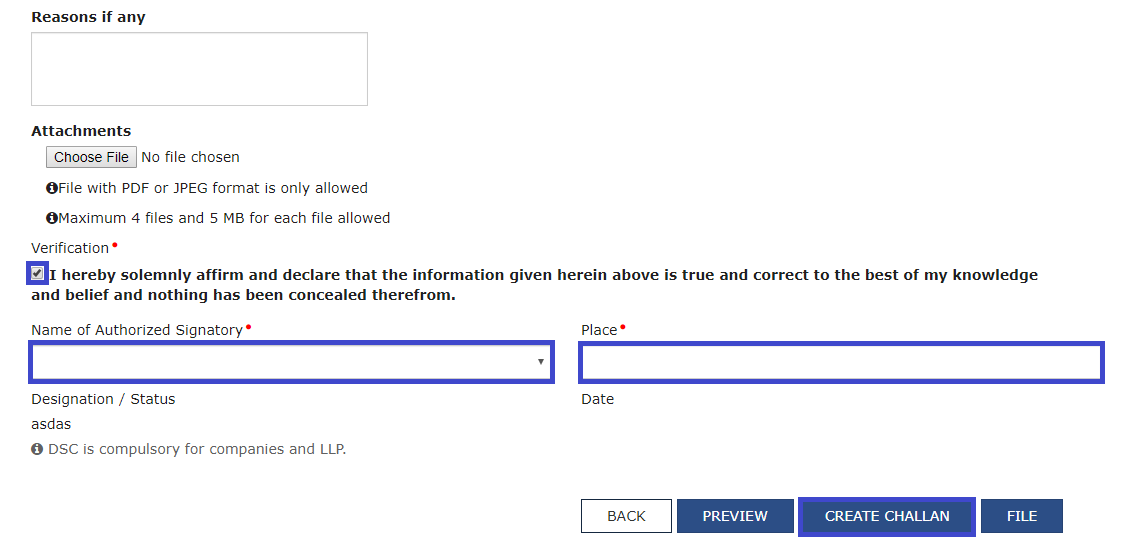
- Select the Verification checkbox and enter the Name of Authorized Signatory and Place. Click the CREATE CHALLAN button.
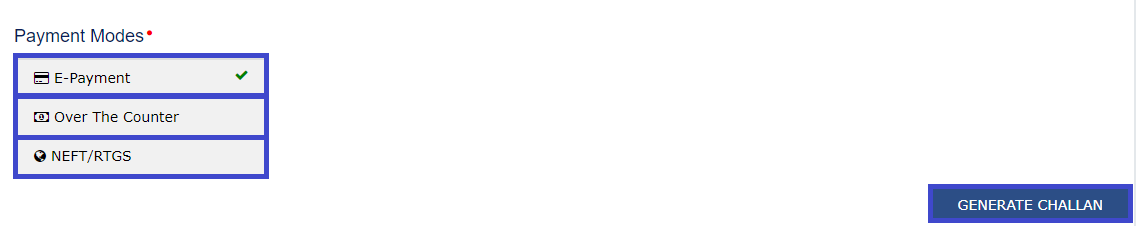
- Select the Payment Modes as E-Payment/ Over the Counter/ NEFT/RTGS. Click the GENERATE CHALLAN button.
- After successful payment a confirmation message will be displayed and then you can download the Form GST DRC - 03 statement.
Where to report cash payments in GST returns?
GSTR-3B (Monthly Return)
An electronic cash ledger is an e-wallet. All payments made in cash/bank are reflected in this ledger. A taxpayer can first utilize his balance in ITC to pay tax liabilities. If the liabilities are greater than the balance in ITC, the same has to be paid in cash.
GSTR-9 (Annually)
Any balance tax liability if not paid while filing GSTR-3B needs to be paid while filing GSTR-9. Available balance in electronic cash ledger is used to make payment of outstanding liabilities. In case, the liabilities are higher than the available cash balance, a challan has to be created for making additional cash payment.
In case of demand notices
In case of demand notice, payment can be made by utilizing ITC and balance cash available in the Cash Ledger. The remaining liability needs to be paid in cash by creating an additional cash challan. Interest and Penalty need to be compulsorily paid in cash. A proper officer will issue an acknowledgement in Form DRC-04 regarding the payment made in Form DRC-03 and the proceedings will be concluded by the Officer by issuing an order in Form DRC-05.









 CAclubindia
