
E -Tax Payment allows taxpayers to remit their taxes online by electronically through authorized channels, such as internet banking, mobile banking, or through the government's designated online tax portals.
The steps to pay e tax on the Income Tax Portal are :
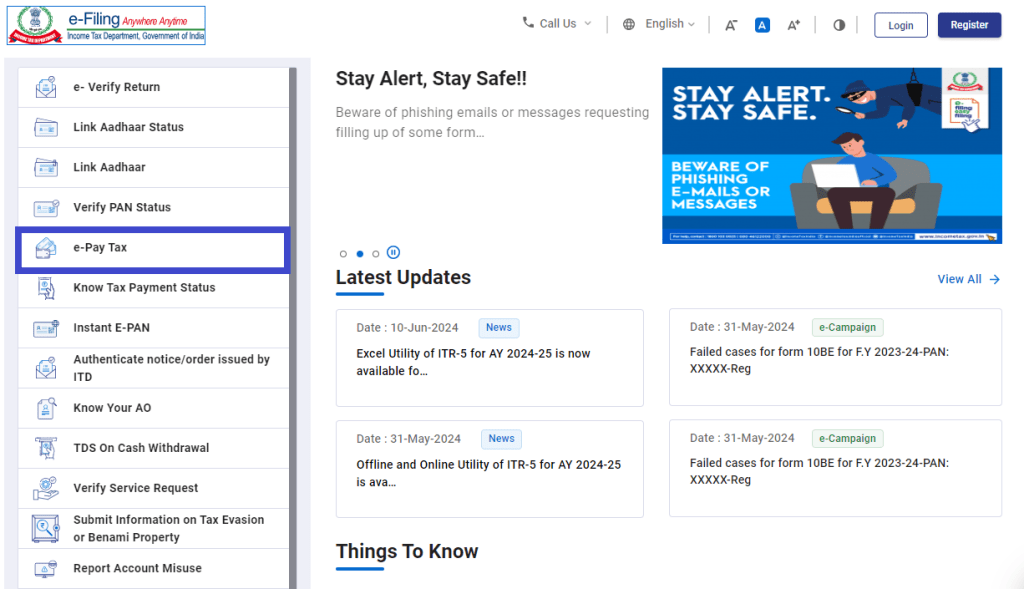
1.Visit the official Income Tax e-filing portal and click on 'e-Pay Tax' option.
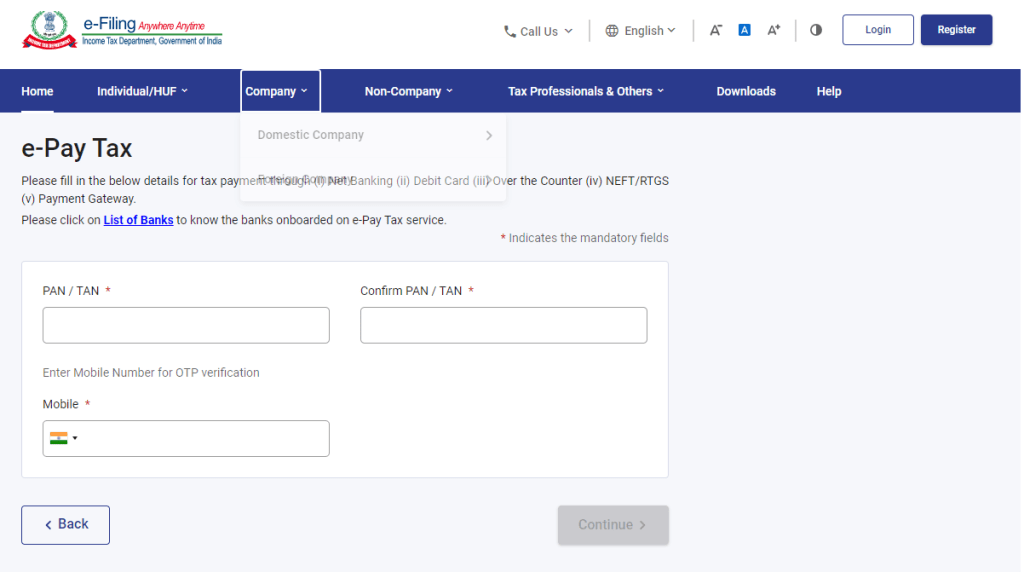
2.On the e-Pay Tax page :
- Fill your PAN and re-enter to confirm it.
- Provide your mobile number and click 'Continue'.
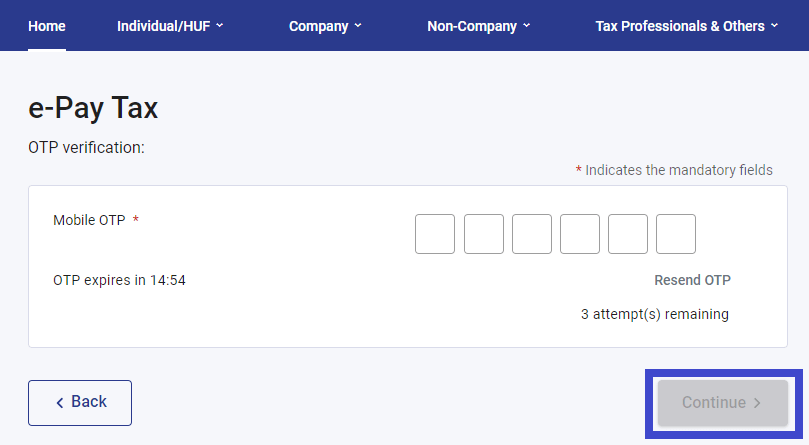
3.On the OTP Verification page, enter the 6-digit OTP received on your mobile number and click 'Continue'.
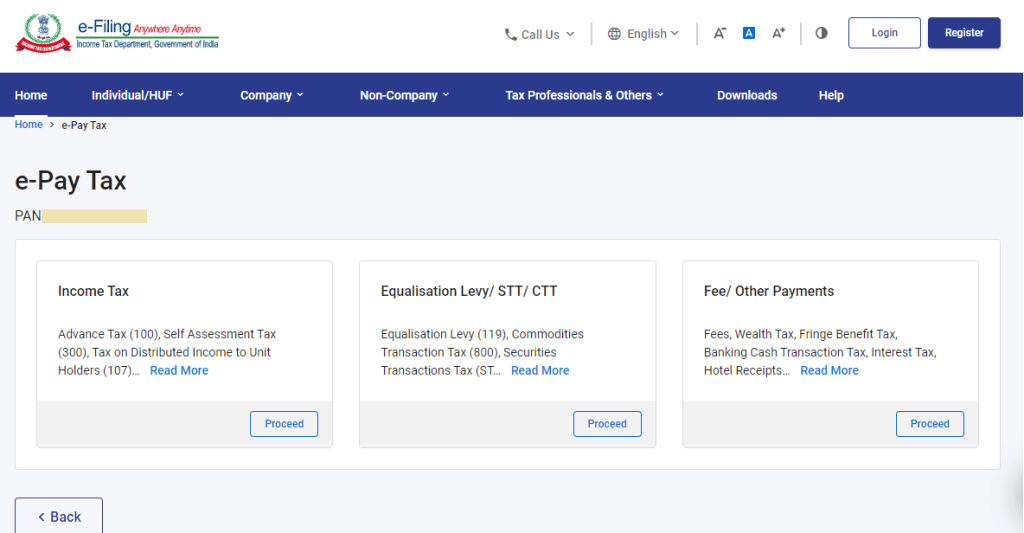
4.On the e-Pay Tax page, select the correct form for tax payment category that applies to you and click 'Proceed'.
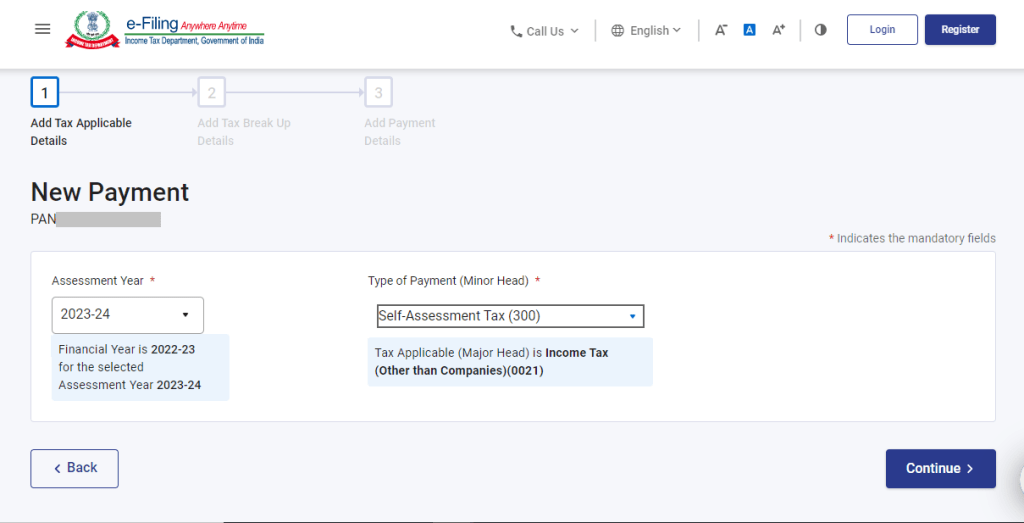
5.Enter the necessary details such as Assessment Year and type of payment and click 'Continue'.
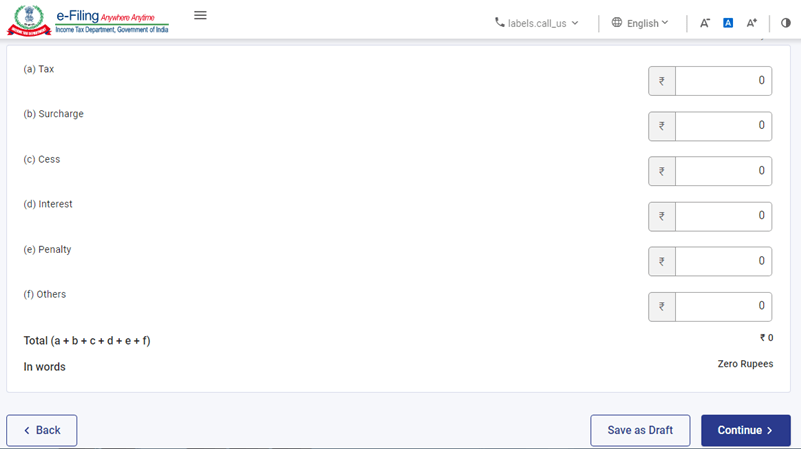
6.On the Add Tax Breakup Details page, enter the payment amounts accurately and click 'Continue'.
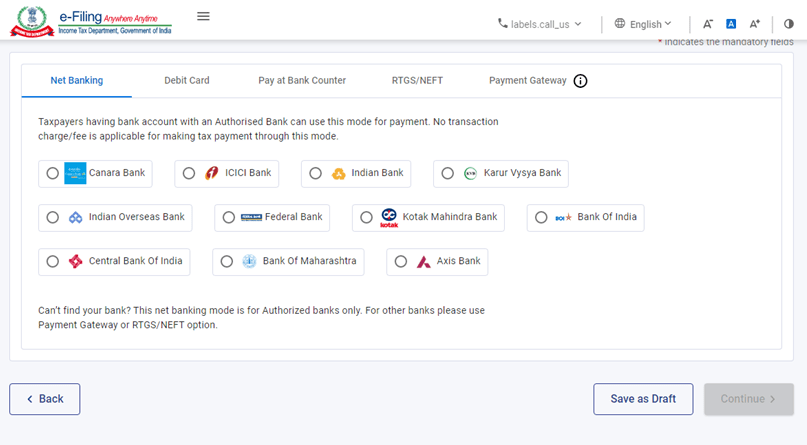
7.Choose the bank through which you want to make the payment after selecting payment mode and click 'Continue'.
8.After clicking 'Continue' you'll be able to verify the details (the amount, assessment year, and type of tax payment) and click 'Pay Now'.
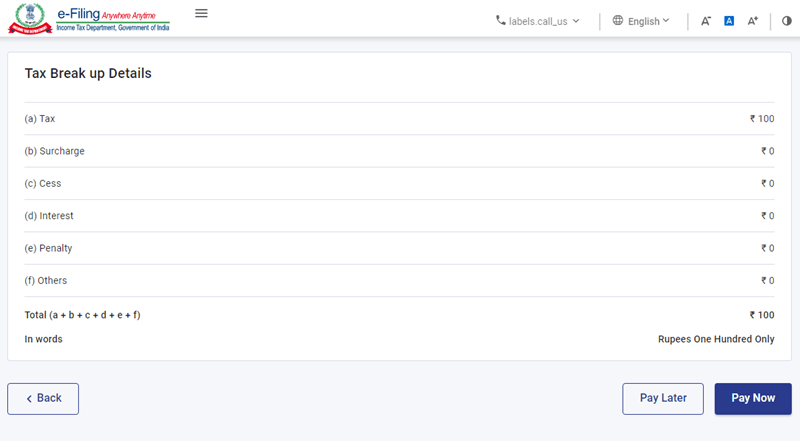
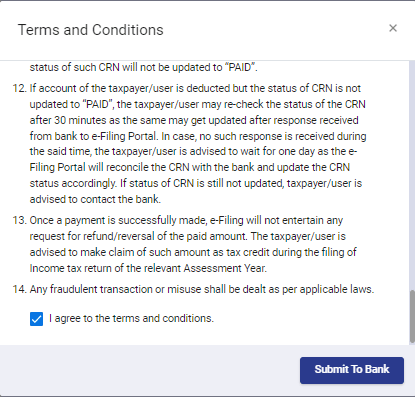
9.Read and select the terms and conditions and click 'Submit' to Bank.
10.After successful payment, you will receive a confirmation email and an SMS on the email ID and mobile number registered with the e-Filing portal.
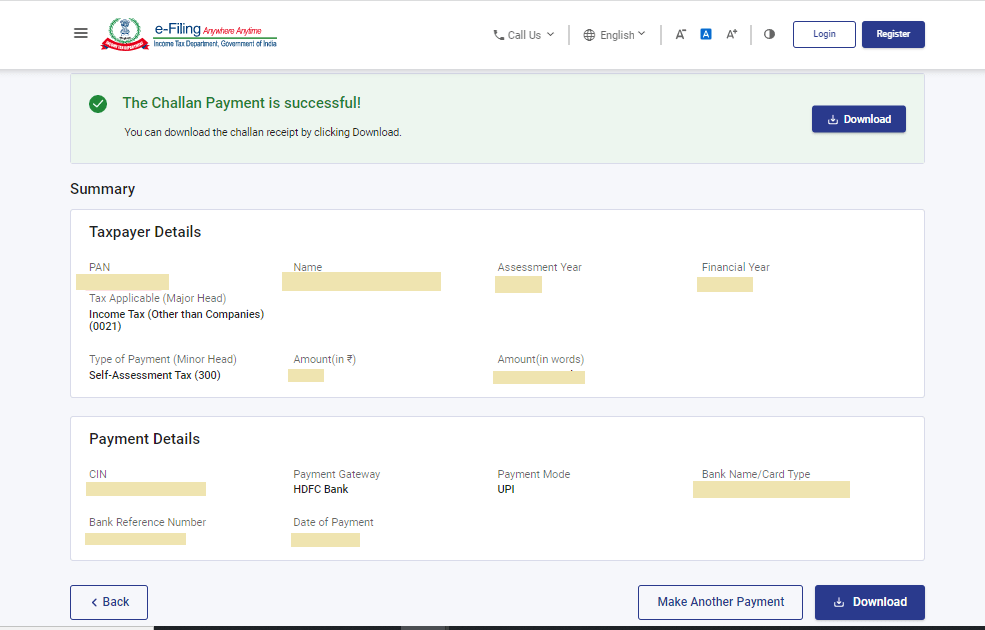
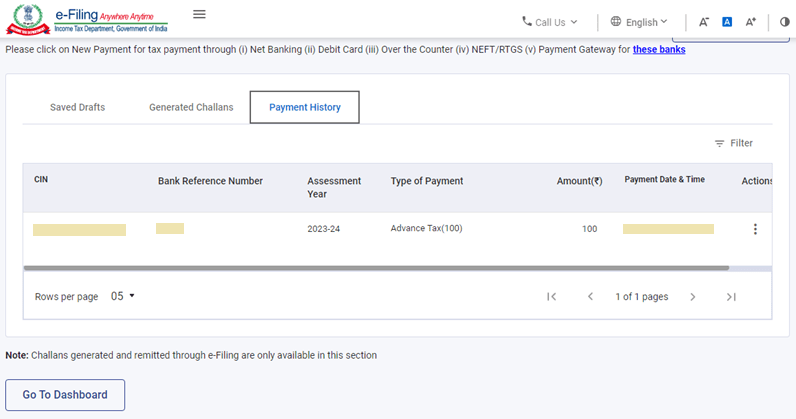
11.You can download the Challan Receipt for future reference. The details of your payment and the Challan Receipt are available under the 'Payment History' tab on the 'e-Pay Tax' page after you log in to the portal.
Applicable Rates For FY 2023-24 and AY 2024-25 Click Here
FAQs
To check your e-tax payment status, you can use your Challan Identification Number (CIN).
Payment type refers to the method used to complete a financial transaction. Common types include cash, check, credit card, and debit card.
Tax is calculated based on government-set rates for various income levels. The formula for calculating income tax is:
1. Determine Taxable Income: Gross Salary - Deductions = Taxable Income
2. Calculate Income Tax: (Taxable Income x Applicable Tax Rate) - Tax Rebate








 CAclubindia

