
Table of Contents
About SBI
The State Bank of India (SBI) is the largest public sector bank in India and one of the country's oldest financial institutions. SBI offers a wide range of banking and financial services, including retail and corporate banking, loans, insurance, investment services, and more. It plays a crucial role in India's economy by providing financial services to individuals, businesses, and government entities. As a government-owned bank, SBI also supports various socioeconomic development initiatives and serves as a key player in the country's financial sector.
What is the eligibility criteria for SBI net banking?
To use SBI Internet Banking, you need to have a Savings account with SBI. During registration, you'll need your ATM card, account number, CIF number, Branch Code, and registered mobile number. These details are essential for setting up and accessing the Internet Banking features.
What is the process for registering for SBI net banking?
The process for registering for SBI net banking :
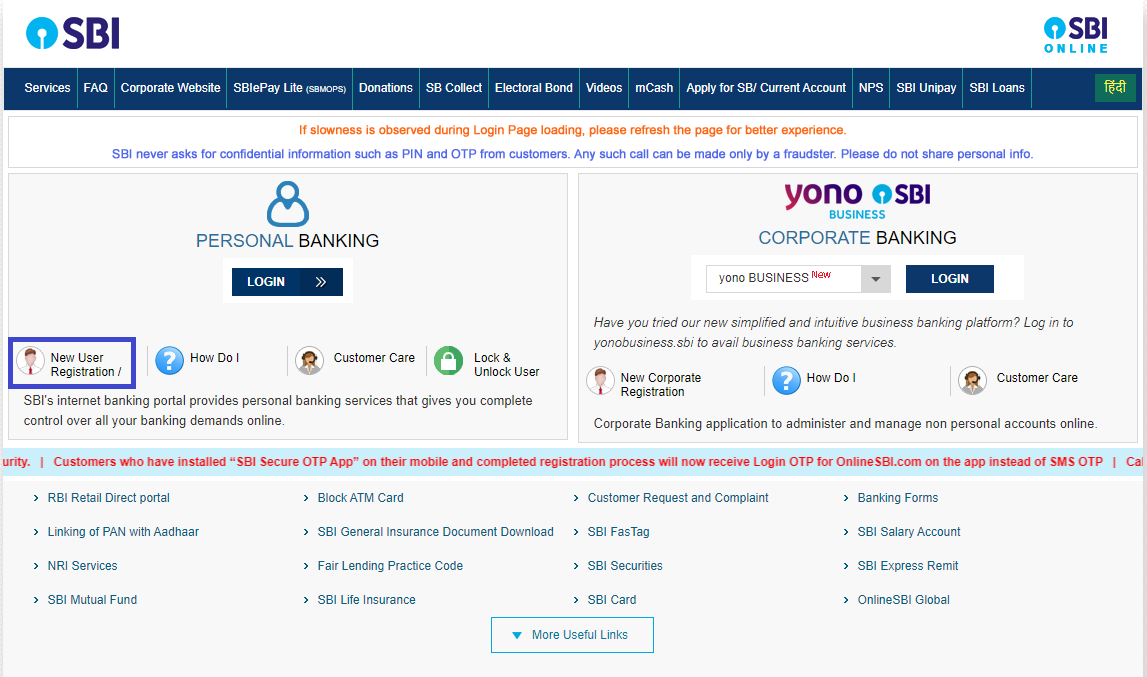
- Visit official SBI net banking website. Click 'New User Registration'.
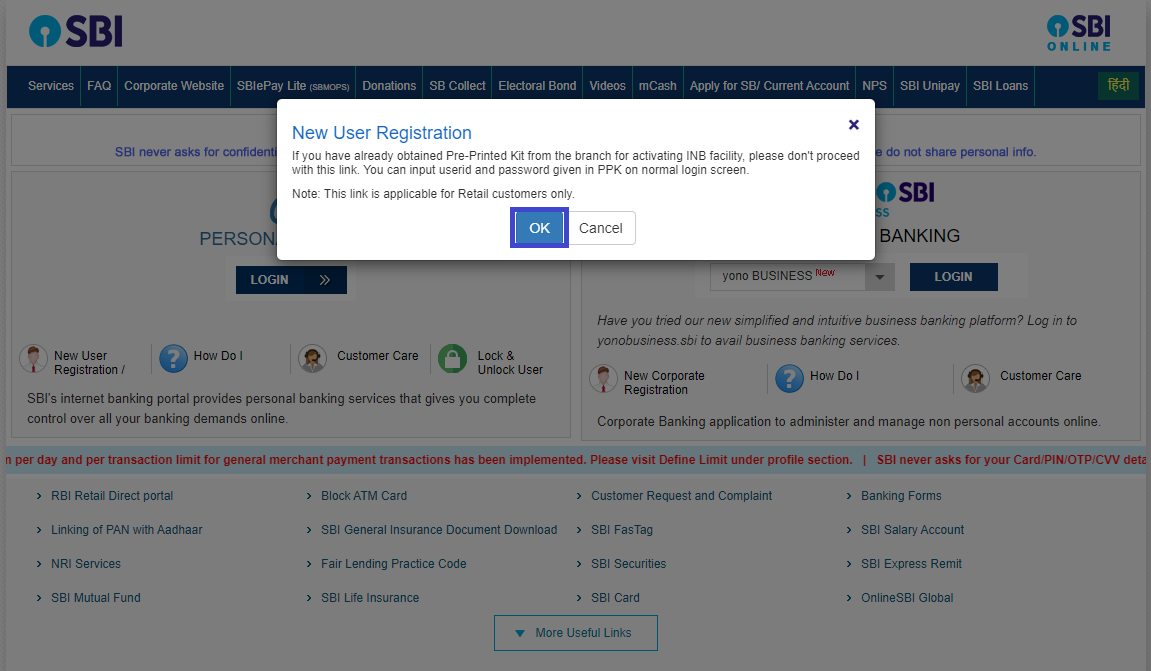
- A pop-up window will appear on the screen. Confirm not receiving internet banking kit.
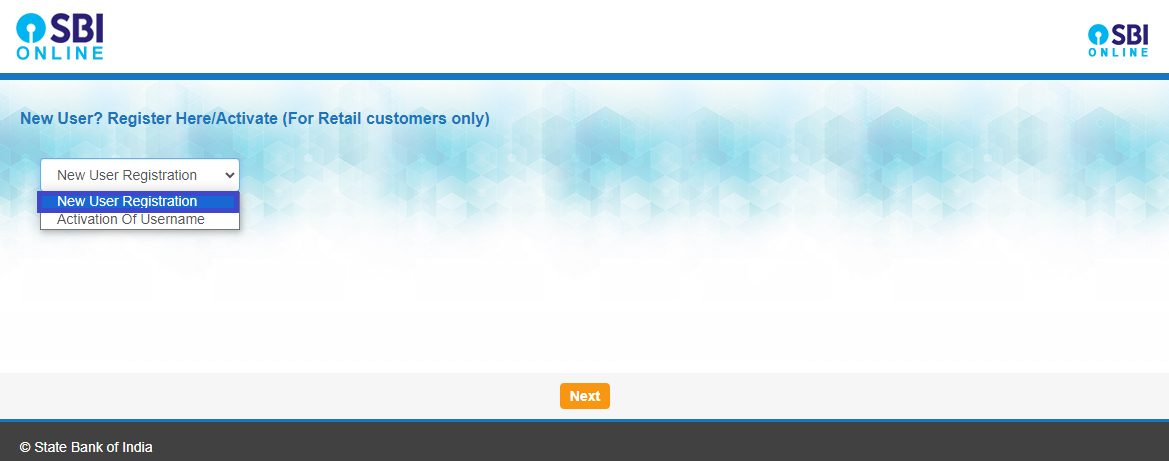
- Choose 'New User Registration' and click 'Next'.
- Fill details: account number, CIF number, branch code, country, mobile number, captcha.
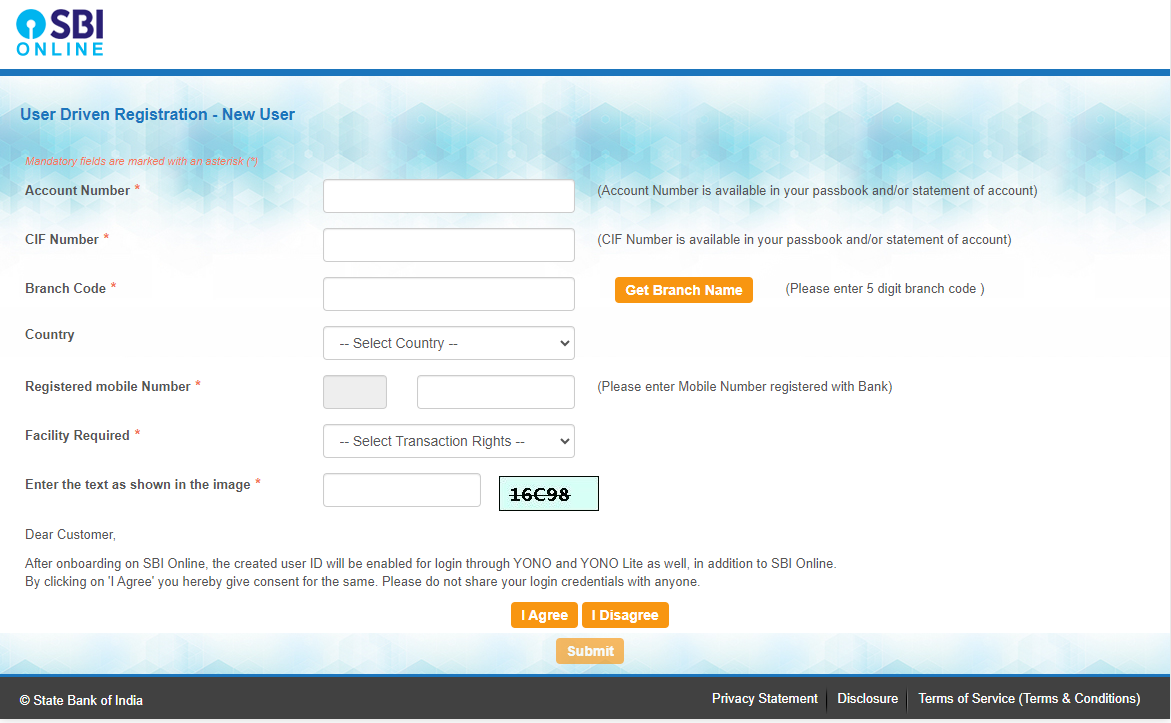
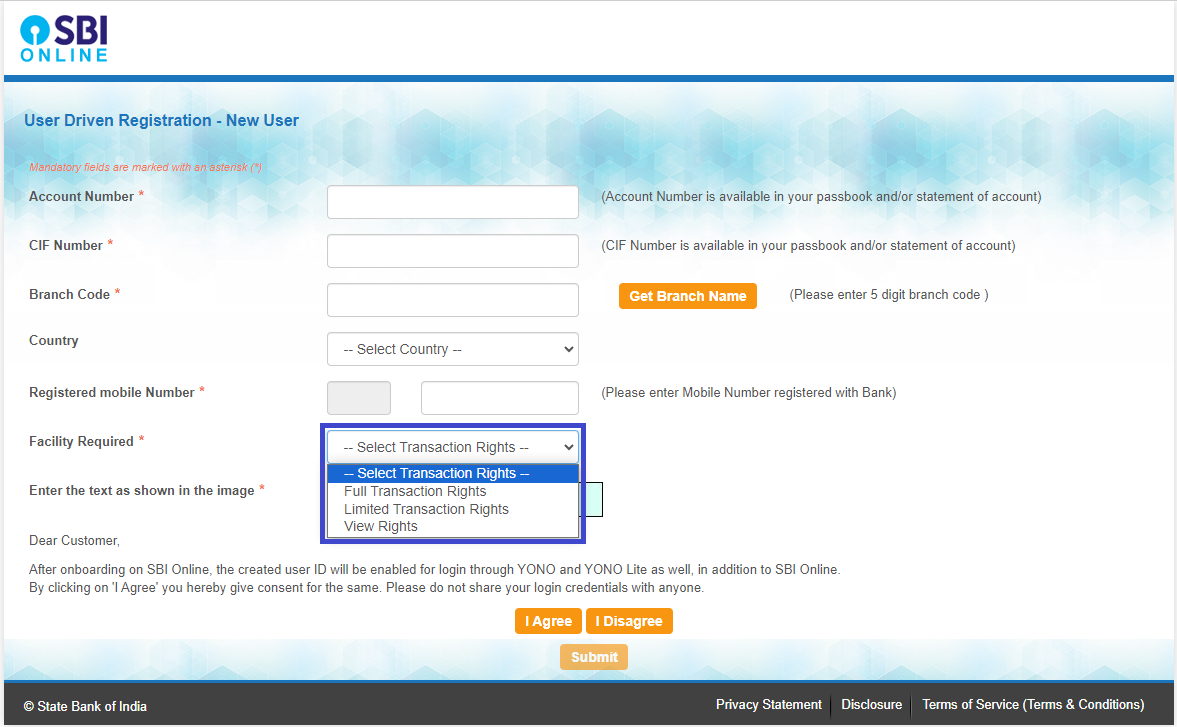
- Select facility: View, limited, or full transactions. Click 'Submit'.
- Enter OTP sent to mobile. Click 'Confirm'.
- Choose 'I have my ATM card' and submit. Enter ATM card details, submit.
- Note temporary username displayed. Set password following rules and submit complete the registration process.
What is the process for logging in to SBI Net Banking?
The process for logging in to State Bank of India Net Banking :
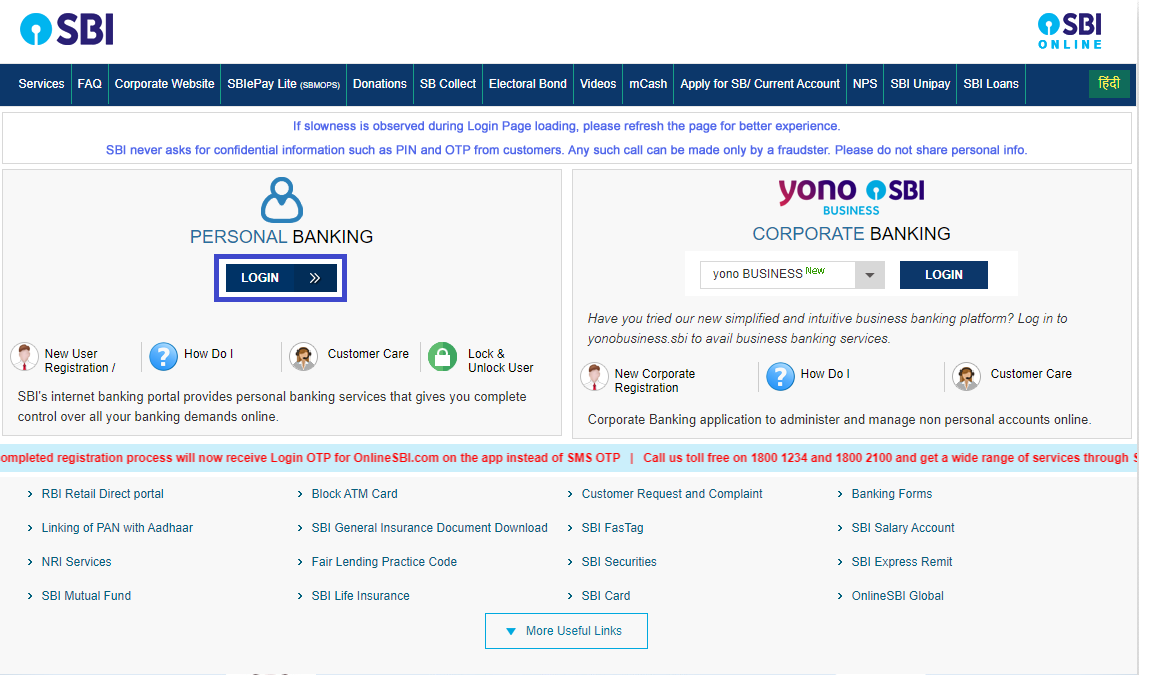
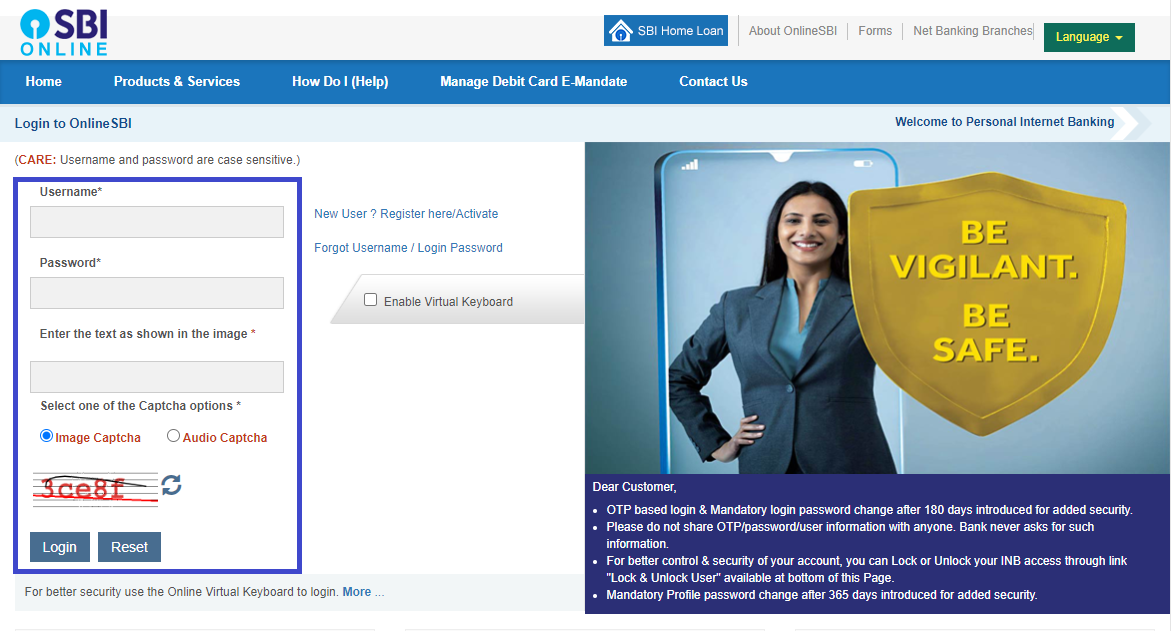
- Go to official website, find login page for personal or corporate banking. Click 'Log In' in personal banking section.
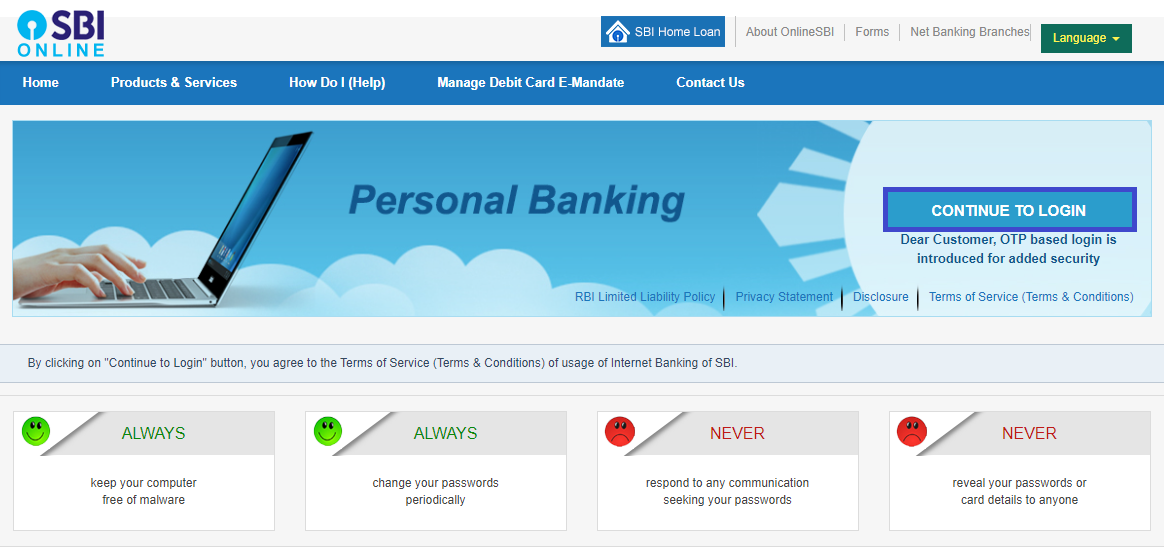
- Click 'Continue to login'.
- Enter username and password, then click 'Login'.
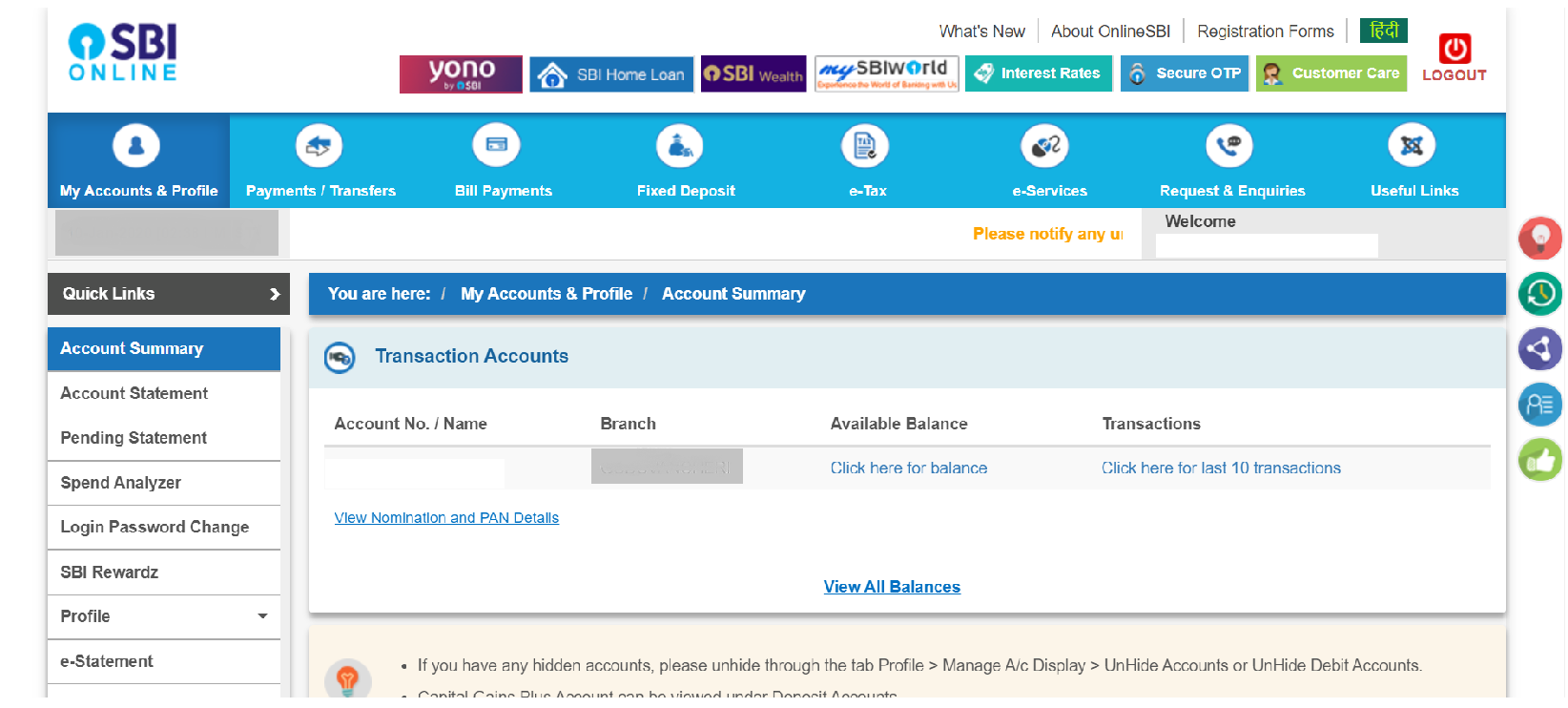
- Access your account and related information on the redirected page.











 CAclubindia
