
If you have filed income tax return and your refunds are due, but you come to notice that the bank account you provided is closed.

Now what to do?
You can still receive the amount.
The refund attempt fails because the bank cannot credit it to a closed account.
To fix this, you should immediately update your new bank account details on the Income Tax Department e-filing portal.
Once you update the correct account details, the refund can be successfully credited to your new active account.
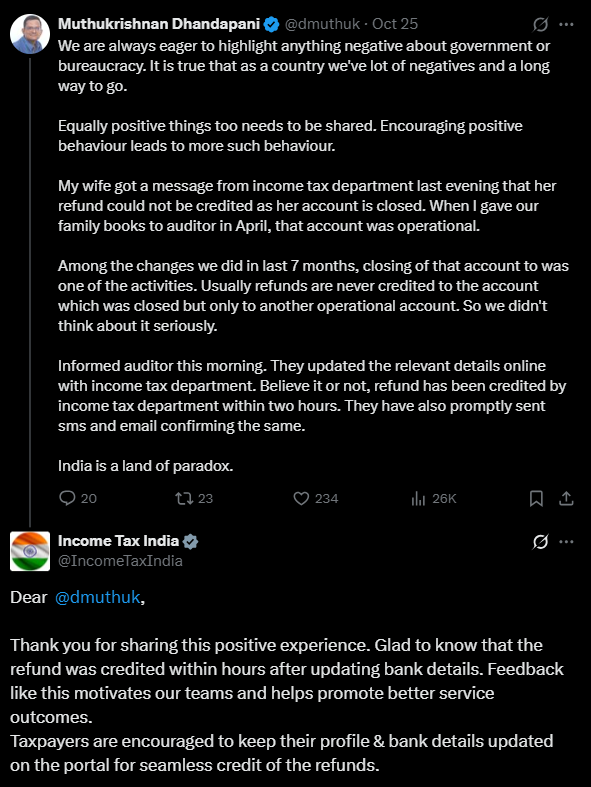
Here is the tweet of Muthukrishnan Dhandapani who shared on platform X, how his wife got a message that her refund couldn't be credited, the auditor then updated her bank account details on the portal, and within a couple of hours the refund was credited.
In Short
If your bank account which has been nominated for refund is closed after filing ITR, do not panic.
Log in to your e-filing portal, update your account to validate it, and once done the refund will be credited correctly.
You have reached your daily limit of 2 Free Articles
Subscribe to CCI PRO for unlimited access
Why Upgrade to CCI PRO?
- No Ads
- WhatsApp Community
- Daily E-Newsletter
- Unlimited Articles Access
- Profile Visitors
- Link Social Profiles
- Featured Job Posts
- Pro Badge
- Expert GST Guidance
- Unlimited Forum Replies
- Download Content in PDF
Already a PRO member? Login here for an ad-free experience. 07941056694











 CAclubindia
