
1. What are the Compliance Portal and Reporting Portal used for?
The Compliance Portal can be used by taxpayers using Single Sign On (SSO) to respond to the compliances of various kinds including e-Campaign, e-Verification, e-Proceedings and DIN Authentication. Additionally, taxpayers can access their annual information statement on the Compliance Portal. The Reporting Portal can be used by reporting entities to complete their reporting obligations with the Income Tax Department.
2. If I do not have active e-Campaigns / e-Verifications, does this mean I won't be able to go to the Compliance Portal for those services?
You need to have active e-Campaigns or e-Verifications to be taken to the Compliance Portal, else you will get the message - No Compliance Record has been generated for you. However, you can still access the Compliance Portal for your Annual Information Statement.

3. Who can use the services available on the Compliance Portal?
Registered taxpayers can avail of the following services on the Compliance Portal:
Annual Information Statement (This is also shown under Pending Actions as a separate service)
- e-Campaign
- e-Verification
- e-Proceedings
- DIN Authentication
4. Who can use the services available on the Reporting Portal?
Reporting entities can avail of the following services on the Reporting Portal:
- New Registration
- SFT Preliminary Response
- Preliminary Response (Form 61B)
- Manage Principal Officer
5. Do I need to log out of e-Filing and log in separately to the Compliance or Reporting Portal?
No, both the Compliance Portal and Reporting Portal are accessible after logging into the e-Filing portal through Single Sign On (SSO). You can access them by going to Pending Actions.
View and Submit Compliance User Manual
The Compliance Portal and Reporting Portal service is available to all registered users on the e-Filing portal post login. It takes you from your e-Filing account to the Compliance Portal and Reporting Portal with a Single Sign On (SSO). This service enables you to:
- Directly go to the Compliance Portal to access services such as Annual Information Statement, e-Campaigns, e-Verifications, e-Proceedings, and DIN Authentication
- View an active count of e-Campaigns and e-Verifications relevant to you before going to the relevant section on the Compliance Portal
- Directly go to the Reporting Portal from your e-Filing account
2. Prerequisites for availing this service
Registered user on the e-Filing portal with valid user ID and password
Active e-Campaigns or e-Verifications (For Compliance Portal)
3. Step-by-Step Guide
| For Compliance Portal (Annual Information Statement) | Refer to Section 3.1 |
| For Compliance Portal (e-Campaign, e-Verification, e-Proceedings or DIN authentication) | Refer to Section 3.2 |
| For Reporting Portal | Refer to Section 3.3 |
3.1 Compliance Portal (Annual Information Statement)
The Annual Information Statement provides comprehensive information about the taxpayer's financial transactions (including taxes paid, demand and refund, pending and completed proceedings, among other information).
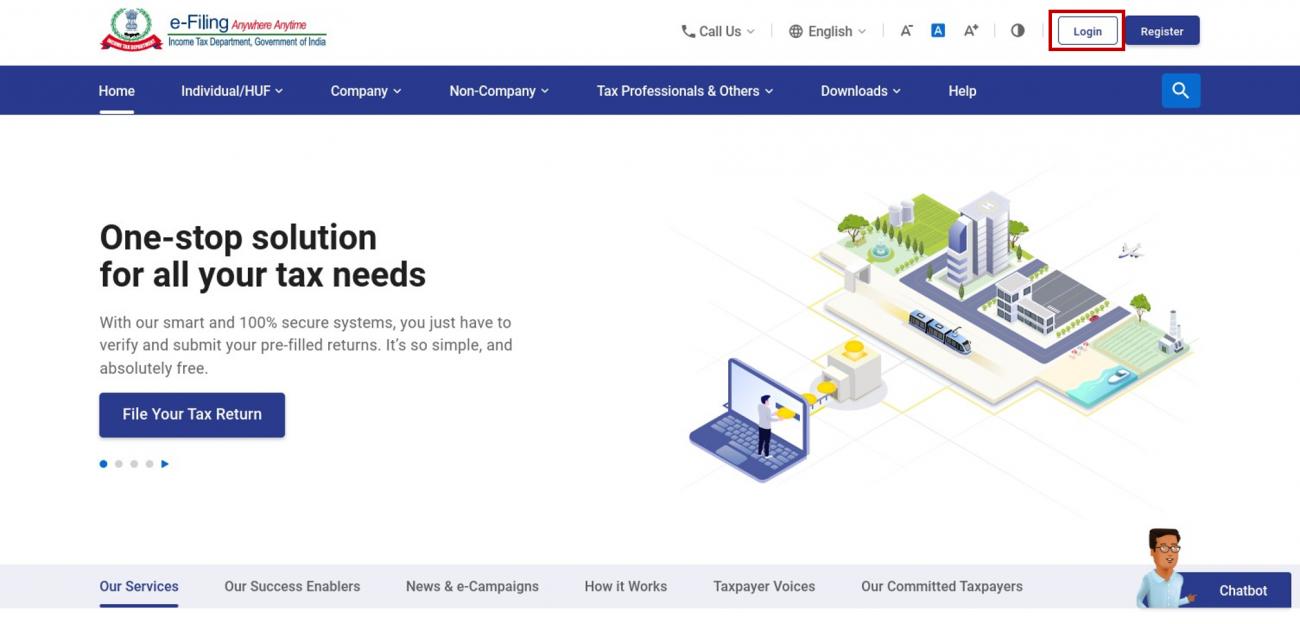
Step 1: Log in to the e-Filing portal using your user ID and password.
Step 2: On your Dashboard, click Pending Actions > Annual Information Statement.
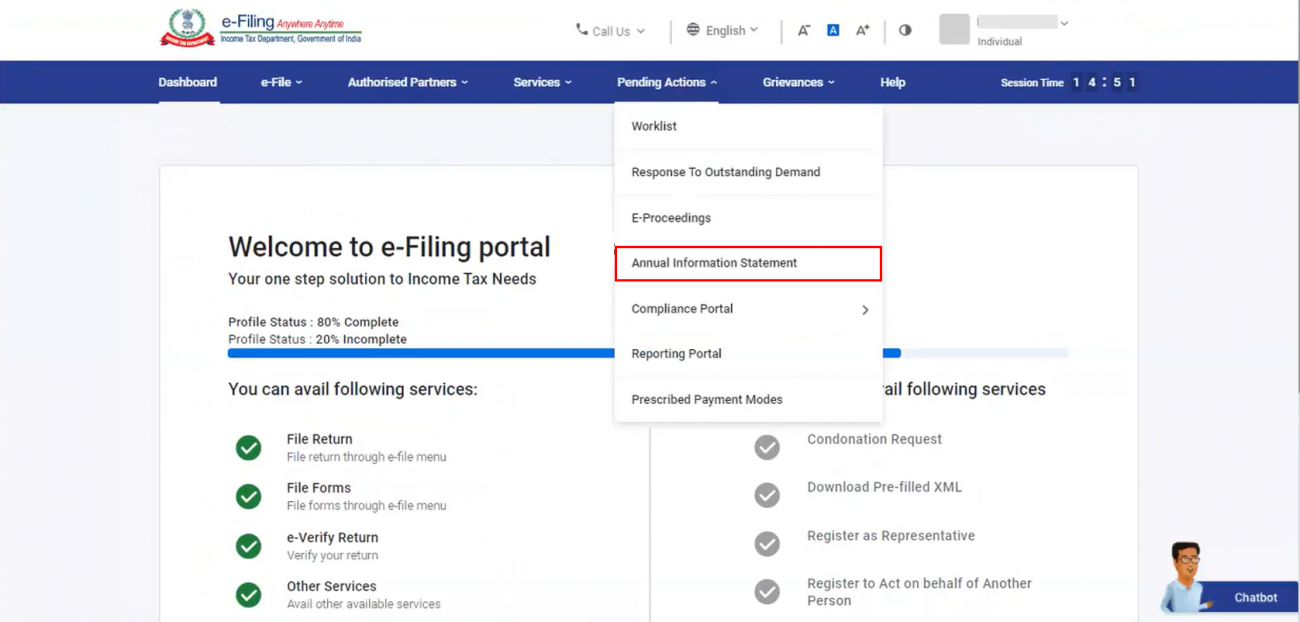
Note: Annual Information Statement is accessible from Pending Actions as a separate service. However, it is also accessible on the Compliance Portal.
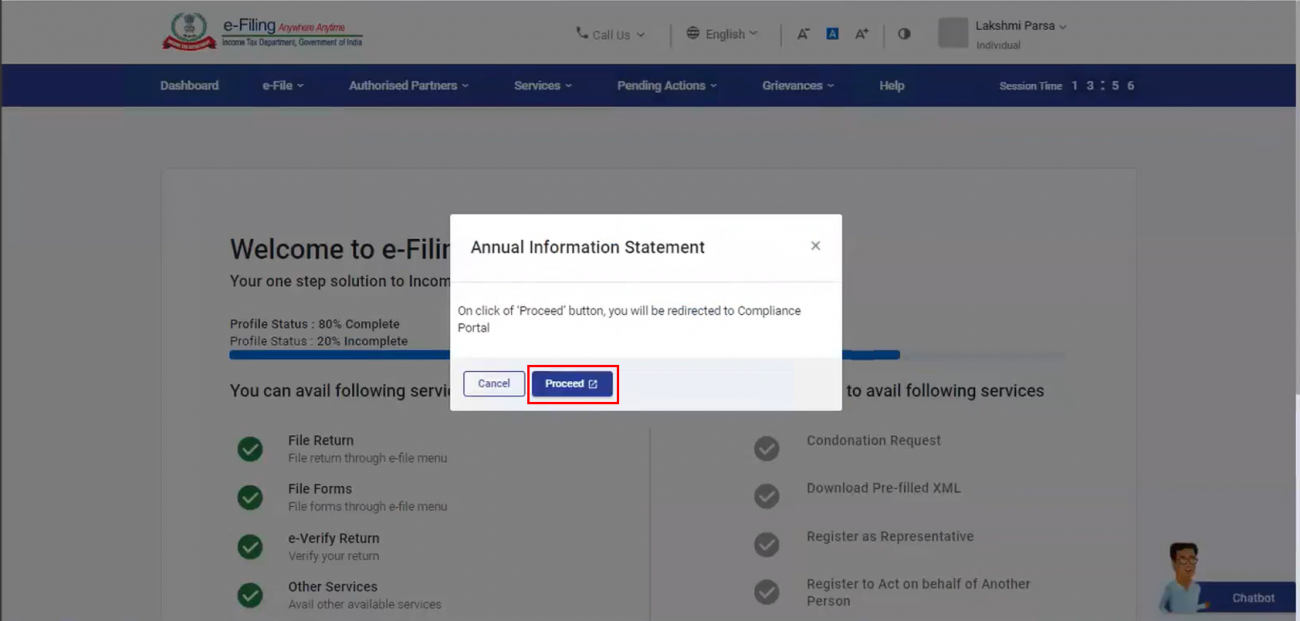
Step 3: A message is displayed, informing you that you will be taken to the Compliance Portal. Click Proceed. You will be taken to the Compliance Portal, where you will be able to access your Annual Information Statement.
3.2 Compliance Portal (e-Campaign, e-Verification, e-Proceedings, DIN Authentication)
Taxpayers may need to visit the Compliance Portal to respond to active e-Campaigns, notifications from the Department about e-verification and e-Proceedings, and for DIN Authentication.
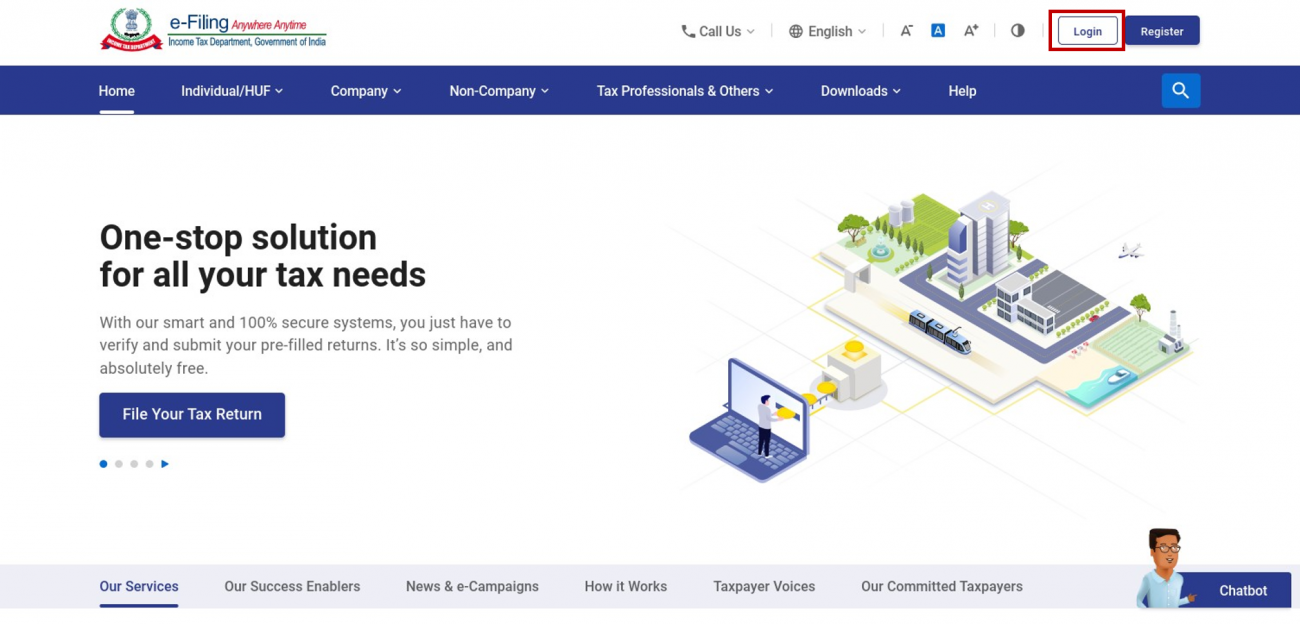
Step 1: Log in to the e-Filing portal using your user ID and password.
Step 2: On your Dashboard, click Pending Actions > Compliance Portal.
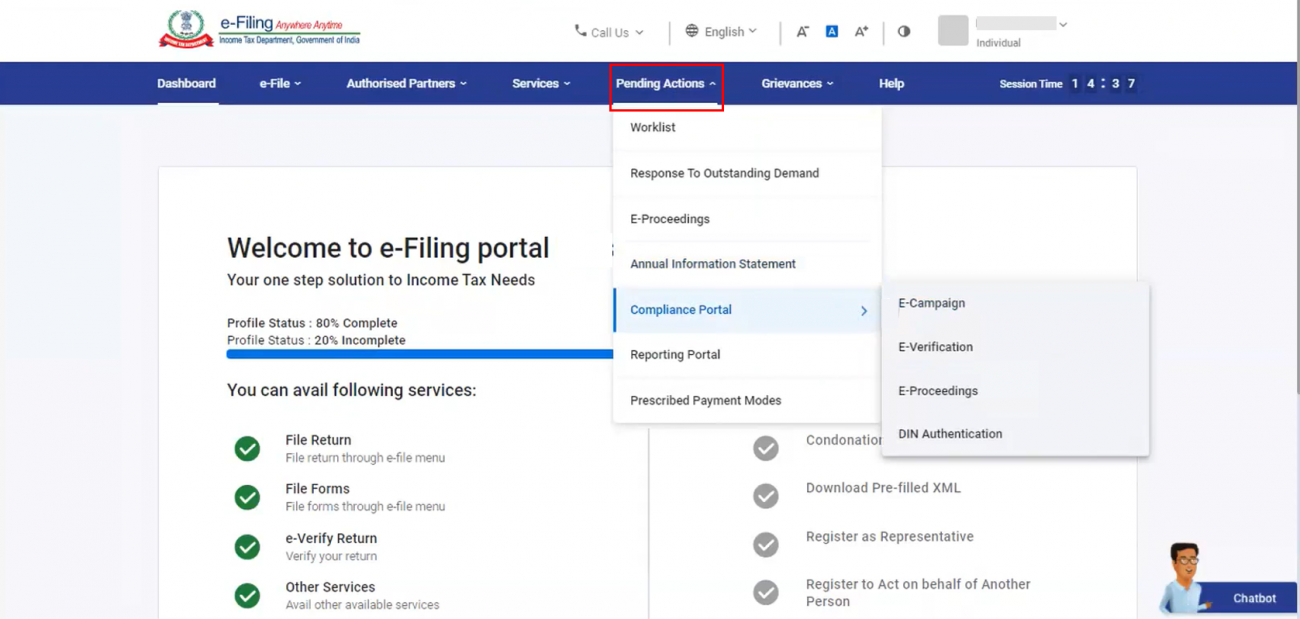
Step 3: Select either e-Campaign, e-Verification, e-Proceedings or DIN Authentication. Refer to the table below to proceed further:
| e-Campaign | Follow step 3a |
| e-Verification | Follow step 3b |
| e-Proceedings | Follow step 3c |
| DIN Authentication | Follow step 3d |
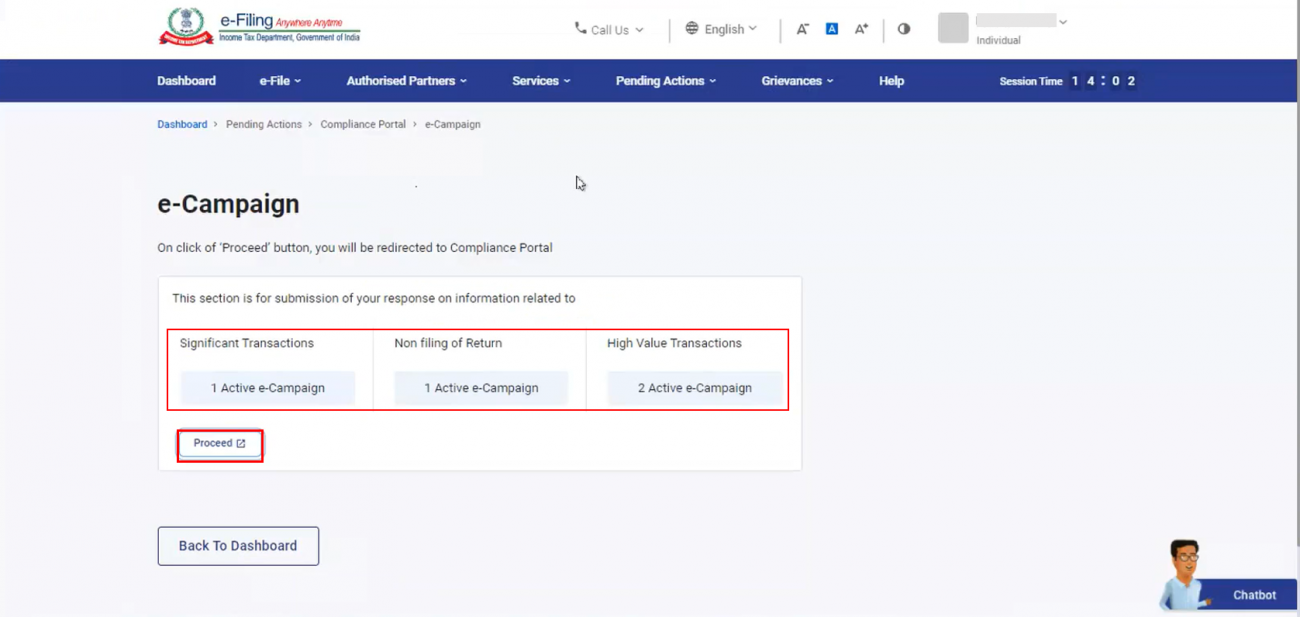
Step 3a: If you select e-Campaign, the next page will show you the count of active campaigns in terms of Significant Transactions, Non-Filing of Return, and High Value Transactions. Click Proceed. You will be taken to the Compliance Portal for further actions to be taken at your end.
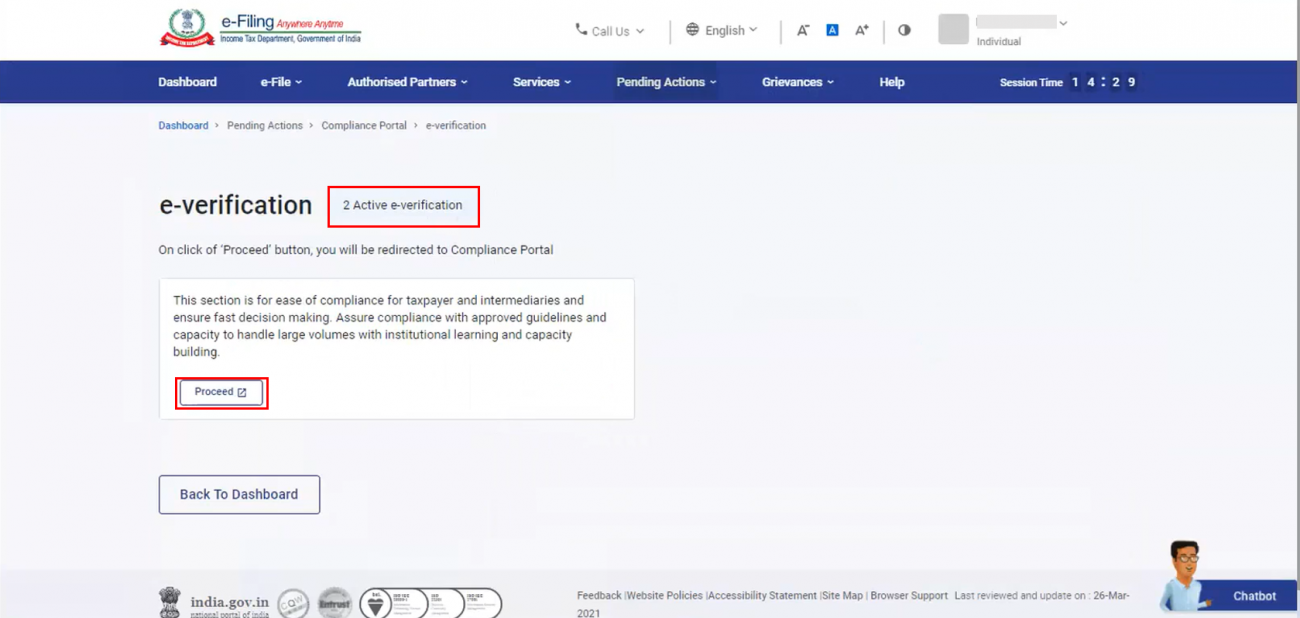
Step 3b: If you select e-Verification, the next page will show you your active e–Verification count. Click Proceed. You will be taken to the Compliance Portal for further actions to be taken at your end.
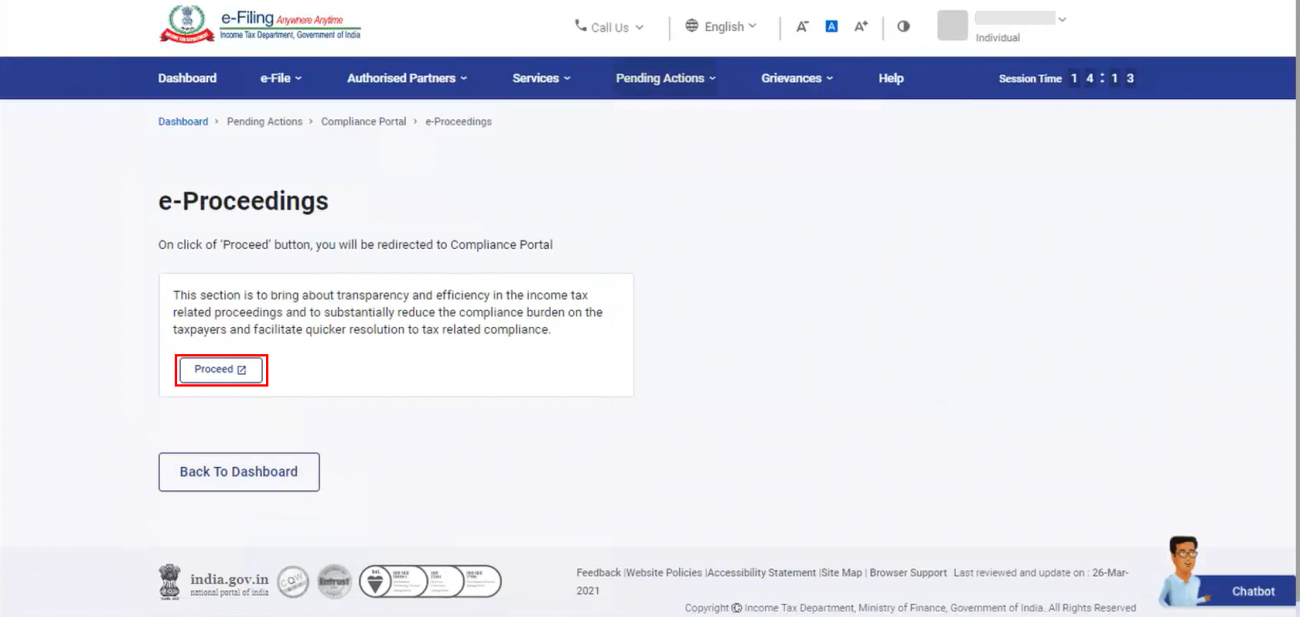
Step 3c: If you select e-Proceedings, you will be taken to the e-Proceedings page, where you need to click Proceed. You will be taken to the Compliance Portal for further actions to be taken at your end.
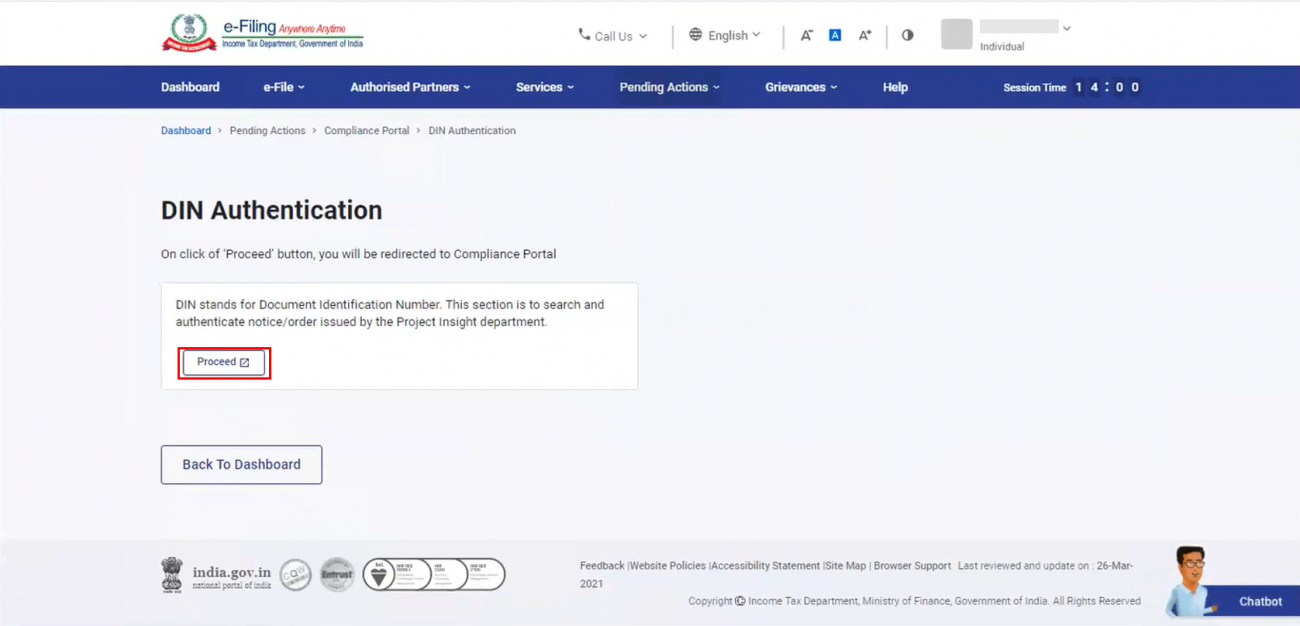
Step 3d: If you select DIN Authentication, you will be taken to the DIN Authentication page, where you need to click Proceed. You will be taken the Compliance Portal for further actions to be taken at your end.
3.3 Reporting Portal
The Reporting Portal enables reporting entities to furnish specific statements to the Income Tax Department, which can be done by accessing the Reporting Portal.
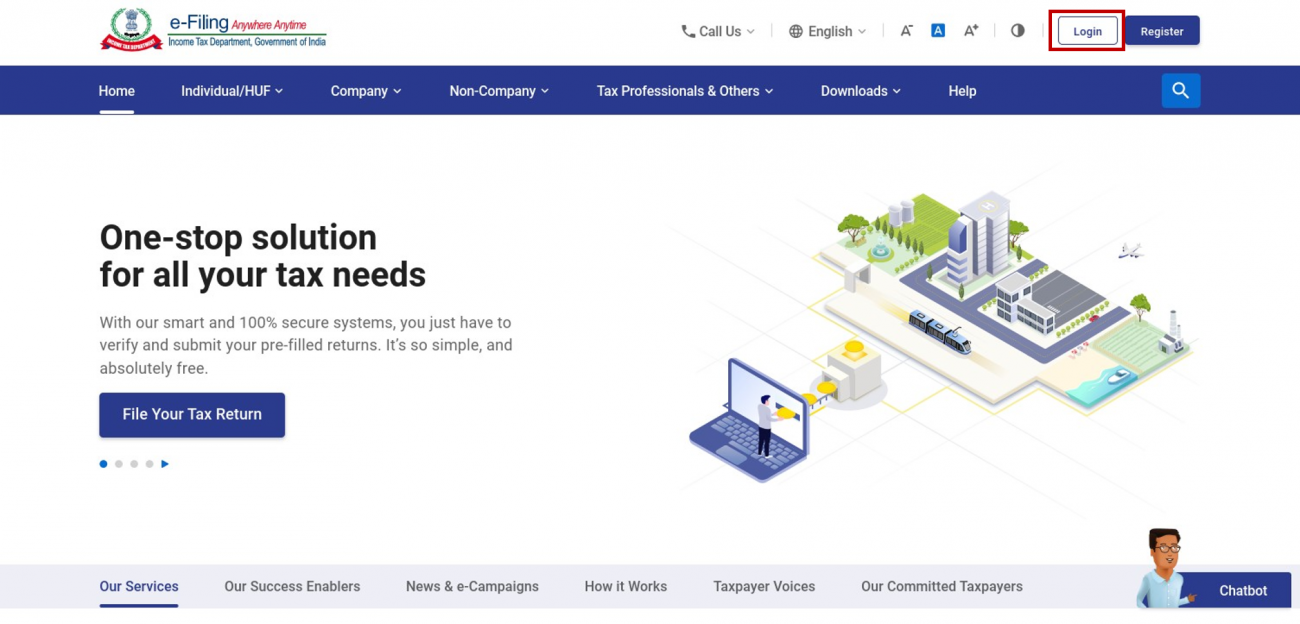
Step 1: Log in to the e-Filing portal using your valid user ID and password.
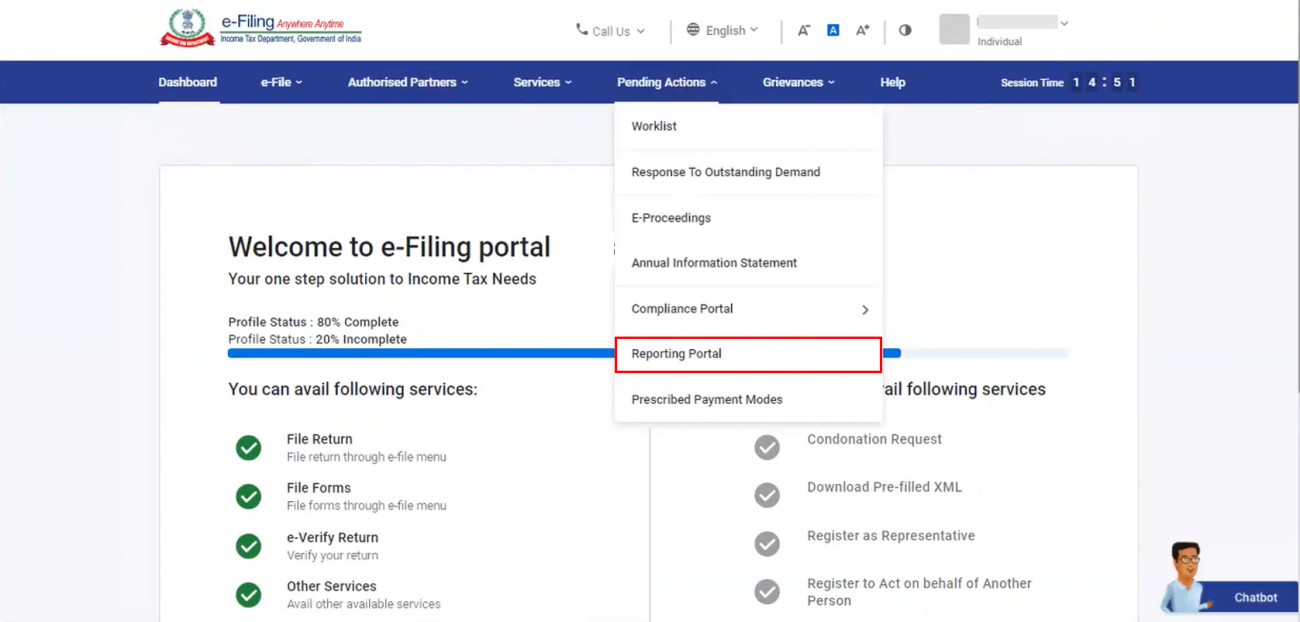
Step 2: On your Dashboard, click Pending Actions > Reporting Portal.
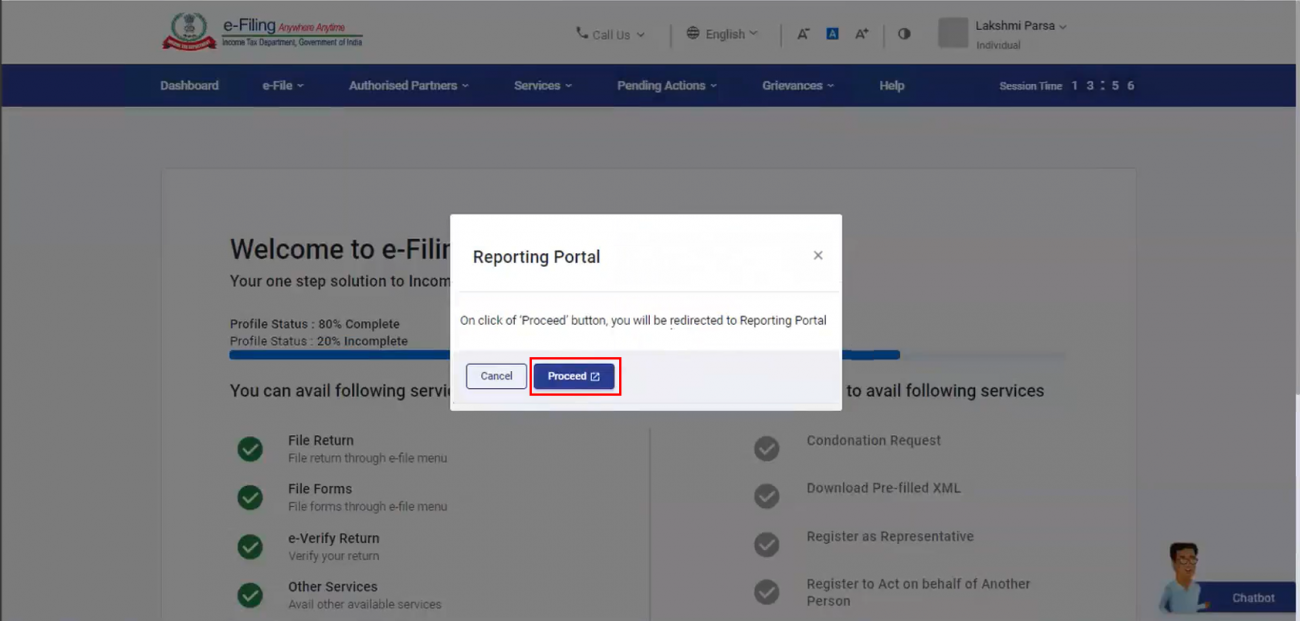
Step 3: A message is displayed, informing you that you will be taken to the Reporting Portal. Click Proceed. You will be taken Reporting Portal for further actions to be taken at your end.











 CAclubindia
