
UIDAI has deactivated more than 2 crore Aadhaar numbers of deceased individuals as part of a nationwide clean-up drive to ensure the Aadhaar database accurate.
The main aim is to curb identity fraud and misuse of government benefits.
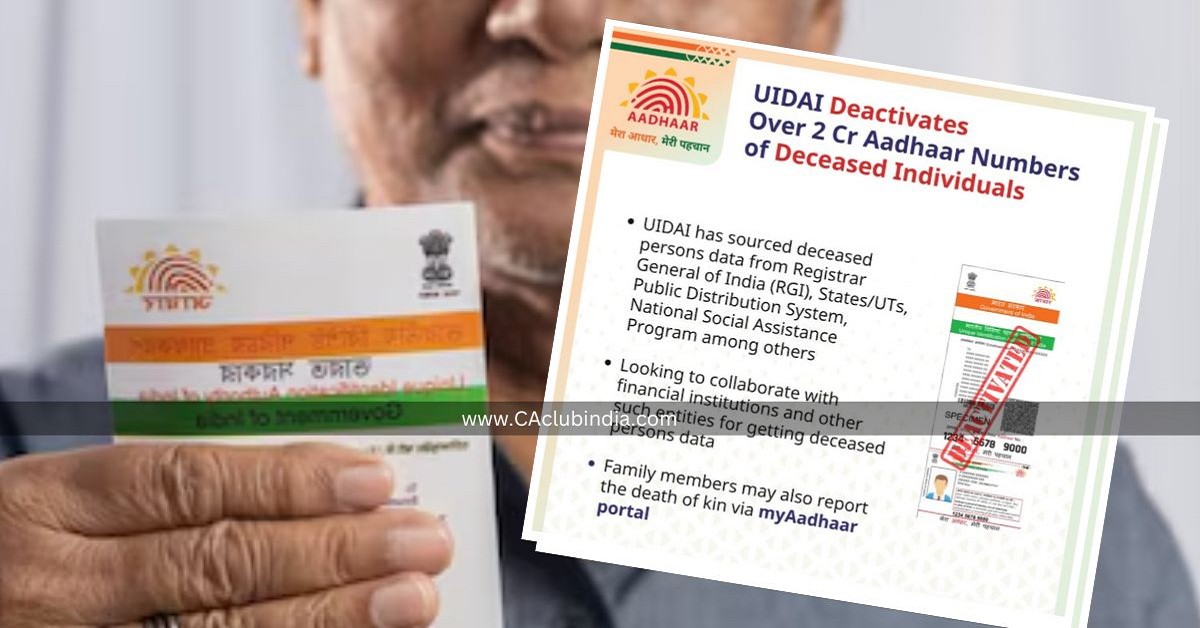
UIDAI's Source
UIDAI sourcing data on deceased persons from multiple government sources such as the Registrar General of India (RGI), State and Union Territory governments, Public Distribution System, National Social Assistance Program, and other central departments.
Can an Aadhaar number be re-assigned to another person after deactivation or death?
No, an Aadhaar number is never re-assigned to another individual, even after deactivation due to death.
It important to deactivate Aadhaar for deceased persons?
Yes, it is important to deactivate Aadhaar if someone in your family has passed away. A family member must report the death on the myAadhaar portal after obtaining the official death certificate and Death Registration Number from the competent death‑registering authority. This helps in preventing misuse of the deceased’s Aadhaar for various government and financial services.
How To Report?
On 9th of June 2025, UIDAI has launched a new service “Reporting of Death of a Family Member” on the myAadhaar portal. This features allows individuals to report the death of their family members by logging in, authenticating themselves and submitting the deceased’s Aadhaar number along with the official death registration number. Once verified, UIDAI will deactivate the Aadhaar number.
How to check if an Aadhaar number has been deactivated?
Legal heirs can confirm the Aadhar activation status of a deceased person Aadhaar through two ways:
Online
Visit the myAadhaar portal.
Select “Check Aadhaar Status”.
Enter the Aadhaar number. The system will display the status whether it is "active" or “deactivated”.
Offline
Visit an Aadhaar Seva Kendra or enrolment centre with basic identification documents. Officials can check the status.
UIDAI has encouraged families to report deaths promptly once a death certificate is issued, to help maintain a reliable national identity database and to minimise any scope for fraudulent activity.









 CAclubindia
