
LICI stands for Life Insurance Corporation of India. It is the largest life insurance company in India, providing various life insurance products and services to individuals. Established in 1956, LICI is a government-owned corporation that plays a crucial role in the insurance sector, offering financial protection and investment opportunities to policyholders across the country.
LIC offers a variety of convenient methods for customers to pay their insurance premiums. Payments can be made online through the LIC website, authorized banks, franchises, approved agents, and even through UPI. This flexibility makes it easier for policyholders to manage their premium payments in a way that suits their preferences and convenience.
How to pay LIC premium Online
The Steps to pay LIC premium Online are :
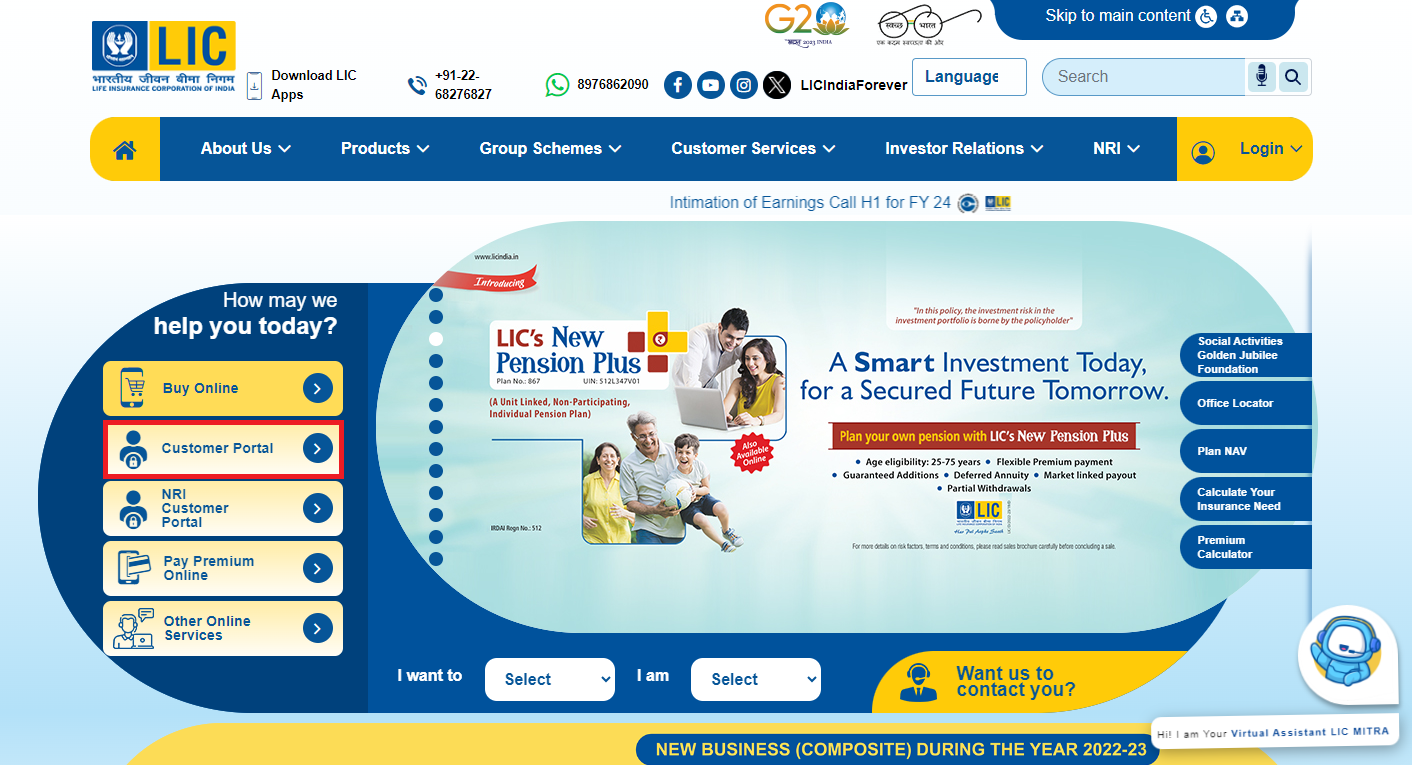
- Registered policyholders can visit LCI website. Click on the Customer Portal option. A popup may appear, asking if you are sure you want to continue as this may lead to an external link. Click "OK" to proceed.
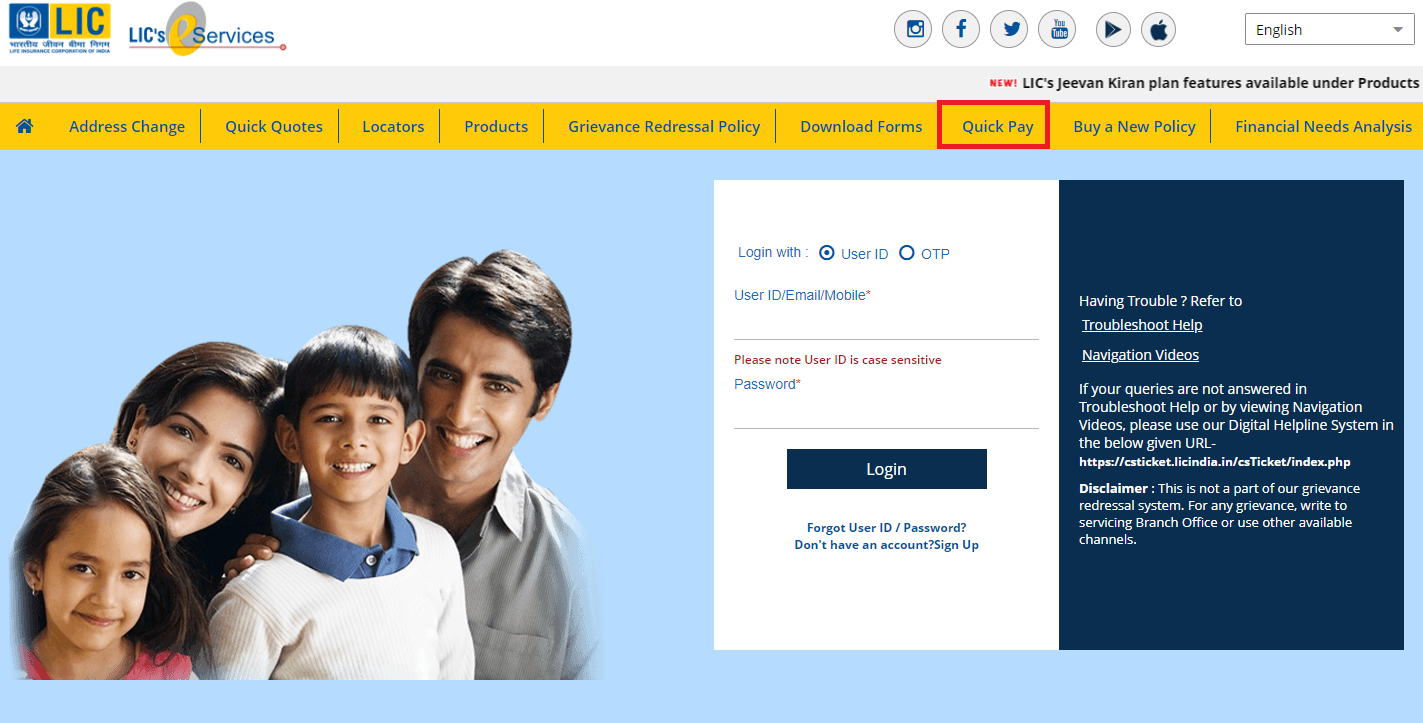
- Once you're in the customer portal, look for the 'Quick Pay' option. This option allows you to make a payment without the need to remember login credentials.
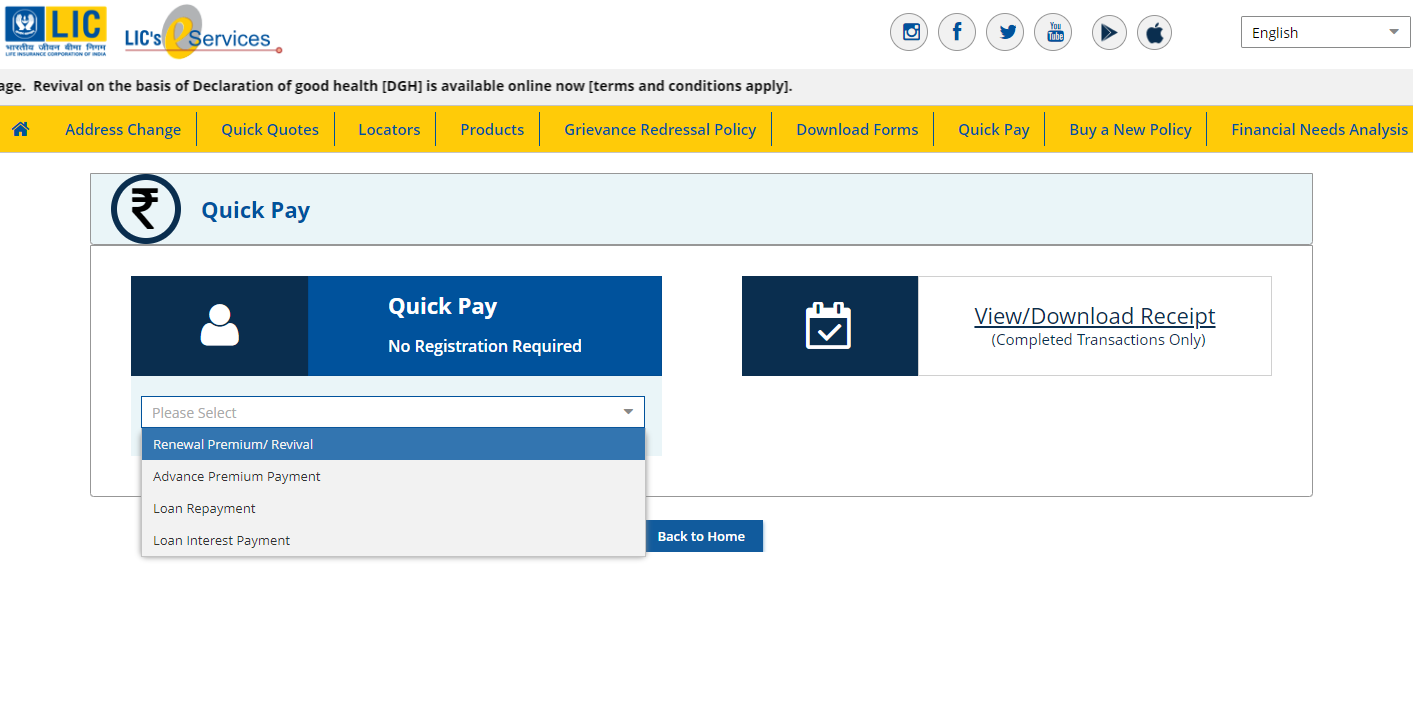
- Select the payment type.
- After selecting the payment type, you will be prompted to provide details. Enter your policy number and the premium amount that needs to be paid.
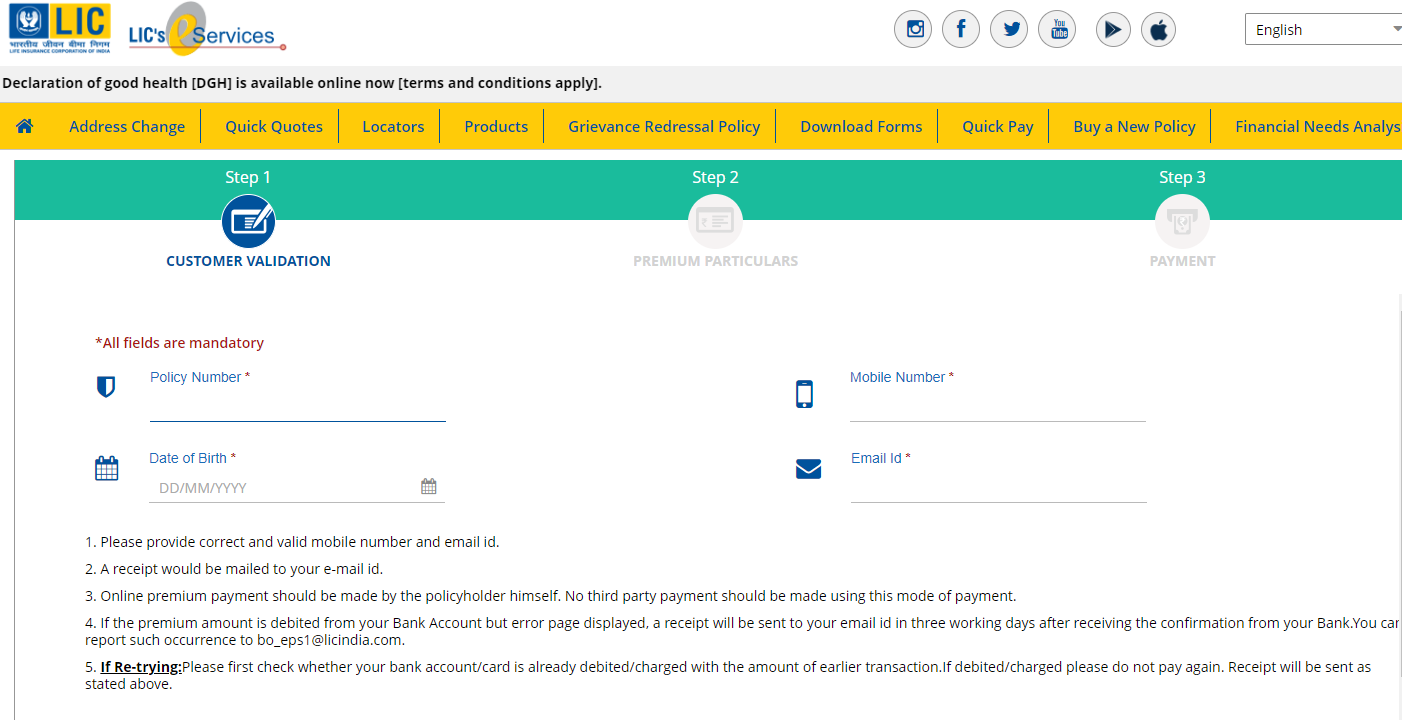
- Once you've entered the necessary details, you will likely be able to view a list of all your enrolled policies on the screen. From this page, select the specific policies for which you want to pay the premium. This step ensures that you are making payments for the policies you intend to cover.
- After selecting the policies, click on the "Submit" option. This confirms your policy selection for payment.
- After submission, you will be redirected to the payment gateway page. Choose your preferred payment option, which can be either net banking or credit/debit card. Complete the payment process through the selected payment option.
- Once the payment is successful, you should receive a confirmation message or notification.
Click here to know LIC Portal Login Guide











 CAclubindia
