
Introduction
Every assesee who deduct TDS has to make payment of TDS through challan on or before due date i.e. 7th of next month, except for the month of March, whose due date is 30th April. However if TDS deducted under specified section i.e. 194-IA (TDS on sale of property), 194-IB (TDS on rent by the person who are not covered u/s 194I), 194M (TDS on payment to resident contractor, brokers and professionals by the person who are not covered u/s 194C, 194H and 194J respectively), 194S (TDS on sale of virtual digital assets) then we have to deposit within 30 days from the end of month in which TDS is deducted for e.g. if TDS deducted in month of May then due date for deposit is 30th June.
Now, the process of TDS payment has been changed from NSDL portal to Income Tax Portal. Below is the detailed process of making payment of TDS:
How to make payment of TDS via Income Tax E-filing portal
- Log in to Income e-filing portal by using ID (which is TAN No.) and Password. In case, if TDS is deducted under specified section mentioned above then we have to log in by using PAN.
- Go to e-file tab, Select e-pay tax and choose “New payment”
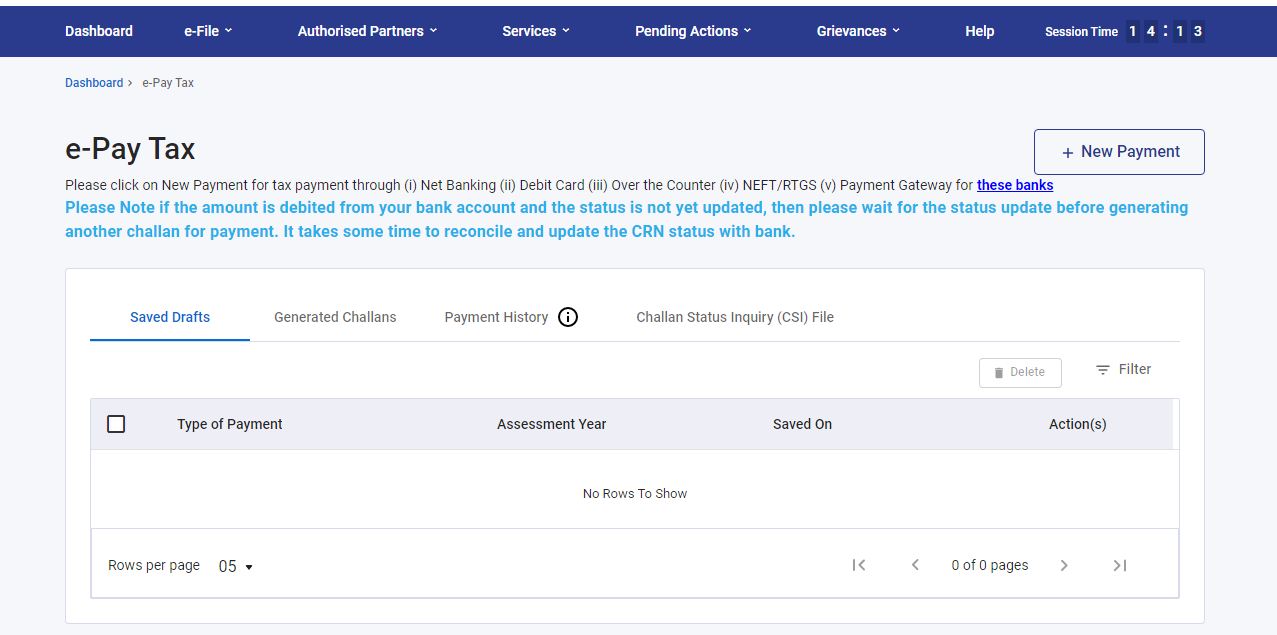
- Then select relevant A.Y and select TDS/TCS by taxpayer under head (200).
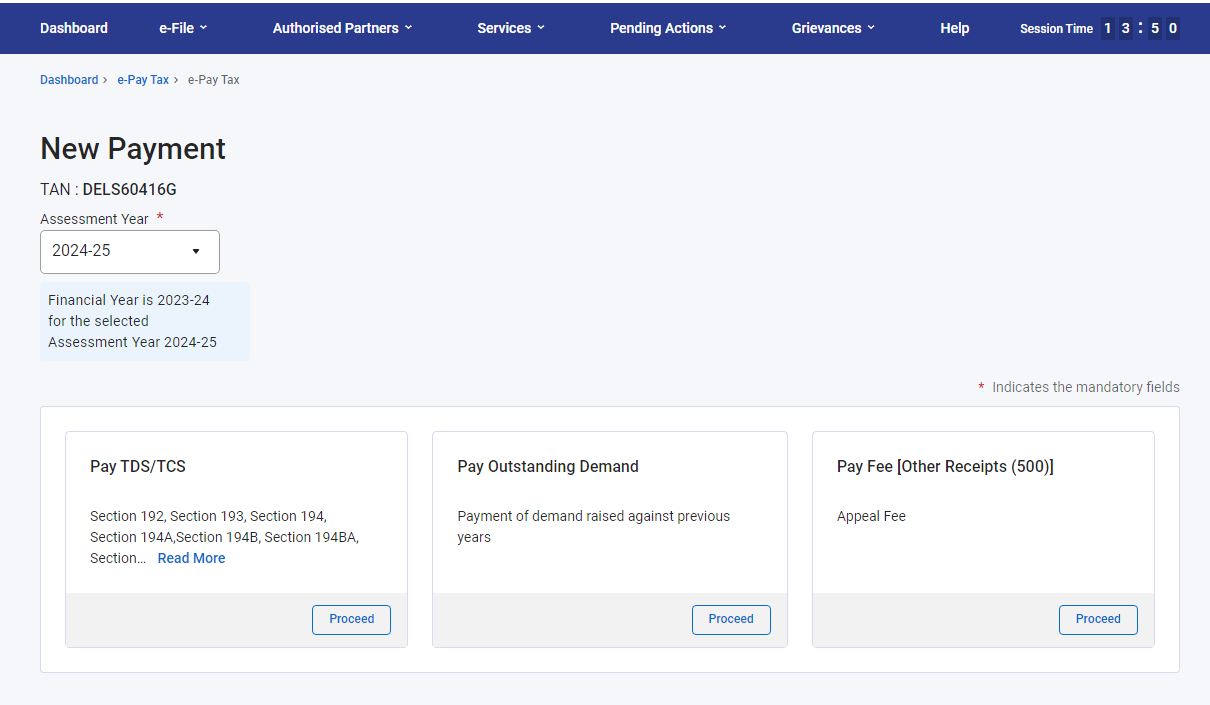
- Then select the section under which TDS is deducted for e.g. if TDS is deducted on Salary then select section 192 and proceed.
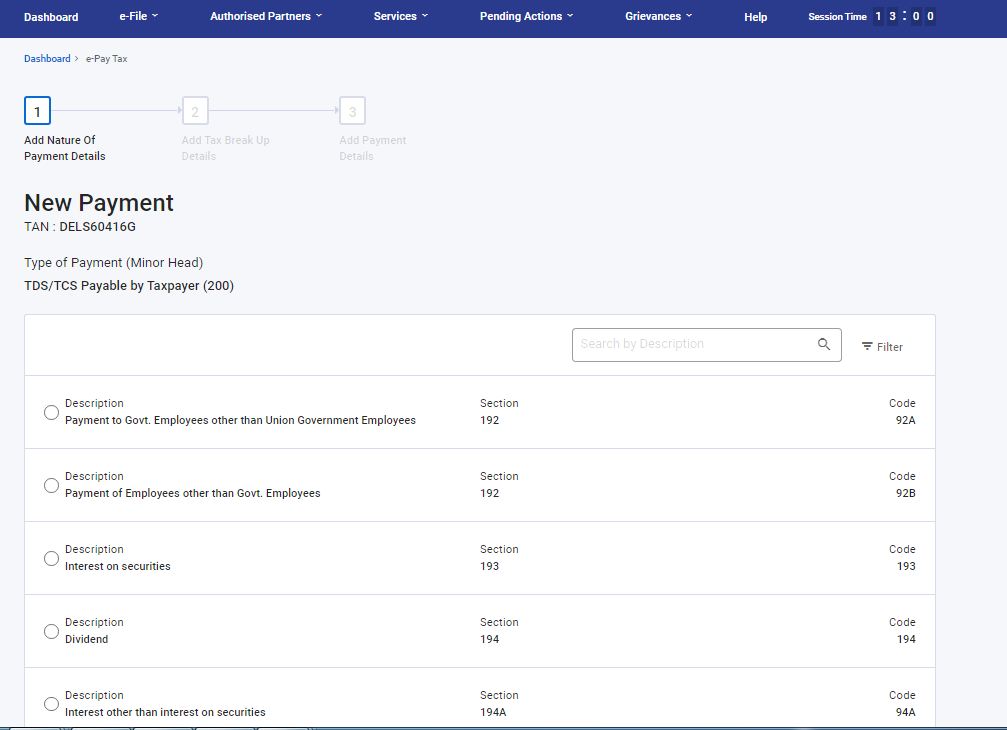
- Then we have to select the type of deductee – whether it is Company (0020) or other than Company (0021).
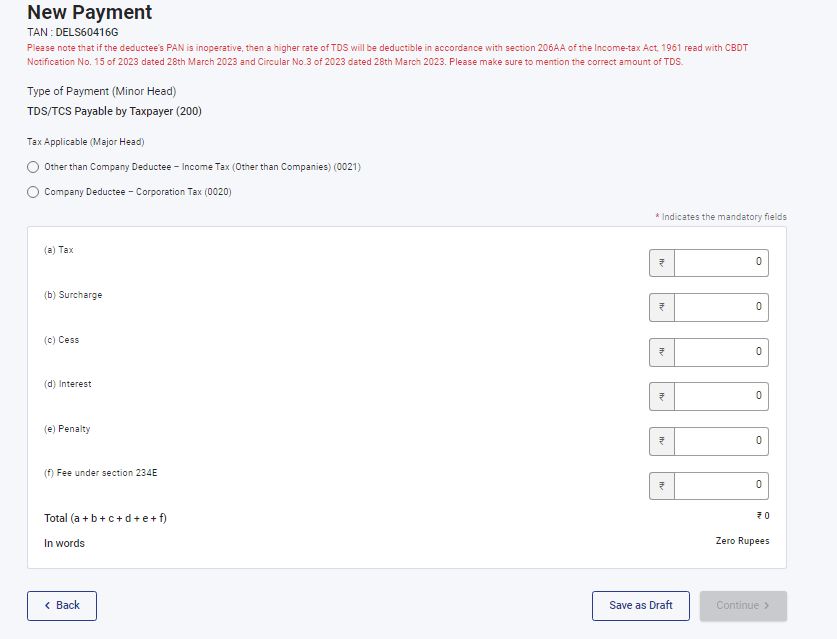
- After selecting the type of deductee, we get the page where we have to select the payment mode. We can make the payment of TDS through five different modes of payment i.e. Net banking, Debit card, Pay at Bank Counter (through cash, cheque, DD), RTGS/NEFT or Payment Gateway including UPI.
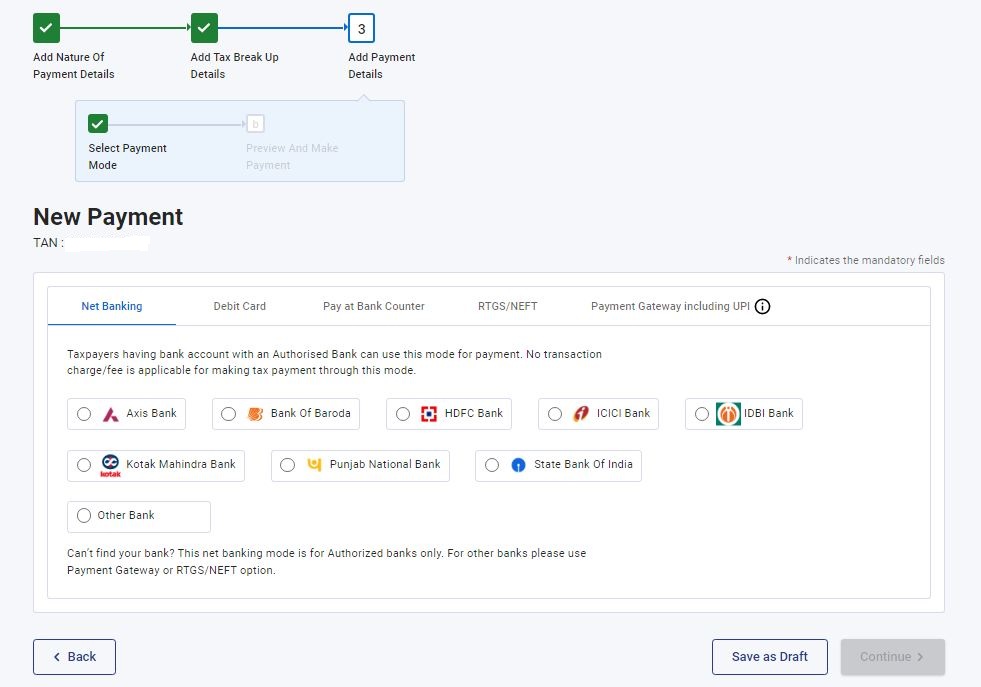
- After selecting the payment mode, click on “Pay Now” it will redirect you to bank page and payment will be made from there.
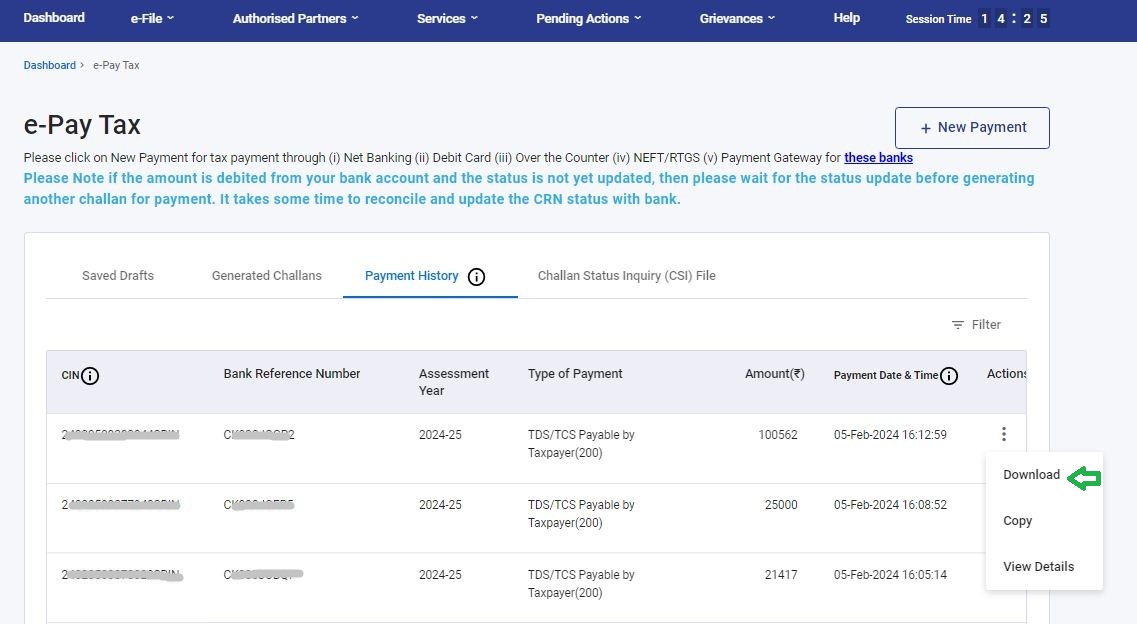
- After that, we have to download the challan from e-filing portal for future reference; we can download challan post payment anytime under the head 'Payment History'.










 CAclubindia

