Income Tax Dept launches 'Know Your Refund Status' on e-filing Portal


Quick Summary
The Income Tax Department has introduced a new 'Know Your Refund Status' feature on its e-filing portal. Taxpayers can now check their refund status online without needing to visit the TIN-NSDL website. To use the new functionality, simply visit the e-filing portal, find 'Know Your Refund Status' under 'Quick Links', and enter your PAN, Assessment Year, and mobile number to receive an OTP.

Previously, taxpayers had to check their income tax refund status on the TIN-NSDL website. However, the Income Tax Department has now launched a new functionality called "Know Your Refund Status" on the e-filing portal that allows users to check their refund status directly from the portal itself. This functionality allows taxpayers to check the status of their income tax refund online.
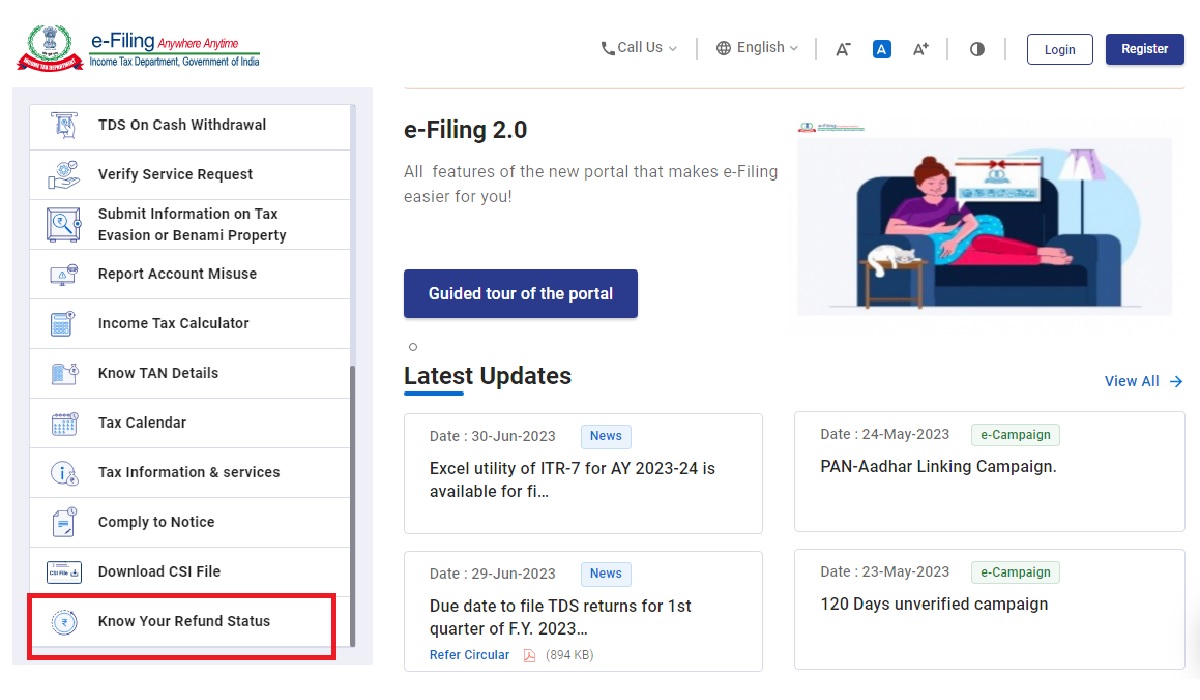
Income Tax Dept launches Know Your Refund Status on e-filing Portal

If you have paid more tax than your actual tax liability, you can claim a tax refund from the Income Tax Department.

A Step-By-Step Guide To Check Income Tax Refund Status

Step 1: Visit the E-filing portal.

Step 2: Scroll down the 'Quick Links' section till you see 'Know Your Refund Status'. Click on it.

Step 3: Fill in your PAN number, AY (2023-24 for the current year), and mobile number.

Step 4: You will get an OTP. Fill in the OTP in the given place.

Now, it will show the income tax refund status. If there is some issue with your ITR bank details, the income tax refund status will show as "No Records Found". In this case, you will need to check your e-filing processing status to see if your return has been processed successfully. You can do this by navigating to the "e-File" tab on the income tax portal and selecting "Income Tax Returns" and then "View Filed Returns". If your return has been processed successfully, you will see a status of "Processed". If your return has not been processed successfully, you will see a status of "Pending" or "Rejected".

FAQ :

You can now check your income tax refund status directly on the Income Tax Department's e-filing portal using the 'Know Your Refund Status' functionality.

Visit the e-filing portal, scroll to the 'Quick Links' section, and click on 'Know Your Refund Status'.

You will need to provide your PAN number, the Assessment Year (e.g., 2023-24), and your registered mobile number.

'No Records Found' may indicate an issue with your ITR bank details. You should then check your e-filing processing status on the portal.

Navigate to the 'e-File' tab on the income tax portal, select 'Income Tax Returns', then 'View Filed Returns' to see if your return status is 'Processed', 'Pending', or 'Rejected'.


News posted by

Finance news reporter covering taxation, GST, income tax, business compliance, and economy updates. I simplify complex financial topics into easy-to-understand articles for professionals, taxpayers, and business owners on leading finance and tax platforms.

Comments :


More »


Popular News


CCI Pro