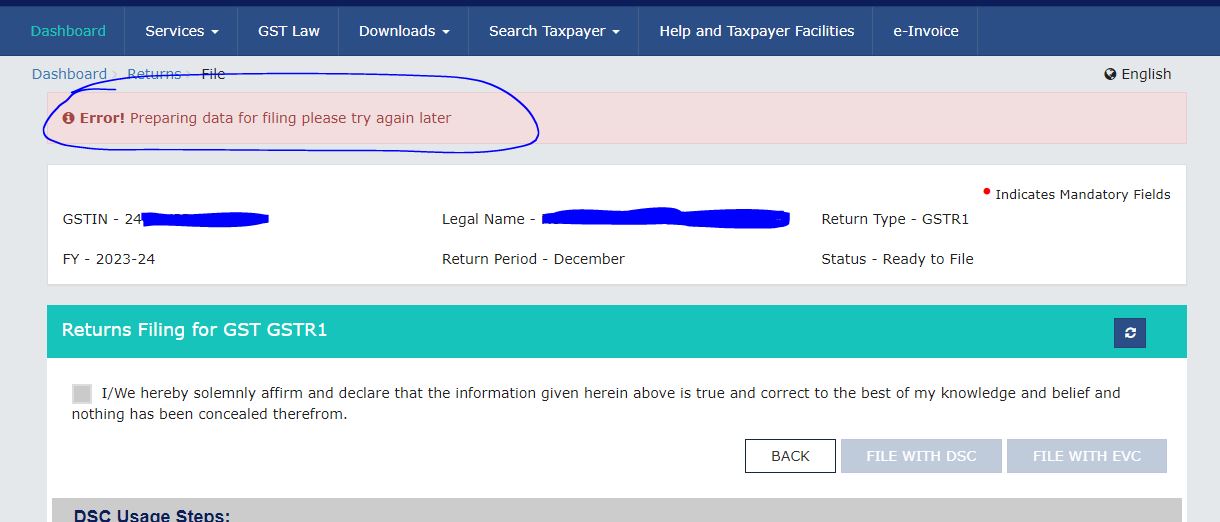
Goods and Services Tax Return (GSTR) process undergoes a significant enhancement with the redesign of Table 8, specifically addressing the declaration of e-commerce data. The revised procedure involves accessing and saving Table 8 in the GSTR-1 form, followed by the generation of a summary, ultimately resolving the reported errors.

Detailed Steps to Resolve GSTR-1 Errors
1. Introduction of Table 8 Changes
Understand the fresh design of Table 8, highlighting alterations related to the declaration of e-commerce data.
2. Accessing Table 8 in GSTR-1
- Log in to the GST portal and navigate to the GSTR-1 section.
- Locate and open Table 8 to input the required e-commerce data.
3. Saving Changes in Table 8
- Ensure accurate and updated information is entered in Table 8.
- Save the changes made to Table 8 to reflect the new e-commerce data declaration.
4. Generating Summary
- After saving the changes, proceed to generate a summary of the GSTR-1 form.
- Verify the summary for any discrepancies and ensure all details, especially related to e-commerce, are accurately captured.
5. Error Resolution
- The systematic process of updating Table 8 and generating a summary is designed to resolve any errors identified in the GSTR-1 form.
- Review the form to confirm that the changes have been successfully implemented.
Importance of the Update
- Enhanced Data Accuracy: The redesign of Table 8 aims to improve the accuracy of e-commerce data declaration, aligning with the evolving requirements of the GST framework.
- Streamlined Reporting Process: By following the outlined steps, businesses can streamline the process of reporting e-commerce transactions in GSTR-1, reducing the likelihood of errors.
- Compliance Assurance: Adhering to the updated procedures ensures businesses remain compliant with the latest GST regulations, avoiding penalties and potential audit-related issues.
This step-by-step guide serves as a comprehensive resource for businesses and taxpayers to navigate the updated GSTR-1 process, specifically addressing the changes in Table 8 for the declaration of e-commerce data. Adopting these measures is crucial for ensuring seamless compliance and error-free submission of GST returns.











 CAclubindia