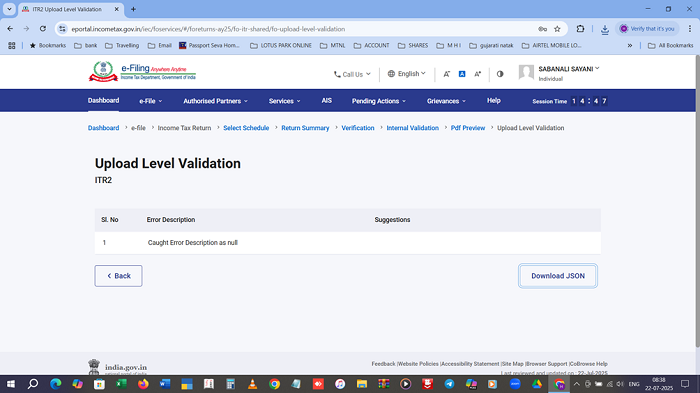
INTERNAL VERIFICATION DONE, PREVIEW DOWNLOAD, BUT EVERIFICATION NOT SHOWING, THIS ERROR APPERED,ANY SOLUTION?
Replies (4)
Quick Summary
This discussion addresses an issue where the e-verification for ITR 2 is not appearing even after internal verification and preview download. The user is seeking solutions for this error. One suggestion provided is to file a complaint under the Grievance Redressal mechanism.
To resolve a missing e-verification option on ITR-2 after preview download, log out and navigate directly via e-File > Income Tax Returns > e-Verify Return, check for hidden schema validation errors, or raise a grievance on the portal. Ensure e-verification is completed within the statutory 30-day window to prevent the return from being classified as invalid.
Leave a Reply
Your are not logged in . Please login to post replies