
Tax Consultant
1978 Points
Posted on 01 September 2026
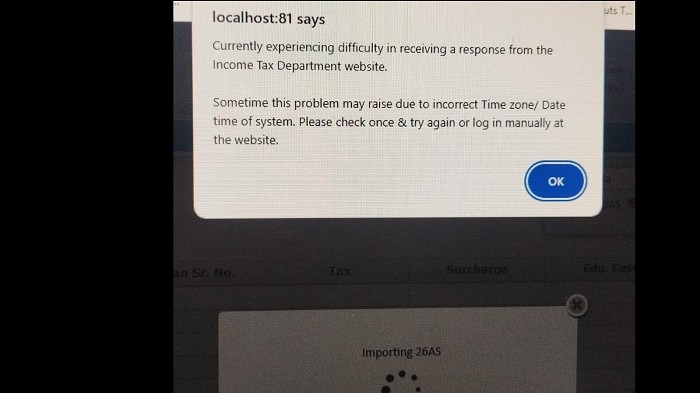
Portal errors while importing 26AS are common during peak filing periods, especially on the last day.
A few things to try right now:
1. Skip the auto-import and enter manually. 26AS data is primarily used to cross-check TDS. Instead of importing, open your 26AS (TRACES portal at traces.gov.in, or directly from AIS on the e-filing portal) and manually enter the TDS credit figures in Schedule TDS of your ITR. The portal does not require the auto-import to complete filing.
2. Use AIS data instead. On the e-filing portal, go to AIS (Annual Information Statement) under the Services tab. AIS contains the same income data. Many practitioners find AIS import more reliable than 26AS import when the portal is slow.
3. Try a different browser or incognito mode. Portal errors are sometimes browser-cache related. Clear cache, or switch to Chrome or Firefox.
4. Take screenshots of all errors. If the portal fails completely and you cannot file today, screenshot every error with timestamp. CBDT has granted extensions in past years when portal failures were widespread and documented. File a grievance on the e-filing portal under Grievances > Submit Grievance as a record of the technical failure.
For the full step-by-step on navigating the ITR filing portal, this [ITR filing guide for 2026](https://taxgarden.in/blog/itr-filing-login-guide-step-by-step-2026) covers portal login, form selection, and submission steps.





 CAclubindia
