
banner_ad

How to Check Income Tax Refund Status

ITR 645 views 1 replies

If you have filed your income tax return and are awaiting a refund, you can easily check the status of your refund online. There are two ways to do this:

  1. Checking the refund status on the Income Tax Department website:
  • Open the Income Tax Department website on your computer or mobile device.
  • Log in with your PAN number or Aadhaar number instead of User ID.
  • Go to the My Account section and click on “Refund/Demand Status”.
  • The status of your refund will be displayed on the screen.
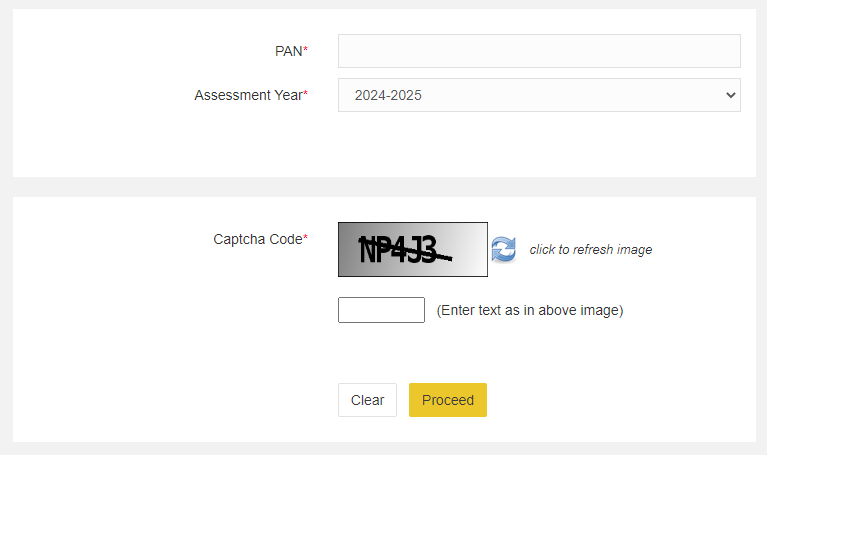
  1. Checking the refund status on the TIN NSDL website:
  • Visit the TIN NSDL website.
  • Enter your PAN number and assessment year.
  • Fill in the captcha code and click on Proceed.
  • The status of your refund will be displayed on the screen.
Replies (1)

Click here to check the refund status - https://tin.tin.nsdl.com/oltas/refund-status-pan.html

Enter the PAN, Assessment Year, Captcha and Click on 'Proceed' to check the status of the refund.


CCI Pro

Leave a Reply

Your are not logged in . Please login to post replies

Click here to Login / Register  

Company
Featured 28 March 2026
Accountant

Ashok Amol & Associates

New Delhi

B.Com

View Details
Company
Featured 14 April 2026
GST CONSULTANT

Abhishek G Agrawal & Co.

Korba

CA Final

View Details
Company
Featured 13 April 2026
GST CONSULTANCY

Abhishek G Agrawal & Co.

Korba

CA Final

View Details
Company
Featured 19 March 2026
Article Assistant

Gupta Sachdeva & Co. Chartered Accountants

New Delhi

CA Final

View Details
Company
Featured 28 March 2026
CA Final

Ashok Amol & Associates

New Delhi

CA Final

View Details

